40 Installation Manual 3P291714-2B
DCM601A71 intelligent Touch Manager
English
5 Quick Operation Guide
This chapter describes how to start/stop the areas and management points registered
with the intelligent Touch Manager and display their information quickly. For detailed oper-
ation procedures, refer to the “User’s Manual (EM11A017)”.
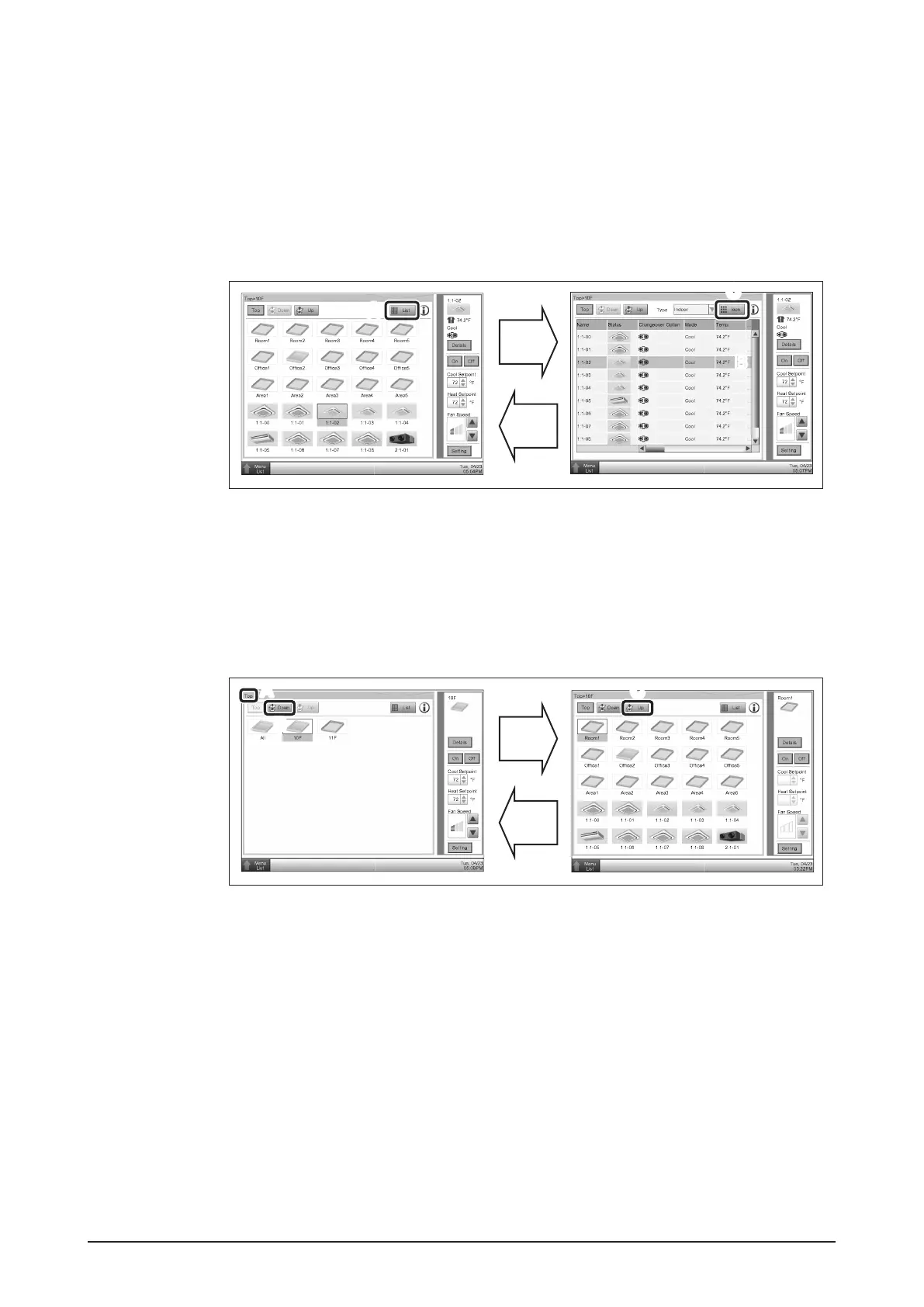
5.1 Viewing target area and management point information in
list format
A
List
Icon
A
C
C
B
A Touch the List button.
B The screen changes to the list view, where selecting “Indoor” in the Type combo box
causes the name, operation mode, setpoint, and fan speed of all areas and indoor
units to be listed.
C Touch the Icon button to return the Icon view screen.
5.2 Displaying areas and management points
Down
Up
A
B
B
C
C
A The level of the current area and management point is displayed.
B Touch the Down button to go to the area being selected and view the areas and
management points in it.
C Touch the Up button to go to the area one level above the current area.










 To Next Page