14 Installation Manual 3P291714-2B
DCM601A71 intelligent Touch Manager
English
2 Electric Wiring
This chapter describes the procedure for connecting the intelligent Touch Manager with
DAIKIN air conditioning devices and other equipment.
In addition to air conditioners, the intelligent Touch Manager can monitor and control a
wide range of equipment. However, the required connection procedures vary depending
on the equipment to be connected.
Do not connect more than two wires to the same terminal.
Required proce-
dures
• 2.2 Connecting DIII-NET-compatible air conditioning equipment
• 2.7 Connecting power supply
Equipment-spe-
cic procedures
• 2.3 Connecting a LAN cable
• 2.4 Connecting I/O module
• 2.5 Connecting an emergency stop input device or power meter
• 2.6 Connecting iTM plus adaptors
WARNING
• Do not turn on the power supply before all wire connections are completed.
When there is an earth leakage breaker or a local switch installed on the circuit,
make sure that the circuit is securely interrupted. Otherwise, an electric shock
may result.
• After the wiring is completed, double-check that all wires are connected cor-
rectly before turning on the power supply.
•
All eld supplied parts and materials, electric works must conform to local codes.
• All wiring must be performed by an authorized electrician.
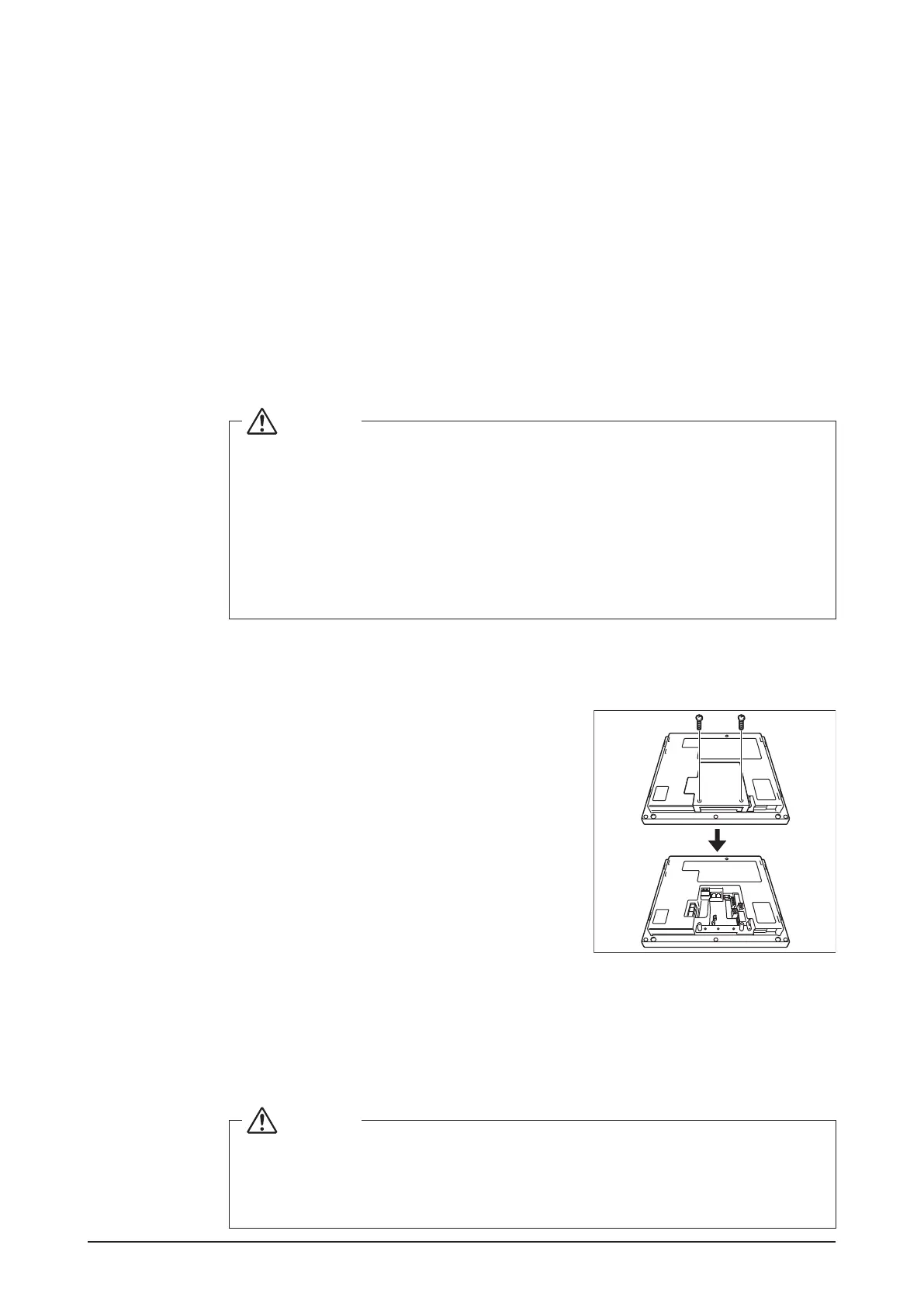
2.1 Removing wiring cover from rear face
<Removing wiring cover>
Remove the wiring cover from the rear face. Take out
two screws using a Phillips screwdriver to remove
the wiring cover.
2.2 Connecting DIII-NET-compatible air conditioning equipment
DIII-NET is the DAIKIN’s original communication method used between air conditioners.
Using DIII-NET, you can centrally control multiple DAIKIN DIII-NET-compatible air condi-
tioning devices by connecting them to your intelligent Touch Manager.
WARNING
• Be sure to perform the operation during power-off conditions. Not doing so
may cause an electric shock.
•
The maximum length of adhered wiring of high current electrical line of power
wires and weak current line of communication wires must be kept to 65 ft. or less.










 To Next Page