Installation Manual 3P291714-2B
DCM601A71 intelligent Touch Manager
29English
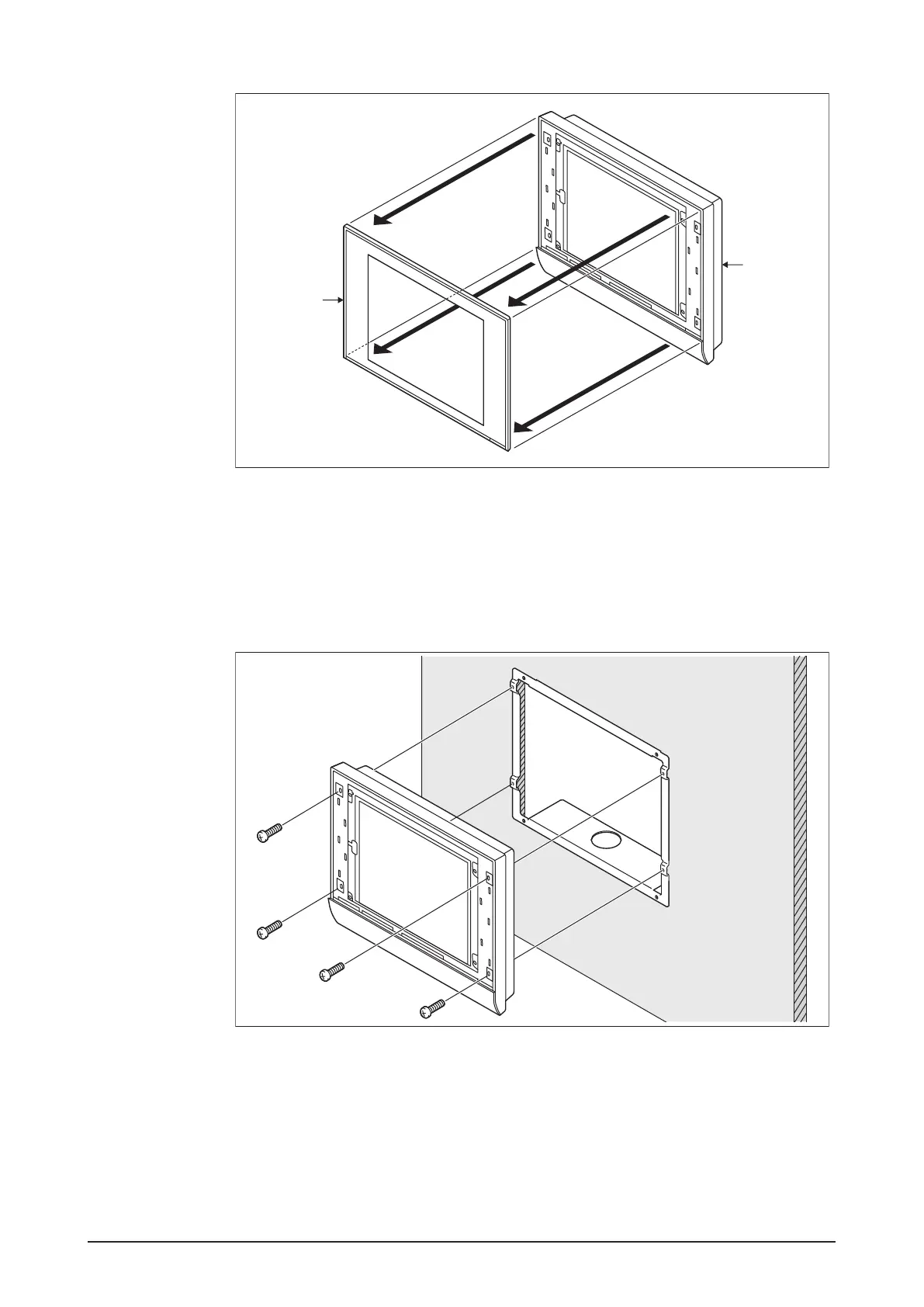
<Removing front panel>
MONITOR
A
B
A Front panel
B Main body
3. Insert the intelligent Touch Manager into the frame bracket attached to the wall and x
the intelligent Touch Manager to the frame bracket using four screw holes around the
monitor screen and the pan-head screws.
<Installing intelligent Touch Manager body>
A
A
A
A
A Pan-head screw
4. Attach the front panel of the intelligent Touch Manager back to its original position.










 To Next Page