Installation Manual 3P291714-2B
DCM601A71 intelligent Touch Manager
37English
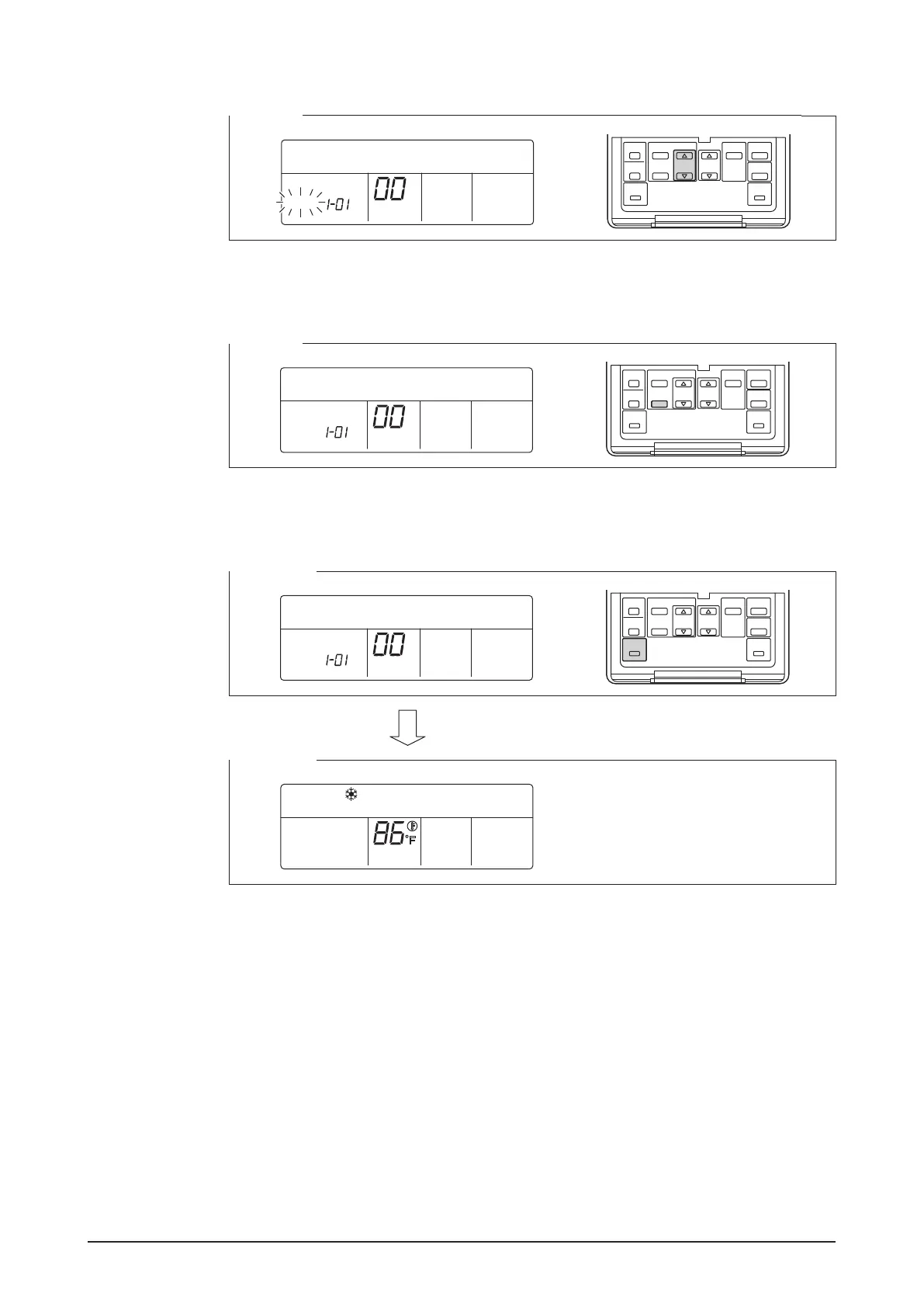
4. Using the Programming time buttons, select the address you want to set.
<Step 4>
SETTING
GROUP
5. Press the SCHEDULE button to make the “GROUP” indicator stay lit.
The DIII-NET address has been set.
<Step 5>
SETTING
GROUP
6. Press the Inspection/Test Operation button.
You are now brought back to the screen shown in Step 6-2.
<Step 6-1>
SETTING
GROUP
<Step 6-2>
HH
F











 To Next Page