On/O Tab
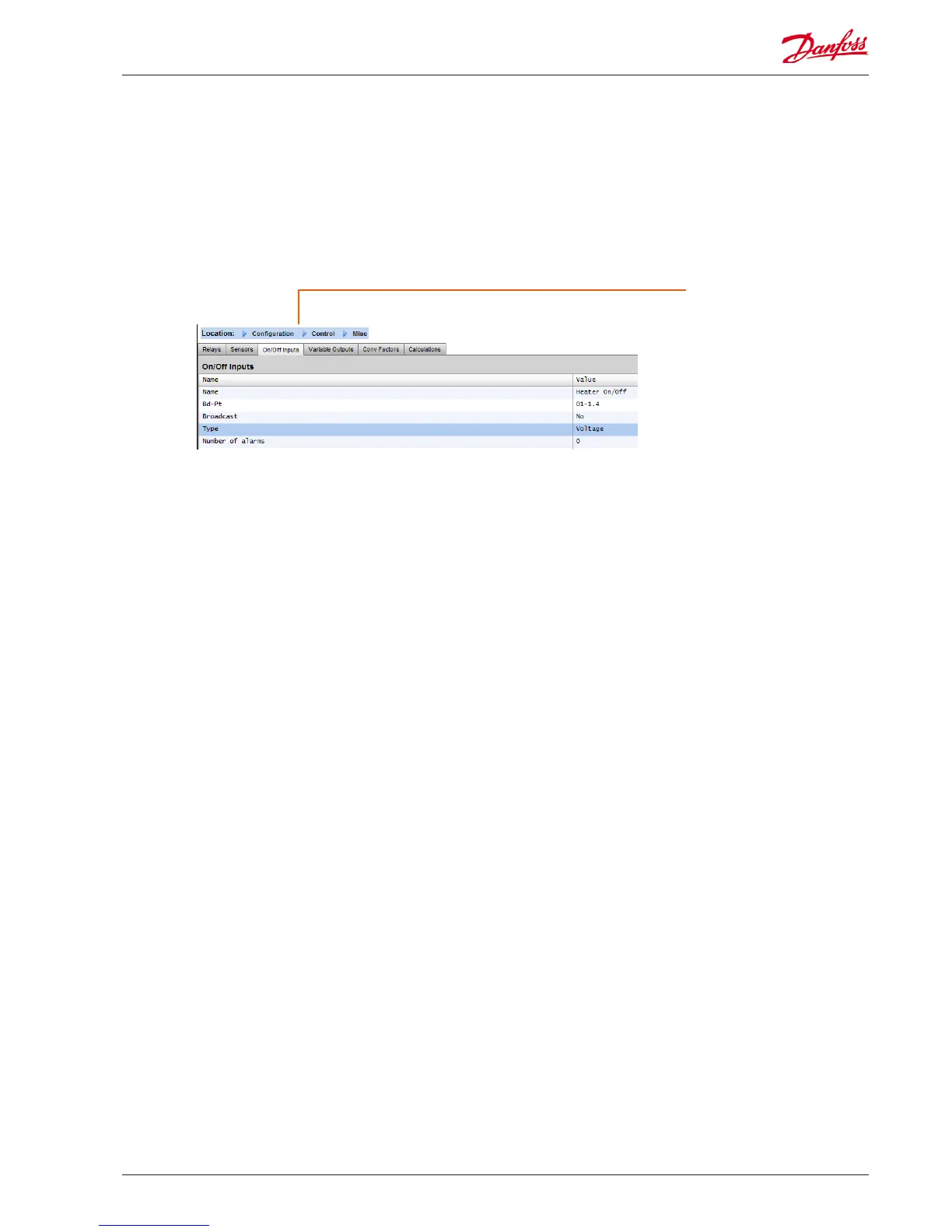
The example below shows the Misc On/O tab. Navigate down
the control lines and congure as required.
On/O Tab
Depending on control require-
ments the screen layout may
dier.
Navigate though the options,
adding custom name, AK I/O
address, alarms
Example of On/O Inputs Tab
Name: Enter custom description for Input
Bd-Pt: Enter a valid Board & Point address (using AK I/O modules)
Broadcast:
No: The value of the point will not be broadcast to be used in
logic on other controllers.
Send: The value of the point (whether it is ON or OFF) will be
available on the host network for use by other controllers. Be
sure that each sending Board-Point combination is unique
throughout the system. (If the controller at address #01 is
sending from its Bd-Pt address 1-02, then no other controller
can have an output at its Bd-Pt address 1-02 sending.
Rec: The value of the point is being received from another
controller on the host network. You must enter, in the Bd-Pt
elds, the Bd-Pt address of the sending point.
Type: Select from various option in the drop down list
Voltage: Voltage Input
No Voltage: No Voltage Input
Latching: Latching Input
Closed: Closed Input
Open: Open Input
Number of alarms: Enter the amount of alarms (max 3)
Alarm 1: Enter the alarm level (Disabled, Log only, Normal,
Severe, Critical)
Type: Alarm if above or if below limit (seen below)
Limit: Enter the alarm limit
Delay: Enter delay time
Units: Seconds, Minutes, Hours
From: Denes alarm output time window
To: Denes alarm output time window
Days: Dene the days associated with alarm
Action: Dene the alarm action
AK-SM 850 User Guide Lit. no. USCO.PI.R1.E1.02 © Danfoss 07-2013 47


 To Next Page
 Loading...