8
MEMOR™ 30/35 FAMILY
BATTERY
INSTALL THE BATTERY
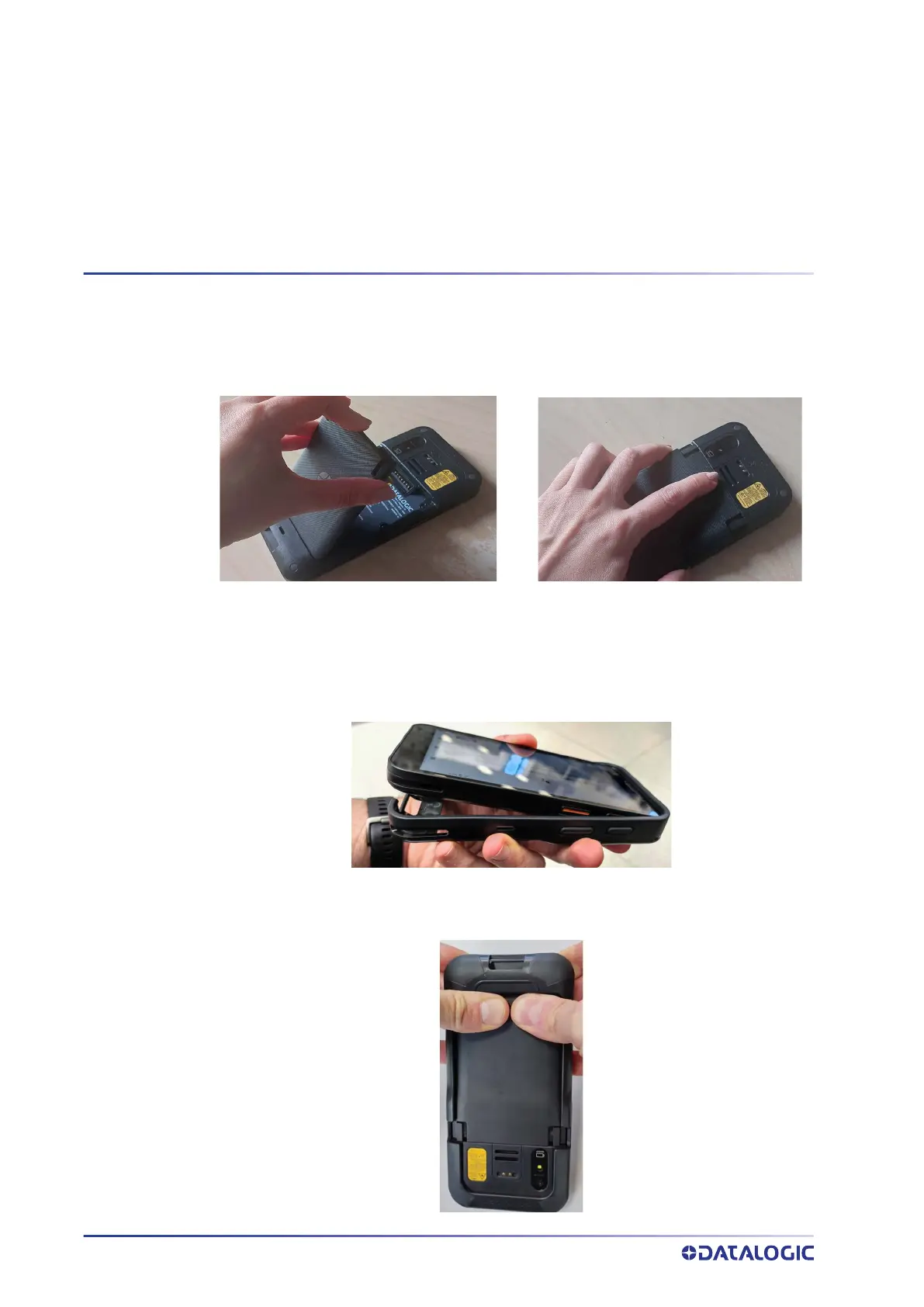
Insert the battery pack into the slot, bottom first, and press it into place:
INSTALL THE PROTECTIVE BOOT
The protective boot provides additional protection to the device and is available as
optional accessory (P/N 944CC0374).
Insert the device into the protective boot, top first.
To remove the protective boot, grab the protective boot sides with your fingers while
pressing the back bottom of the device with your thumbs, as shown in the picture
below.



 To Next Page