CONTENTS
62
MEMOR™ 30/35 FAMILY
NETWORK & INTERNET
Connect to Wi-Fi Network
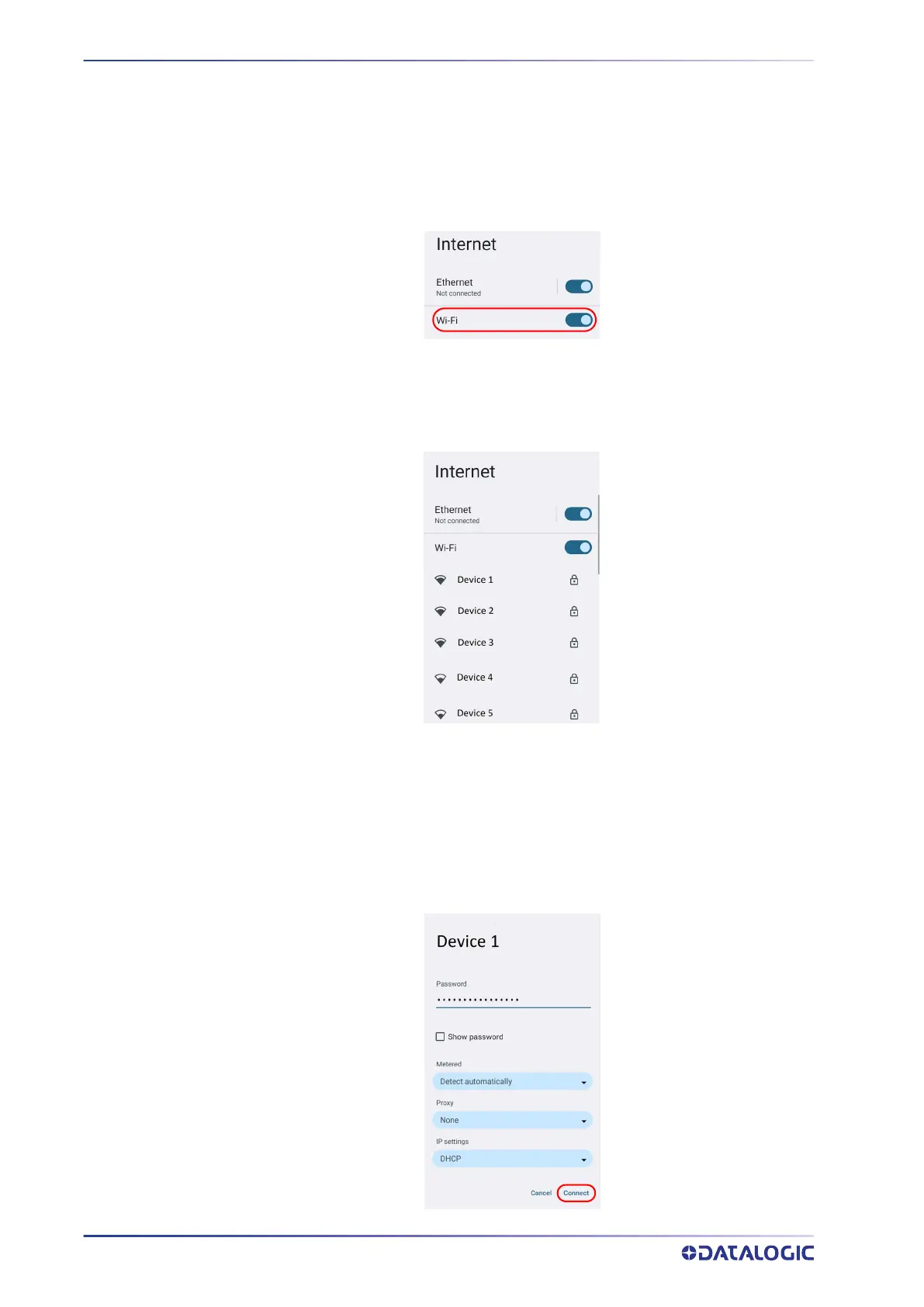
1. To turn on/off the Wi-Fi, tap Settings > Network & Internet > Internet > Wi-Fi.
If the device finds a network that you connected to previously, it will connect to it
automatically.
The device also scans for available Wi-Fi networks within range and lists them.
Secured networks are indicated with a lock icon.
2. Select the network name you want to connect to from the available network list.
3. If the network is open, tap the profile and then tap Connect, or press and hold and
then select Connect.
If the network is secured, a dialog box appears requesting information relevant to
the network security protocol (e.g., password, key, or certificate). Enter the
required information, then tap Connect:



 To Next Page