CONTENTS
88
MEMOR™ 30/35 FAMILY
ETHERNET CONNECTION
Use the Use the Single Slot Charging/Communication Dock (available as an accessory, p/
n 94A150114) or the 4-Slot Charging/Communication Dock (available as an accessory,
p/n 94A150119) to build a reading system for the collection, decoding and transmission
of barcoded data.
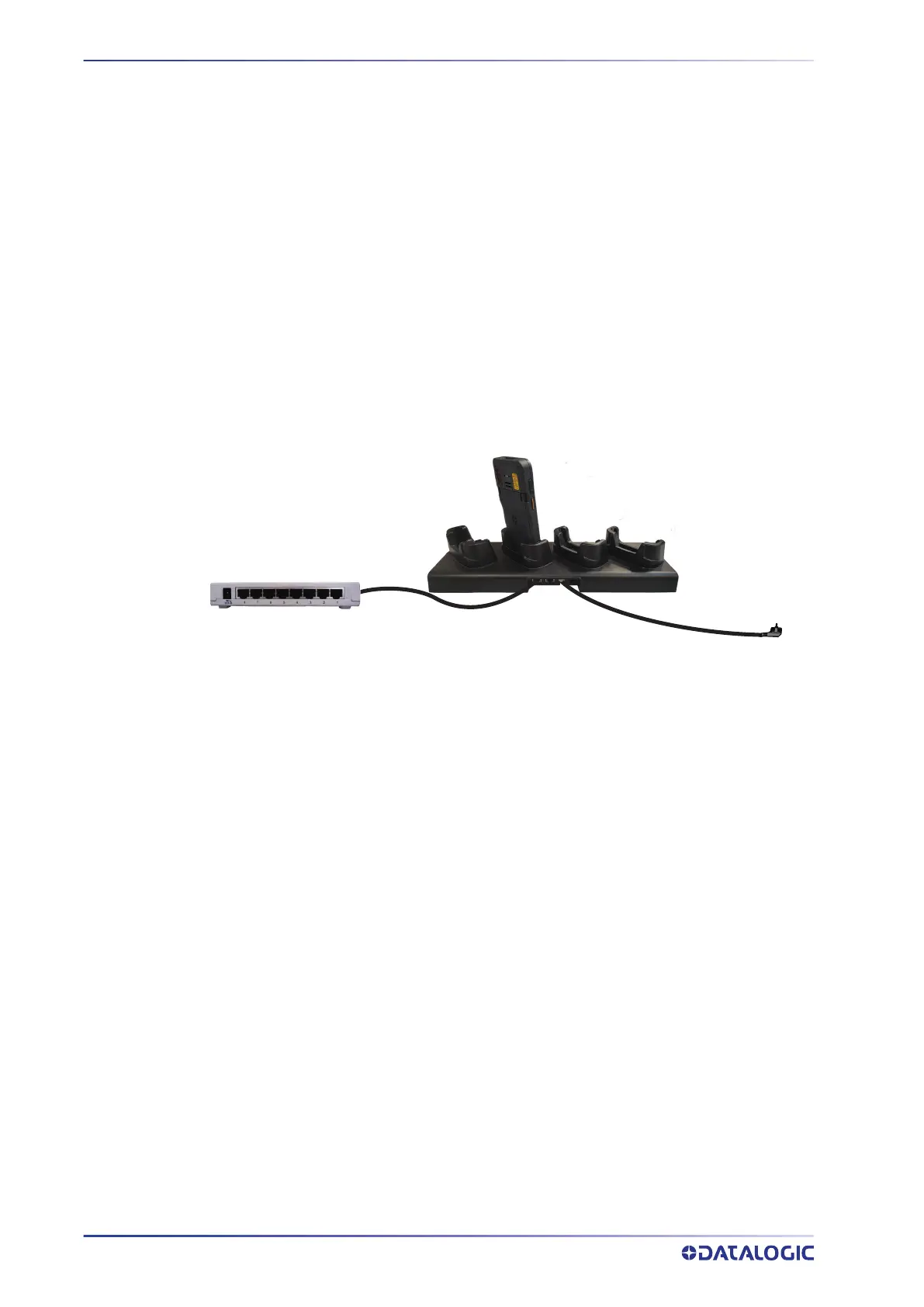
Ethernet Dock Connection
1. Connect the dock to the power supply (available as an accessory, p/n 94ACC0380).
2. Plug a CAT-5 ethernet cable into the ethernet port on the back of the dock.
3. Plug the ethernet cable into the ethernet hub or a port on the host device.
4. Insert the Memor 30/35 into the dock.
Memor 30/35
Ethernet Hub
Power Supply (P/N 94ACC0380)
4-Slot Charging/
Communication
Dock
CAT-5 Ethernet Cable



 To Next Page