CONTENTS
60
MEMOR™ 30/35 FAMILY
System Update
The A/B system update ensures a workable booting system remains on the disk during
an over-the-air (OTA) update. OTA updates can occur while the system is running, with-
out interrupting the user. Users can continue to use their devices during an OTA, the
only downtime during an update is when the device reboots into the updated disk parti-
tion.
To transfer the OTA package from your PC to the Memor 30/35, follow the steps below:
1. Connect the device and the PC via USB cable (see "
USB Connection" on page 86);
2. Copy the OTA package to the device Download folder;
Local Upgrade
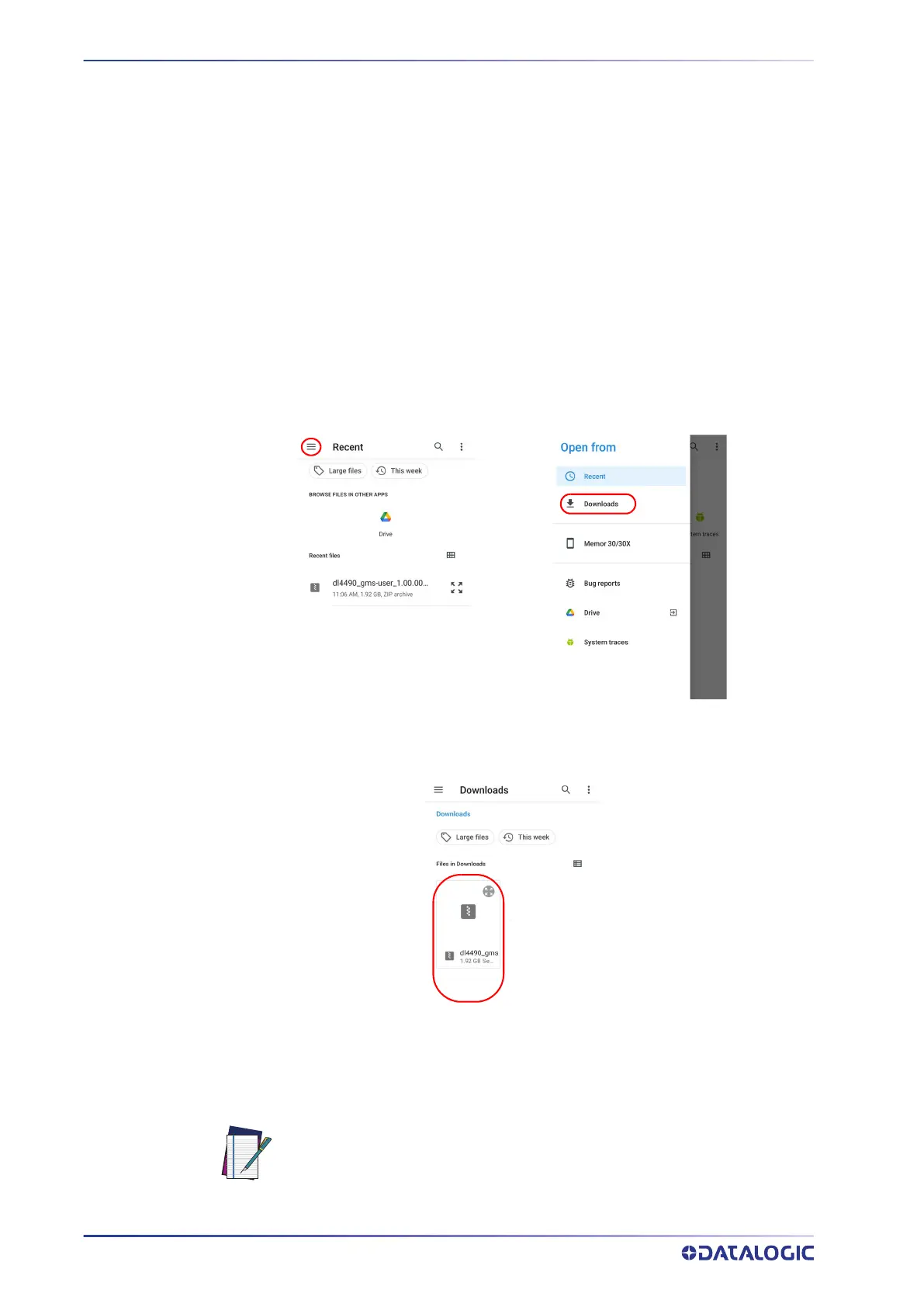
From the Datalogic Settings menu, tap System Update > Local upgrade. Tap the menu
icon on the top left corner of the screen and then tap Downloads.
Select the update package you want to install:
NOTE: The OTA package would be also available if copied into another
folder. You just need to select the right folder.



 To Next Page