USER’S MANUAL
17
GETTING STARTED
TURN ON THE DEVICE
To turn on the Memor 30/35, press and hold the power button for at least 4 seconds.
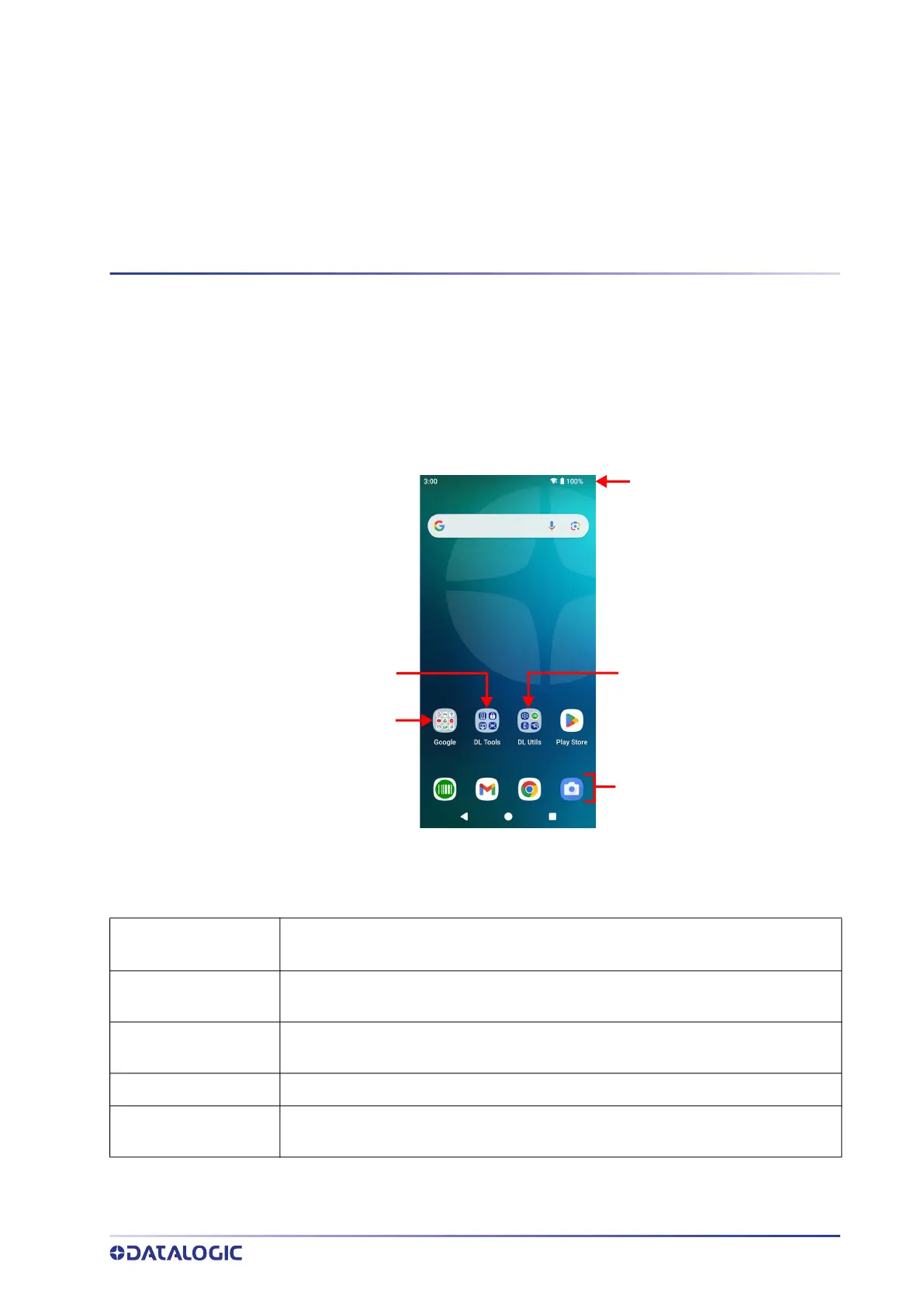
HOME SCREEN
Home Screen Items
Notification/ Status Bar
Favorites Tray
Datalogic Utils
Google Apps
Datalogic Tools
Notification/Status
Bar
Displays the time, status icons (right side), and notification icons (left side).
Favorites Tray
It is like a dock for your home screen. By default, it includes commonly used apps,
but you can customize it.
Datalogic Utils
Shortcut to Datalogic’s native applications and settings: Datalogic Settings, SoftS-
pot, Battery Manager, WiFi Guard.
Datalogic Tools
Shortcut to Datalogic’s tools: Scan2Deploy, Launcher, Browser, Scan Demo.
Google Apps
Shortcut to Google’s native applications: Google, Gmail, Maps, YouTube, Drive, YT
Music, Google TV, Meet, Photos.



 To Next Page