CONTENTS
18
MEMOR™ 30/35 FAMILY
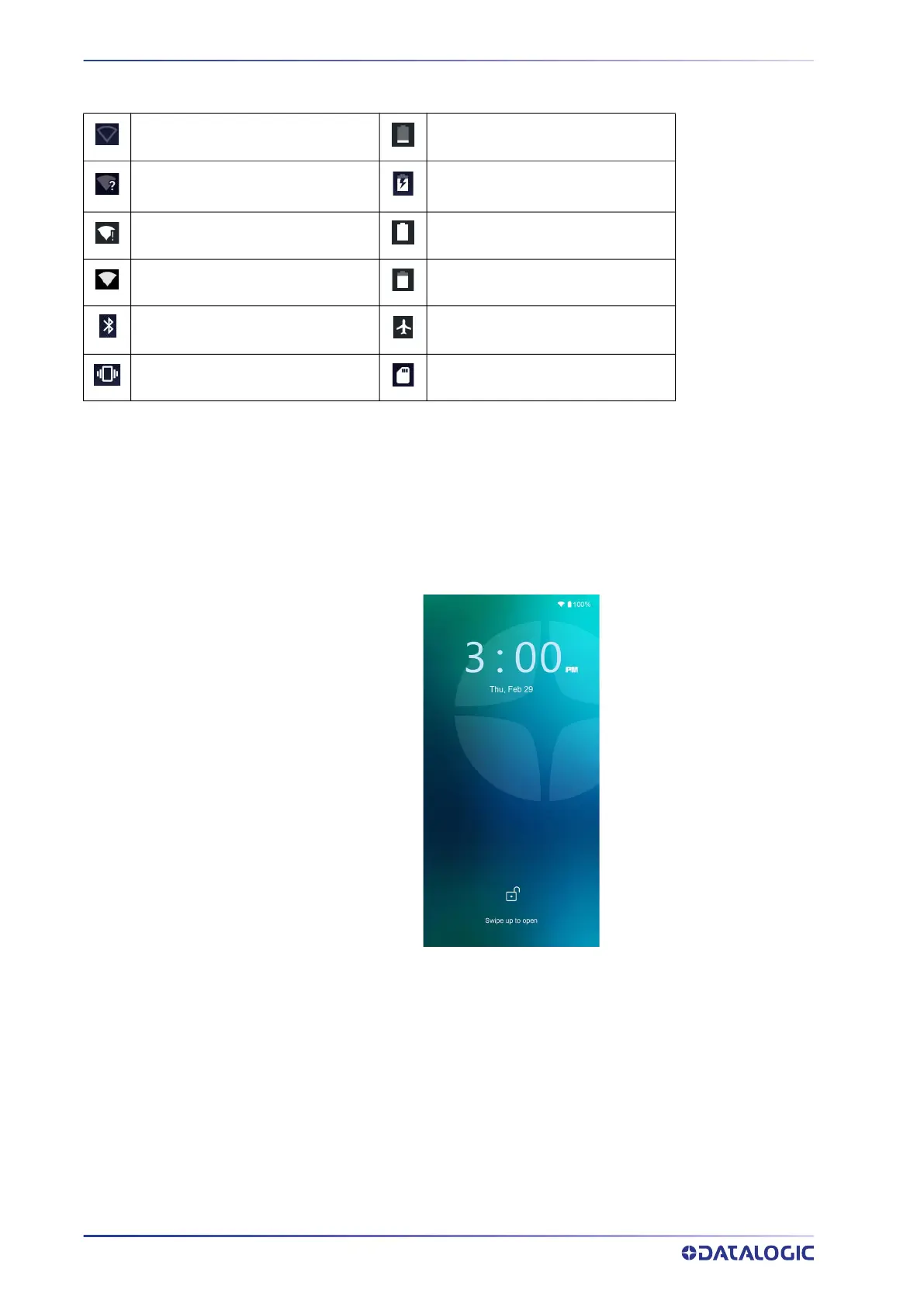
Status Bar Icons
SUSPEND MODE
Suspend mode automatically turns the screen off and locks the terminal to save battery
power when the terminal is inactive for a programmed period of time.
Press and release the power button to toggle the terminal in or out of suspend mode:
To unlock the home screen, press and hold the lock icon, or tap anywhere else on the
screen and drag your finger upward.
To set the timeout limit, see "
Suspend Timeout" on page 46.
Wi-Fi is on. Battery is low.
Wi-Fi not connected.
External power source is con-
nected.
Wi-Fi connected no internet. Battery is full.
Connected to a Wi-Fi network. Battery is partially drained.
Bluetooth is on. Airplane mode.
Vibrate mode. SD storage.



 To Next Page