CONTENTS
74
MEMOR™ 30/35 FAMILY
Charging Profile
Charging Profile - Setup
This window allows to customize the charging process according to the user's needs and
priorities.
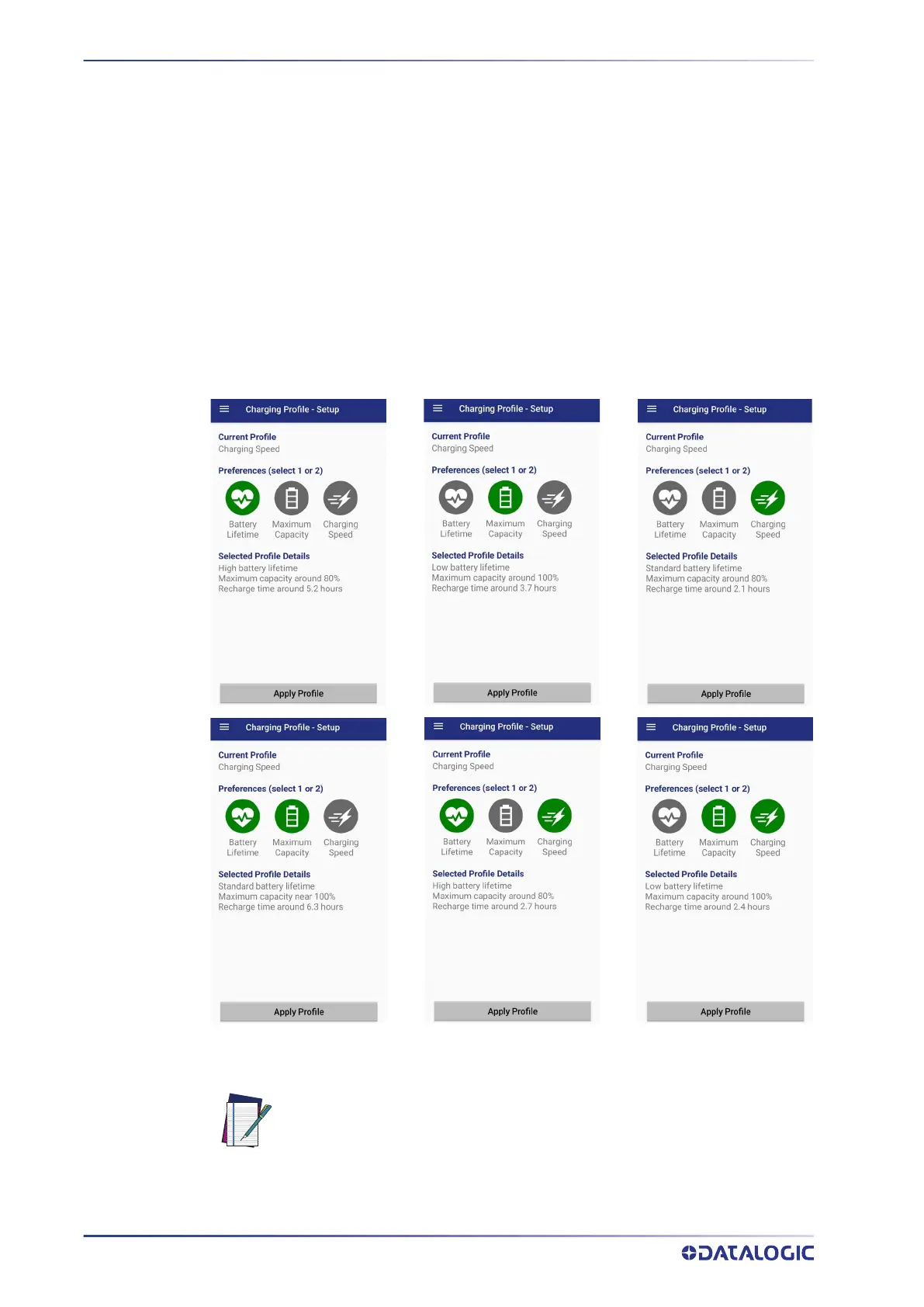
To configure a charging profile, select 1 or 2 of the following preferences:
• Battery Lifetime.
• Maximum Capacity.
• Charging Speed.
If a third preference is selected, the system will automatically clear the oldest option.
Tap Apply Profile to confirm.
You can configure up to 6 different charging profiles:
Once you have set your profile, it will be applied by default whenever you charge the
device.
You can change your profile at any time, even during charging.
NOTE: The selected profile is saved into the device memory. When the bat-
tery is replaced, the device applies the current profile from the device
memory.



 To Next Page