CONTENTS
USER’S MANUAL
51
Key Remapping
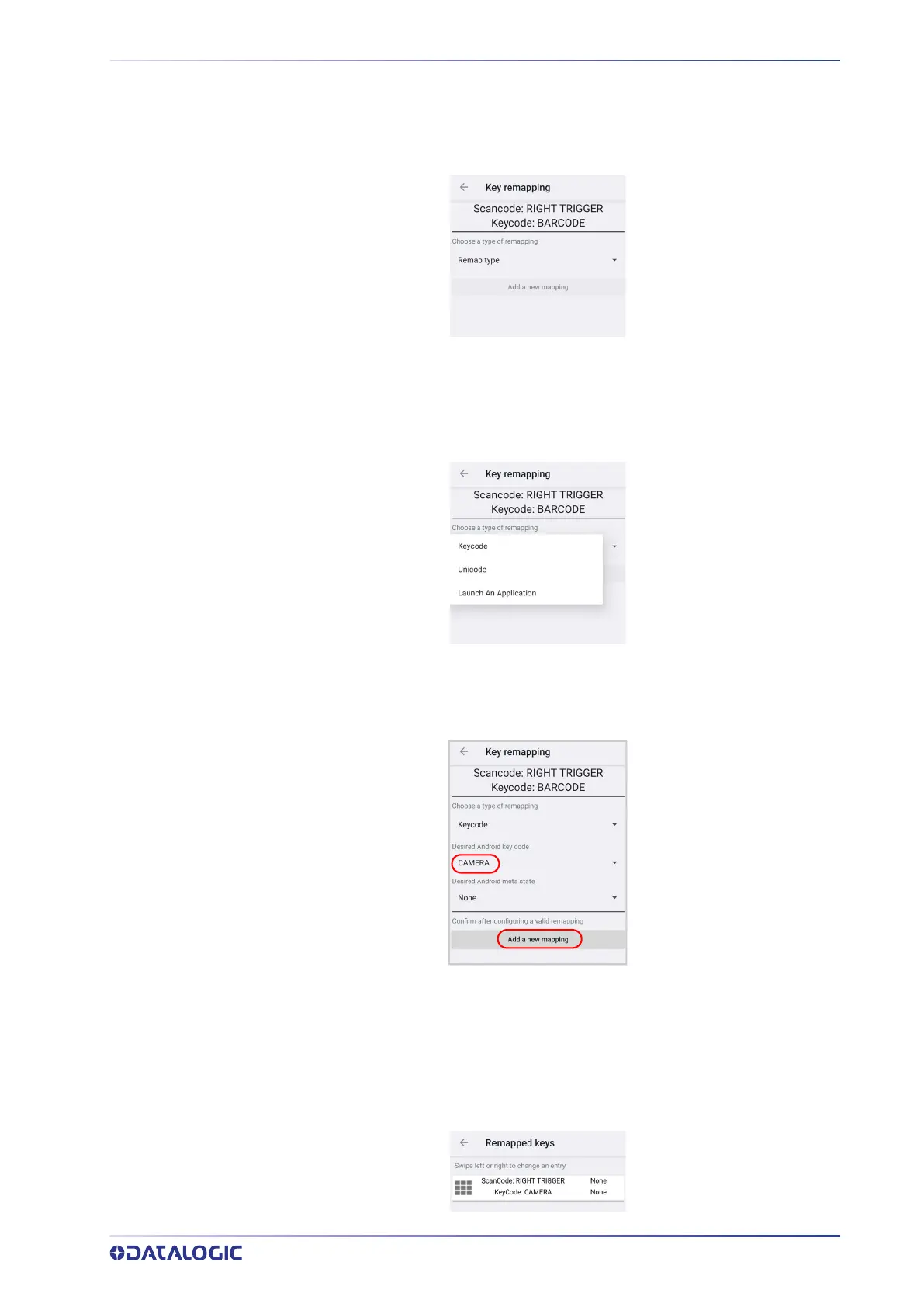
Tap Add new mapping to remap an input key, then press the key you want to remap.
The following window displays on screen:
• Scancode represents the physical location of a keyboard key.
• Keycode represents the value that is mapped to a specific key.
Tap Remap type to select the remapping type:
Keycode
Select Keycode to map the selected key to a new function:
• Tap the second menu (default = DISABLE KEY) to select the new function you want
to assign to the selected key.
• Tap the last menu (default = None) to add a modifier key (such as Ctrl, Shift or
Alt).
Tap Add a new mapping. A window displays showing the new keymap.



 To Next Page