CONTENTS
20
MEMOR™ 30/35 FAMILY
BATTERY SWAP
Battery Swap mode is a low power suspend mode that allows you to replace the battery
pack without closing files and applications. It maintains the main memory contents and
keeps applications running but does not allow you to operate any of the device's func-
tions.
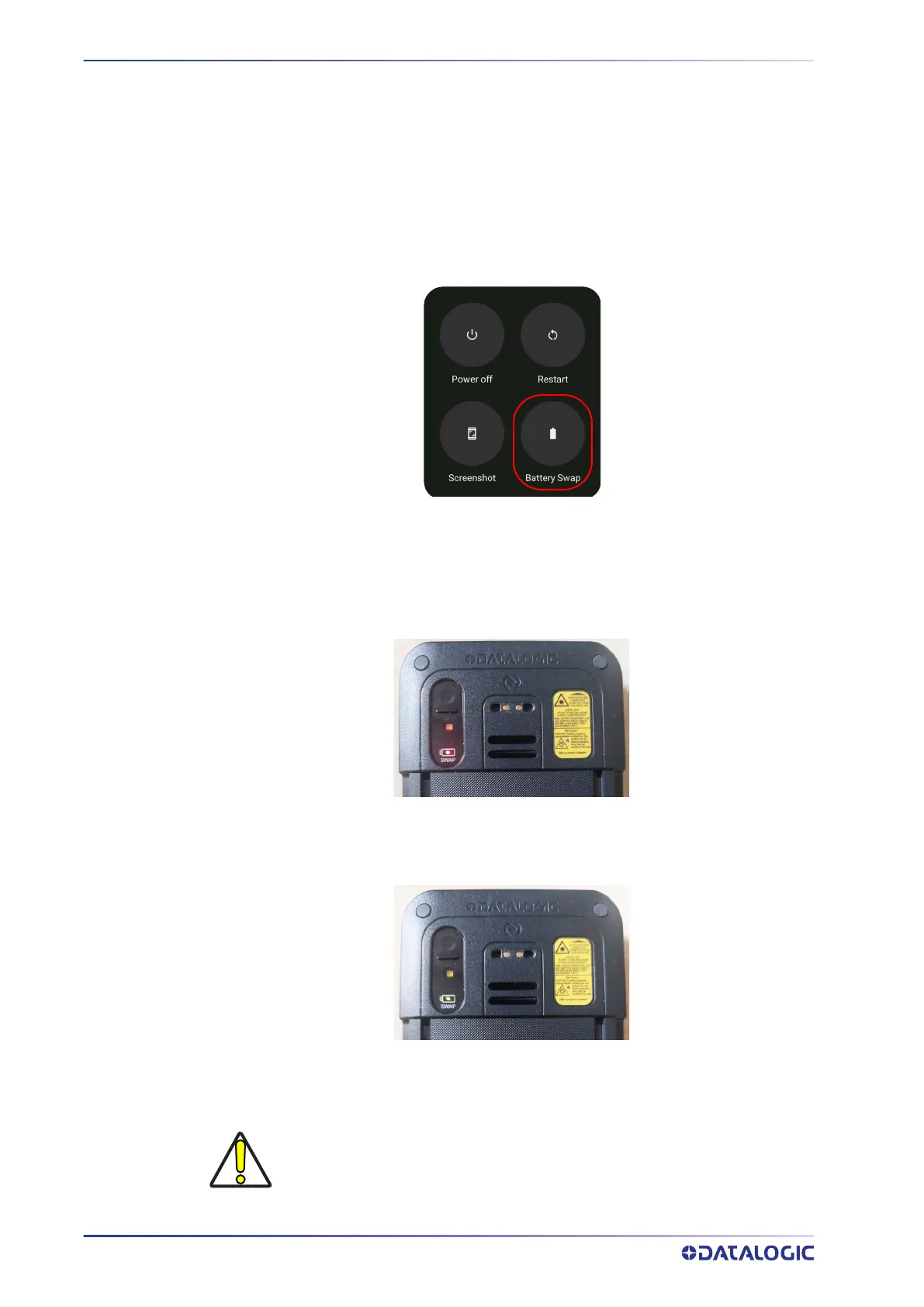
To switch to Swap Battery mode:
1. Press and hold the Power button to display the Long Press Menu and tap Battery
Swap:
2. Tap Confirm.
3. The notification LED starts blinking blue and the battery swap LED lights up solid
red.
4. Wait for the LED to turn solid green and then replace the battery (see "
Install the
Battery" on page 8
).
5. Press and release the power button to resume your session. The notification LED
will turn off.
ì
CAUTION: Be sure to insert a charged battery pack. If the battery is fully
discharged, the device may turn off. If this happens, insert a charged bat-
tery and press the power on button to boot-up the device.



 To Next Page