CONTENTS
USER’S MANUAL
41
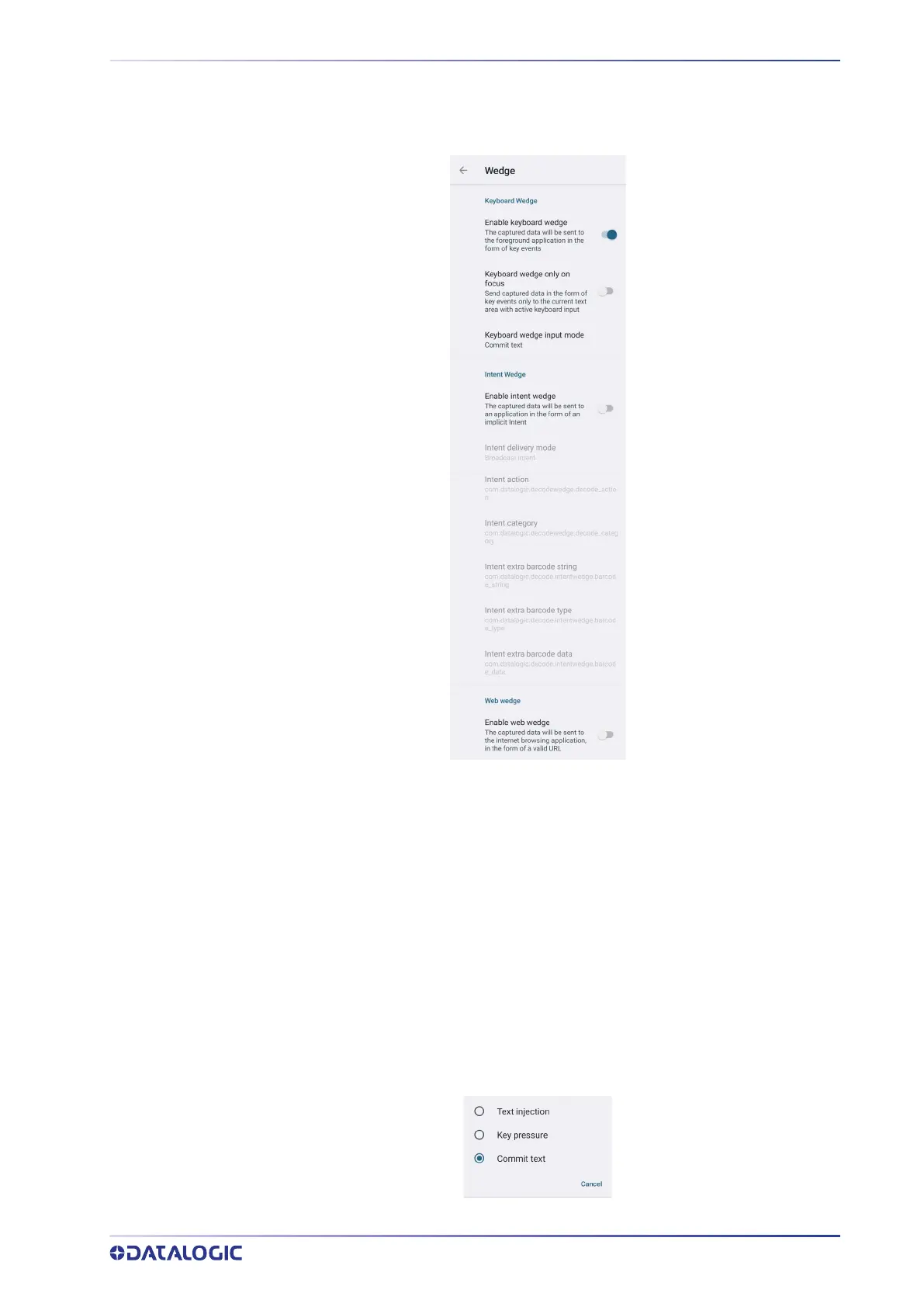
Wedge
Use it to enable or disable the keyboard wedge and the intent wedge:
Enable Keyboard Wedge
Enables/disables the keyboard wedge mode.
Keyboard Wedge Only on Focus
If selected, the scanner is enabled whenever a text area is in focus and can receive text.
It provides a safer way to input keystrokes into the foreground application, allowing to
send captured data in the form of key events only to the current text area with active
keyboard input.
If this setting is not enabled, keystrokes will be always dispatched to the foreground
application.
Keyboard Wedge Input Mode
Allows to select the scanned data input mode.



 To Next Page