AP20 Installation and Operating Guide Version 1.25
Appendix F. H338 Optical Film Card Option F-4 Document #: 9301H39200 Ver. 1.25
F3.2. Assign Optical Formats to Format Buttons
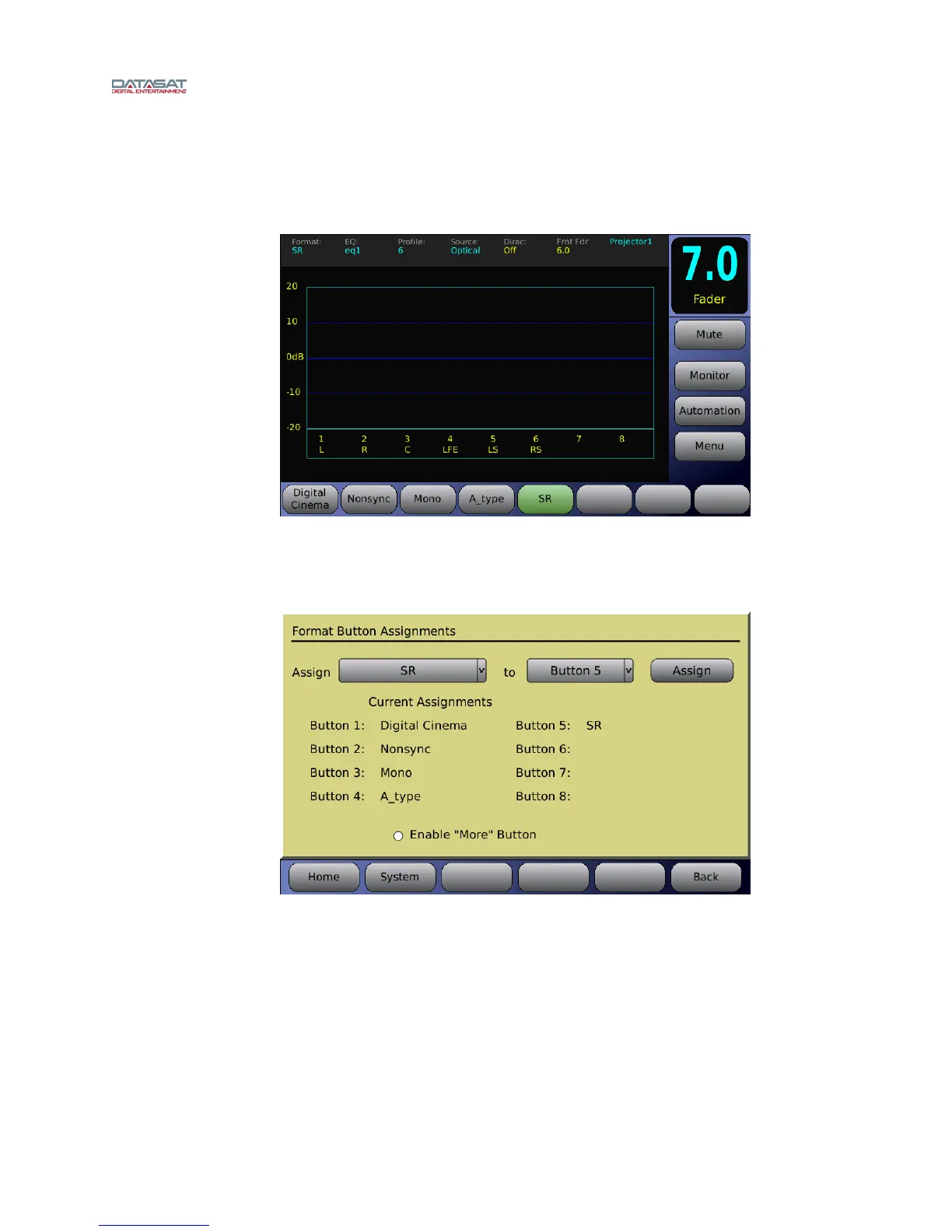
After creating the optical formats, they may be assigned to “Format Buttons”. The format buttons
will then appear on the Home screen and be available for selection. In Figure 4 below, SR is
select
ed.
Figure 4 – Home Screen – SR format
To assign a format button, go to:
Menu (System) → Formats → Assign Buttons
Figure 5 – Format Button Assignment
Select a Format to assign from the Assign drop down menu. Select a button to assign the format
to from the drop down menu. Press the Assign button. In Figure 5 above, SR
has been assigned
to Button 5. The current format assignments will be listed next to the button numbers. The
newly selected format should now appear on the list.



 To Next Page