AP20 Installation and Operating Guide Version 1.25
Appendix F. H338 Optical Film Card Option F-5 Document #: 9301H39200 Ver. 1.25
F3.3. Input Source Selection
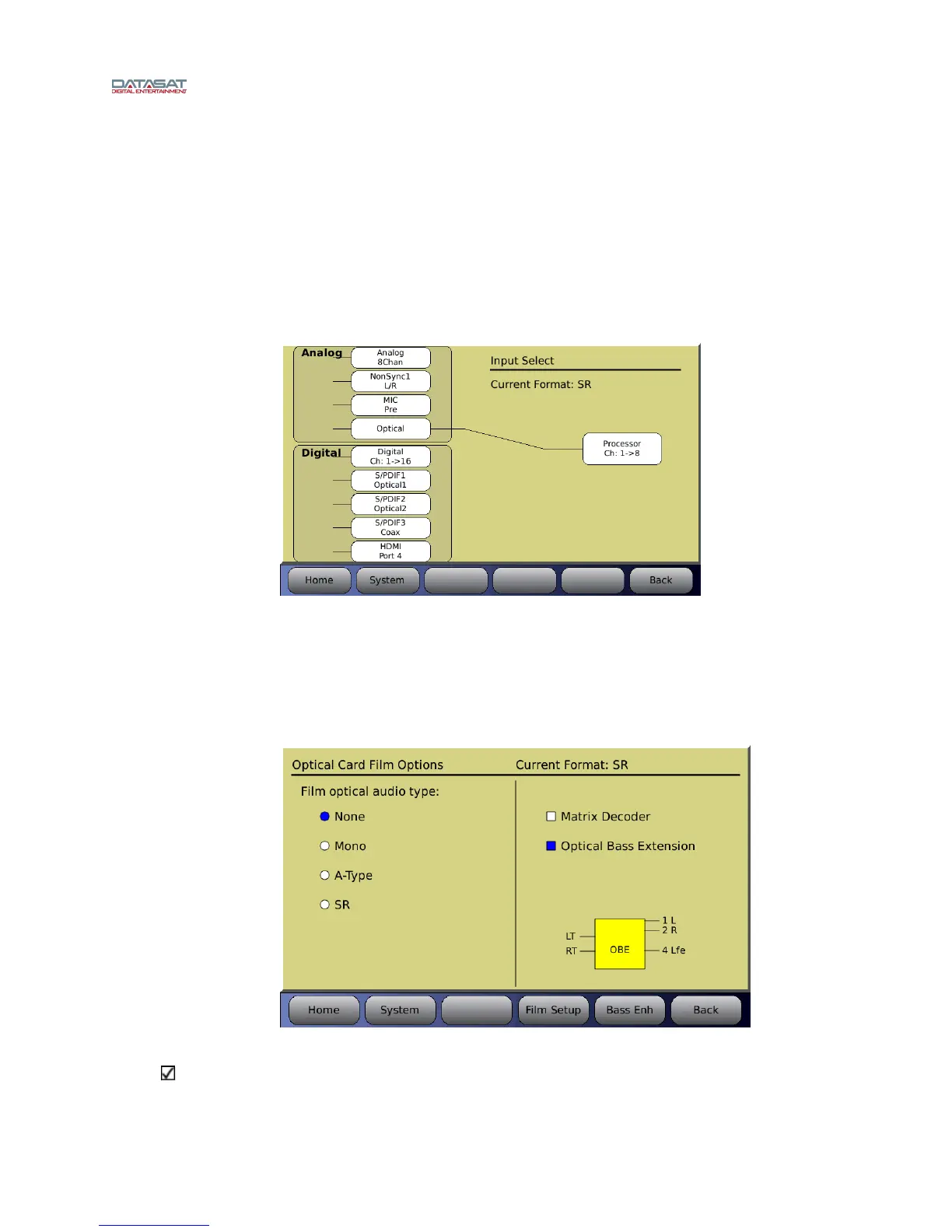
Select the Input Source button. This will open the Input Select screen. Each of the optical formats
must be set to have Optical selected as their input source. In the example in Figure 6 below, SR will
have its input
source set to Optical. The right side of the screen should display “Current Format:
SR”. If it is not displayed, return to the Audio Format Setup screen and select SR in the Current
Audio Format drop down menu. Return to the Input Select screen by pressing the Input Source
button. Select Optical as the Analog Input Source. A line should appear from the selected source to
the output
Menu (System) → Formats → Input Source
Figure 6 – Select Input Source
F3.4. Film Options Setup
The Optical Film Card Options allows you to setup the optical sound formats. Each format will
need to be setup. In Figure 7 SR is sele
cted for setup.
Go to: Menu (System) → Formats → Format Options → Film Options
Figure 7 – Film Options Screen
Note: The Film Options button only appears for a format with Optical selected as the input
source. If you do not see the Film Options button check that you are in the correct format and
that the input source is selected for Optical.



 To Next Page