AP20 Installation and Operating Guide Page 42
AP20 Installation & Operating Guide Document # 9301H39200 Ver. 1.25
2.10.2.2 A note about Third Octave EQ
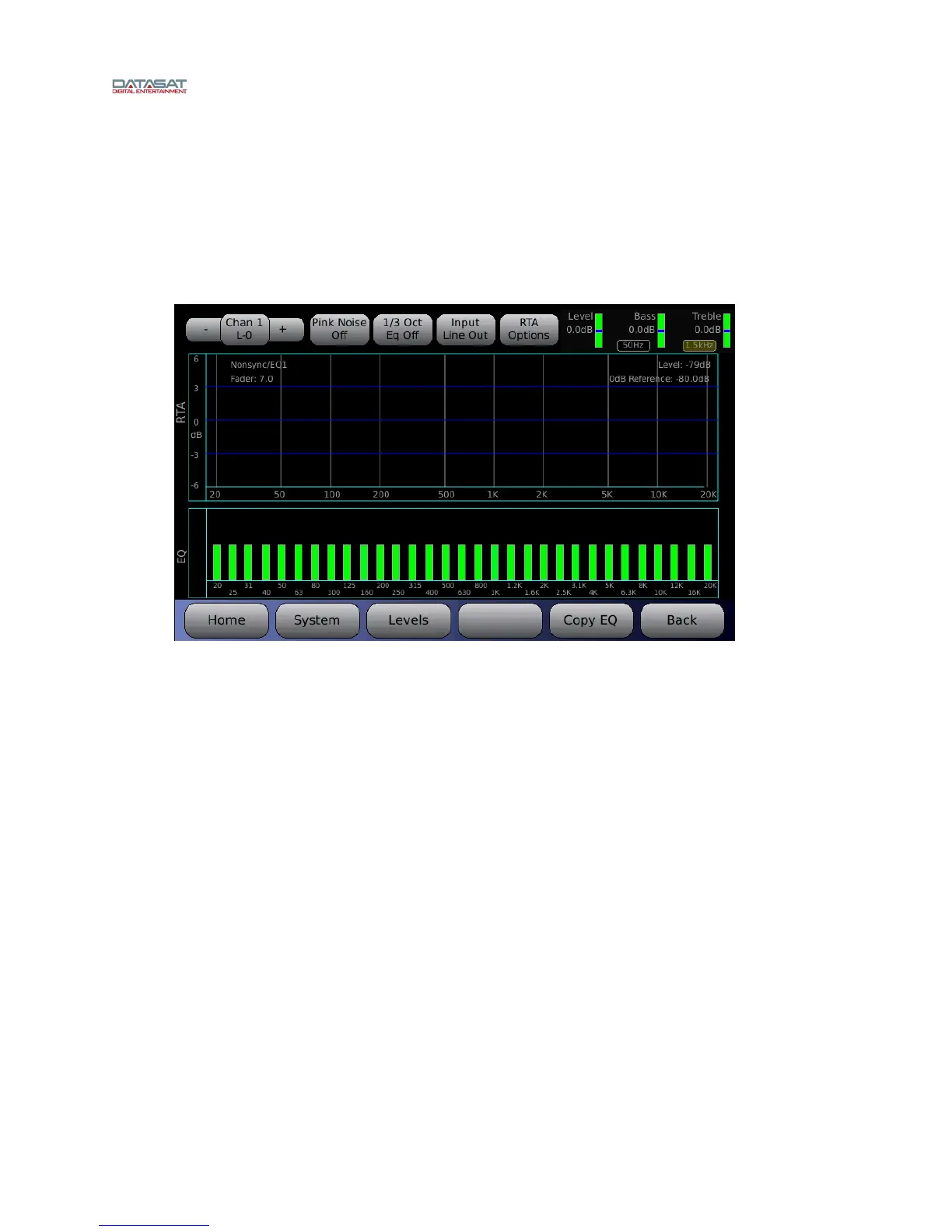
The RTA input source is also a useful tool to examine the effects of the settings applied. The
changes from the Dirac, 1/3 Octave EQ, level, bass, and treble settings can all be seen by
switching from Line In to Line Out. The Line In will be flat, when pink noise is on, while the
Line Out will show the results of all adjustments.
Menu > Formats > EQ Setup > Third Octave EQ > Input LineOut
Figure 20. Input LineOut Selected
2.11 Subwoofer EQ – Parametric EQ
The AP20 features Parametric EQ on every channel. Parametric EQ is an optional adjustment and is in
addition to 1/3 Octave EQ. It is only available with low frequencies and offers more control than 1/3
Octave EQ. The Parametric EQ screen looks similar to the 1/3 Octave EQ screen but displays a
frequency range from 20 to 200Hz only. The screen has the same selections (Channel select, etc.) but
also has controls for three filters.
Menu (System) > Formats > Audio EQ Setup > Parametric Equalization
The three filters can be configured regarding Q and Frequency, and are either enabled or disabled.
To select a filter, highlight the Filter button and rotate the adjustment knob to select from
the three filters.
To adjust Q, Freq, or to enable/disable, select the control and rotate the adjustment knob.
Filter disabled in effect turns off Parametric EQ.



 To Next Page