AP20 Installation and Operating Guide Page 83
AP20 Installation & Operating Guide Document # 9301H39200 Ver. 1.25
Note: When the Input field is LineIn, the RTA selects the input channel. The controls for EQ,
bass, treble, and trim represent what is applied to input channel and their effects will not show
up on the RTA display.
When the Input field is LineOut the RTA displays the output channel. Channel tuning should
not be modified while the RTA input is in Line Out, but LineOut can be used to monitor the
effect of the EQ settings currently applied.
When the input field is set to Mic, the RTA selects the Mic input which will show the effects
of the EQ settings as well as the room. Channel tuning should be done in this input or with an
external RTA.
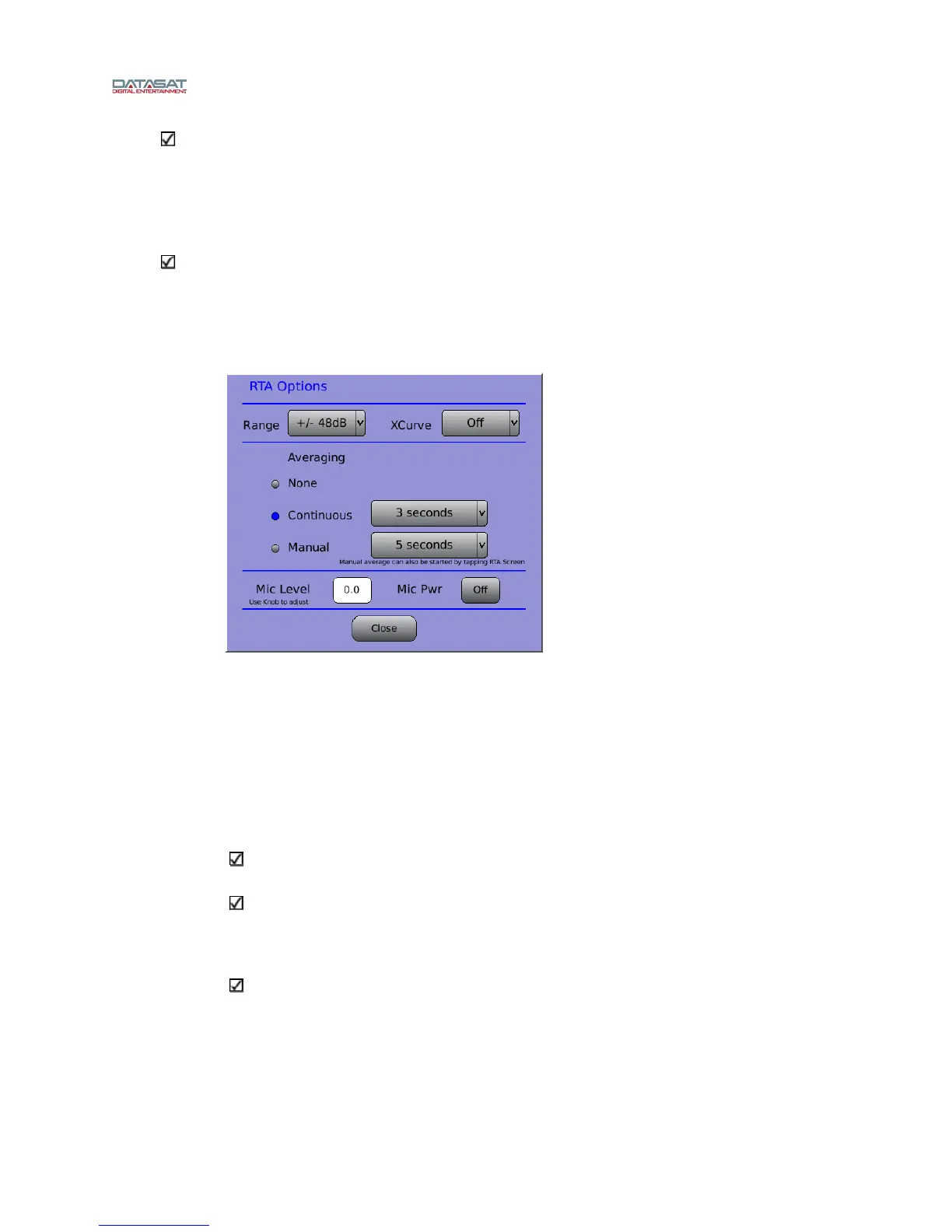
RTA Options:
Menu (System) > Formats > Audio EQ Setup > Third Octave EQ > RTA Options
Figure 59. RTA Options Screen
o Range – select a range for the RTA. Touch to open the drop down
list, then use the adjustment knob to select. Choices begin at ±3dB,
doubling each time to a maximum of ±64dB
o XCurve Off/Display/Offset – See A note about XCurve in section
2.10.2.1 for details on the XCurve function.
o Averaging –
select None, Continuous (1 to 30 seconds), or Manual
(5 to 30 seconds). Select times from drop down lists.
The averaging settings (for continuous or manual times) are persistent – the values
are retained when the AP20 is cycled off/on.
Manual averaging can also be started by touching the RTA screen.
o Mic Level – use the adjustment knob to change the microphone level
o Mic Pwr On/Off
If Mic Power is ON, it remains ON when you leave this screen and go to other
screens. However, Mic Power is automatically disabled when the AP20 resets. This
Mic Power setting is independent of the Mic power that is part of Format.
Trim/Bass/Treble adjustments – Touch the Trim, Bass, or Treble bar and adjust it using
the adjustment knob.



 To Next Page