AP20 Installation and Operating Guide Page 84
AP20 Installation & Operating Guide Document # 9301H39200 Ver. 1.25
Corner Frequency adjustments – Touch the corner frequency box for treble or bass and
adjust using the adjustment knob. The corner frequency for bass can be set from 50Hz to
300Hz. The corner frequency for the treble can be set from 1.5kHz to 12kHz. The corner
frequency cannot be set for individual channels—the setting affects all channels in the
current EQ set.
Levels – a button linking to the Audio Levels screen is provided on the menu bar. See
4.3.9 Audio Levels below.
Copy EQ - a button linking to the Copy/Clear EQ screen is provide
d on the menu bar. See
4.3.7.6 Copy/Clear EQ below.
4.3.7.5 Parametric Equalization
Parametric filters allow you to adjust not only the gain or cut, but also the center frequency, and
how wide or narrow the filter is. This allows you to tune in on room modes that show up in a
spectrum analysis. Parametric filters allow you to add subjective bumps or dips to the filter.
Parametric EQ allows you to adjust the three (per channel) 20Hz to 200Hz parametric filters.
Please see the topic Subwoofer EQ – Parametric EQ in section 2.1
1 for a detailed explanation of
this function.
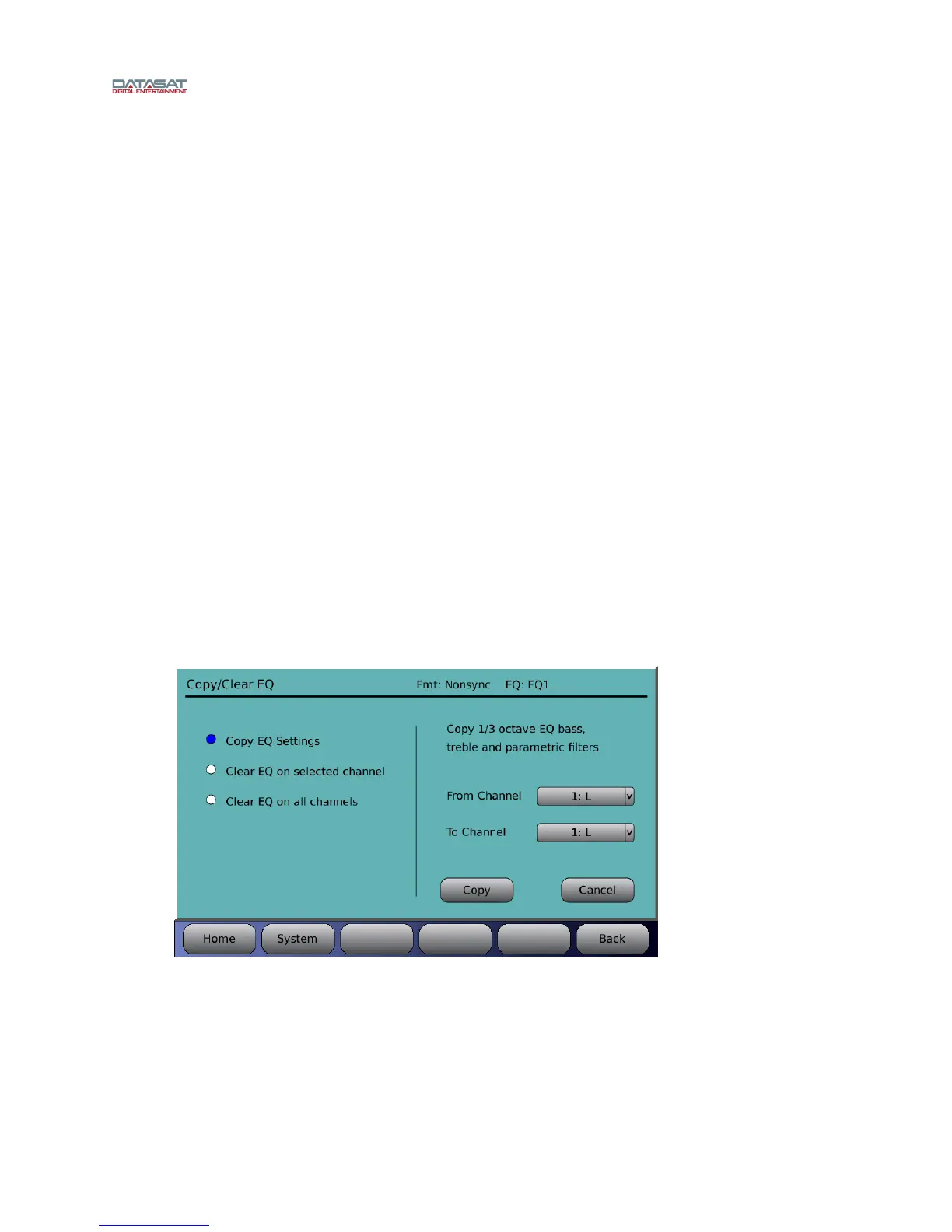
4.3.7.6 Copy/Clear EQ
Depending on the selection, the screen content will change.
Menu (System) > Formats > Audio EQ Setup > Copy/Clear EQ
Copy EQ Settings (1/3 octave EQ bass, treble, and parametric filters) from one channel to
another channel. Select the channel you wish to copy from by selecting it from the drop down
list. Then, select the destination channel from the “To Channel” drop down list. Press the
Copy button to complete the process, or press Cancel to quit.
Figure 60. Copy EQ Settings
Clear EQ on selected channel includes two check boxes to enable which settings are
included in the clear function (1) third octave EQ including bass and treble and/or (2)
parametric filters. The text on the right will reflect the selection on the left. Select the channel
using the drop down list, then touch Clear to complete the process.



 To Next Page