SENTINEL 3 39
NOTE: Your router may require a user name and password. If you do not know it, ask
the person who configured your network. Portforward.com will provide you with each
router’s default user name and password.
D-LINK ROUTER
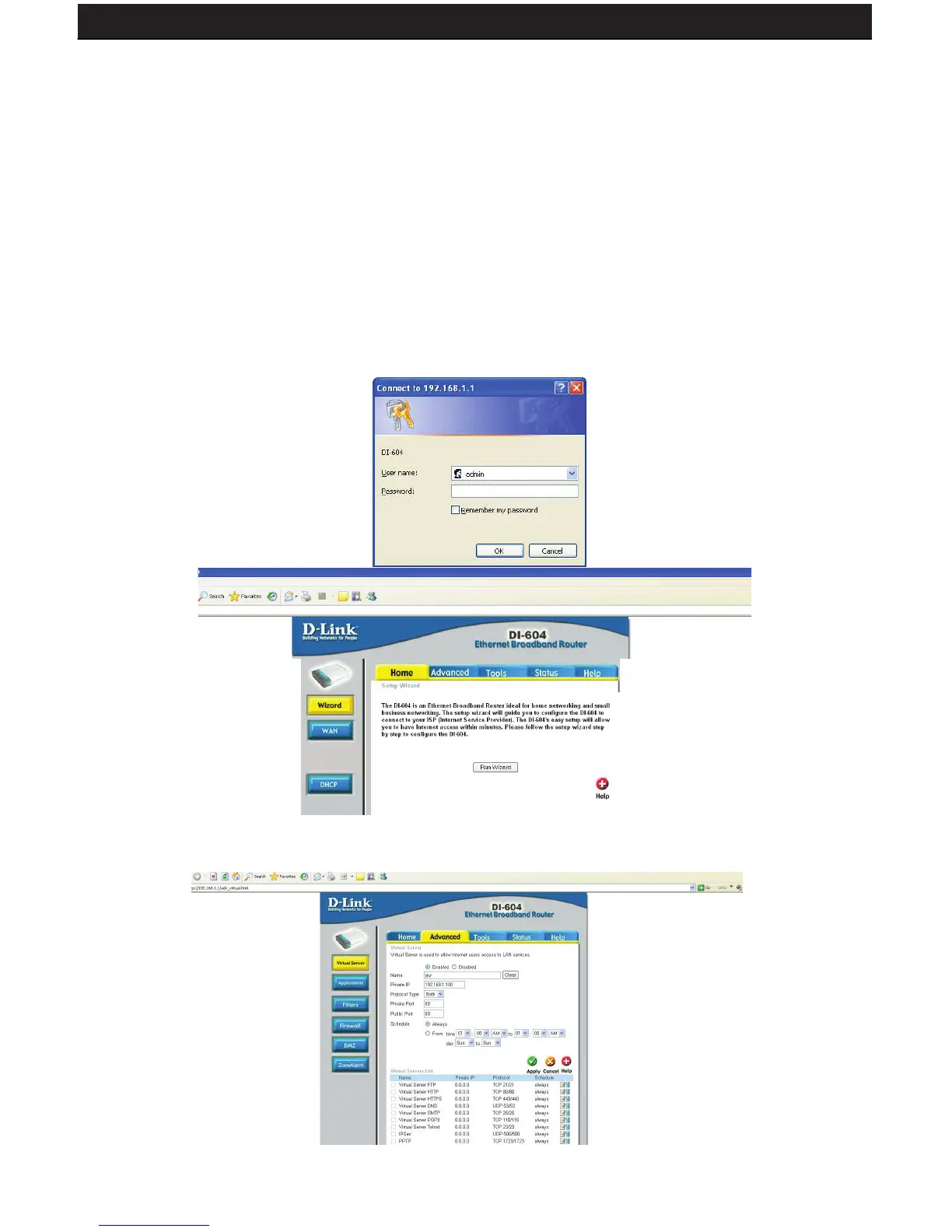
You will need to enable the ports by locating the port range forwarding screen. With some
D-LINK routers the port forwarding screen is located within the Applications & Games or
Filters tab; in others it is located in the Advanced Tools tab.
1. Open your web browser. Enter the ROUTER IP address in the address bar as shown below and
press ENTER.
2. Enter the user name admin. Leave the password blank followed by pressing the OK
button (unless you have set up a user name and password for your router)
3. Select the Advanced tab.



 To Next Page