Dell Printer Configuration Web Tool 149
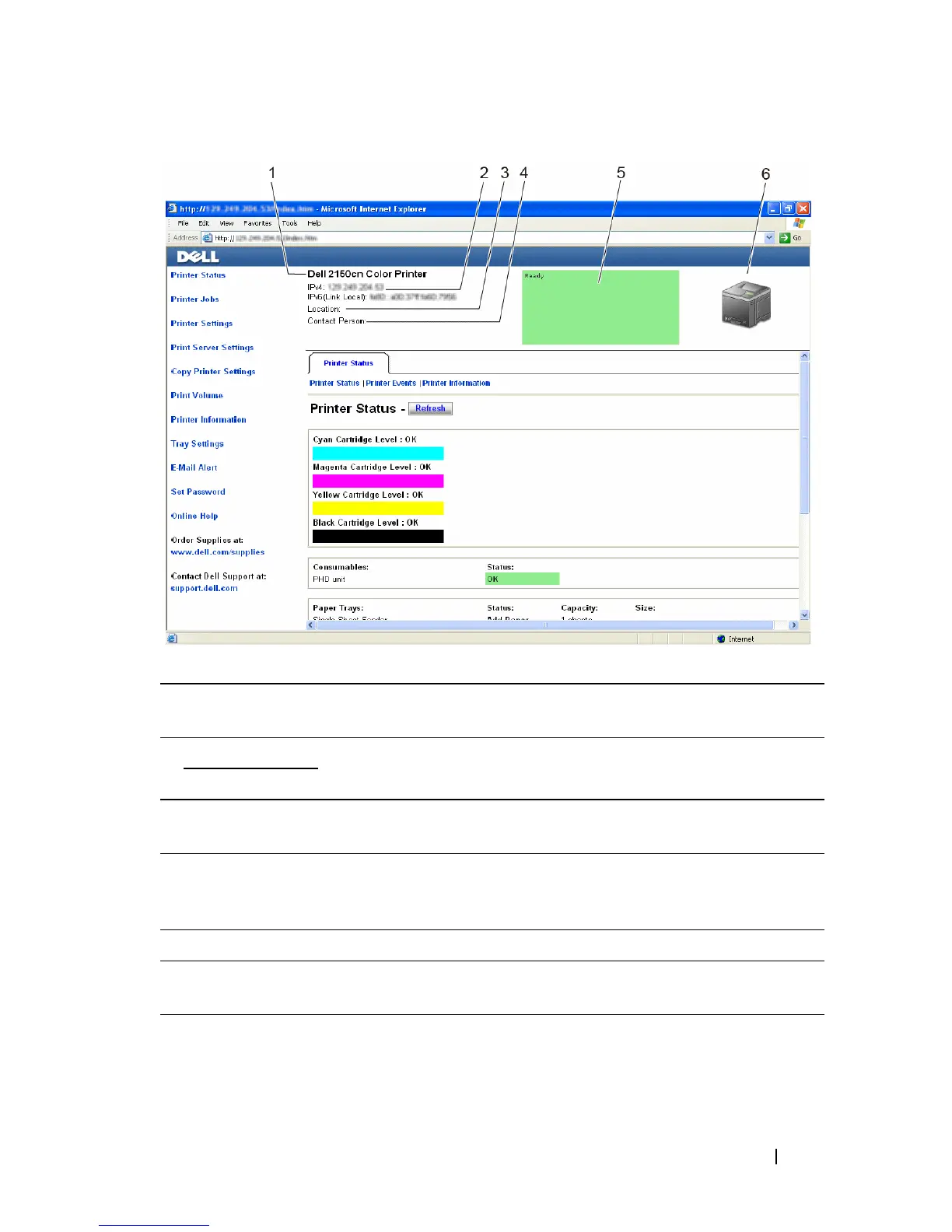
1 Dell 2150cn
Color Printer
Displays the product name of the printer.
2IPv4 Displays the IP address of the printer.
IPv6
3 Location Displays the location of the printer. The location can be changed in
the Basic Information section on the Print Server Settings page.
4 Contact Person Displays the name of the printer administrator. The name can be
changed in the Basic Information section on the Print Server
Settings page.
5 Event Panel Displays the indicator for the condition of the printer.
6 Machine image Shows the bitmap image of the printer. The Printer Status menu
appears in the right frame when you click on the image.











 To Next Page