Clearing Jams 425
FILE LOCATION: C:\Users\fxstdpc-
admin\Desktop\0630_UG??\Mioga_SFP_UG_FM\Mioga_SFP_UG_FM\section27.fm
DELL CONFIDENTIAL – PRELIMINARY 9/13/10 - FOR PROOF ONLY
Clearing Paper Jams From the Optional 250-Sheet
Feeder
NOTE: To resolve the error displayed on the operator panel, you must clear all
print media from the print media path.
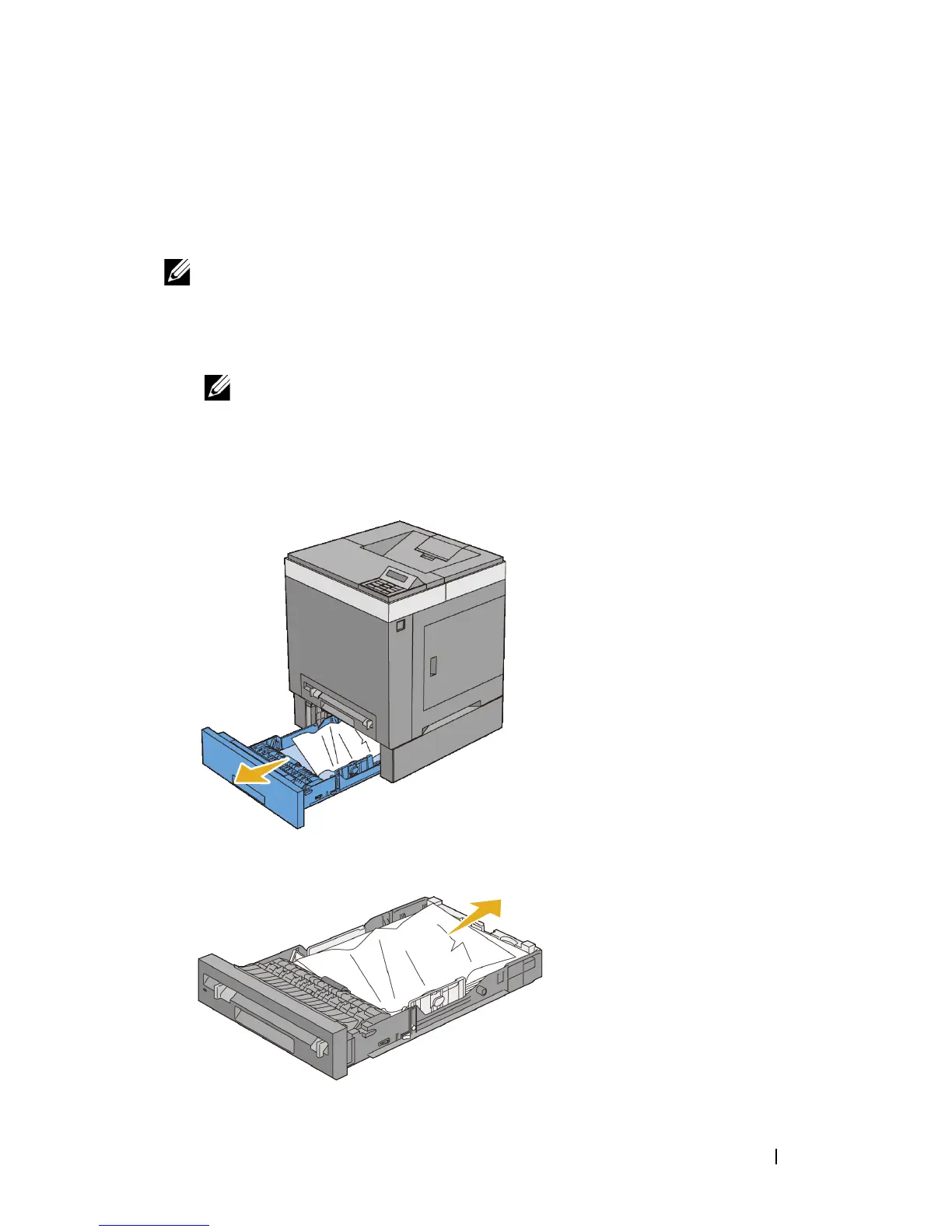
1
Pull the optional 250-sheet feeder out of the printer carefully. Hold the feeder
with both hands, and remove it from the printer.
NOTE: Paper in the optional 250-sheet feeder feeds to the printer from the
front of the standard 250-sheet tray, therefore paper jammed in the standard
250-sheet tray can block the optional 250-sheet feeder in the printer,
preventing you from opening it. Look for the jammed paper sequentially,
starting with the optional 250-sheet feeder.
2
Remove all jammed and/or creased paper from the feeder.











 To Next Page