DELL CONFIDENTIAL – PRELIMINARY 9/13/10 - FOR PROOF ONLY
Operator Panel 233
16
Operator Panel
Using the Operator Panel Buttons
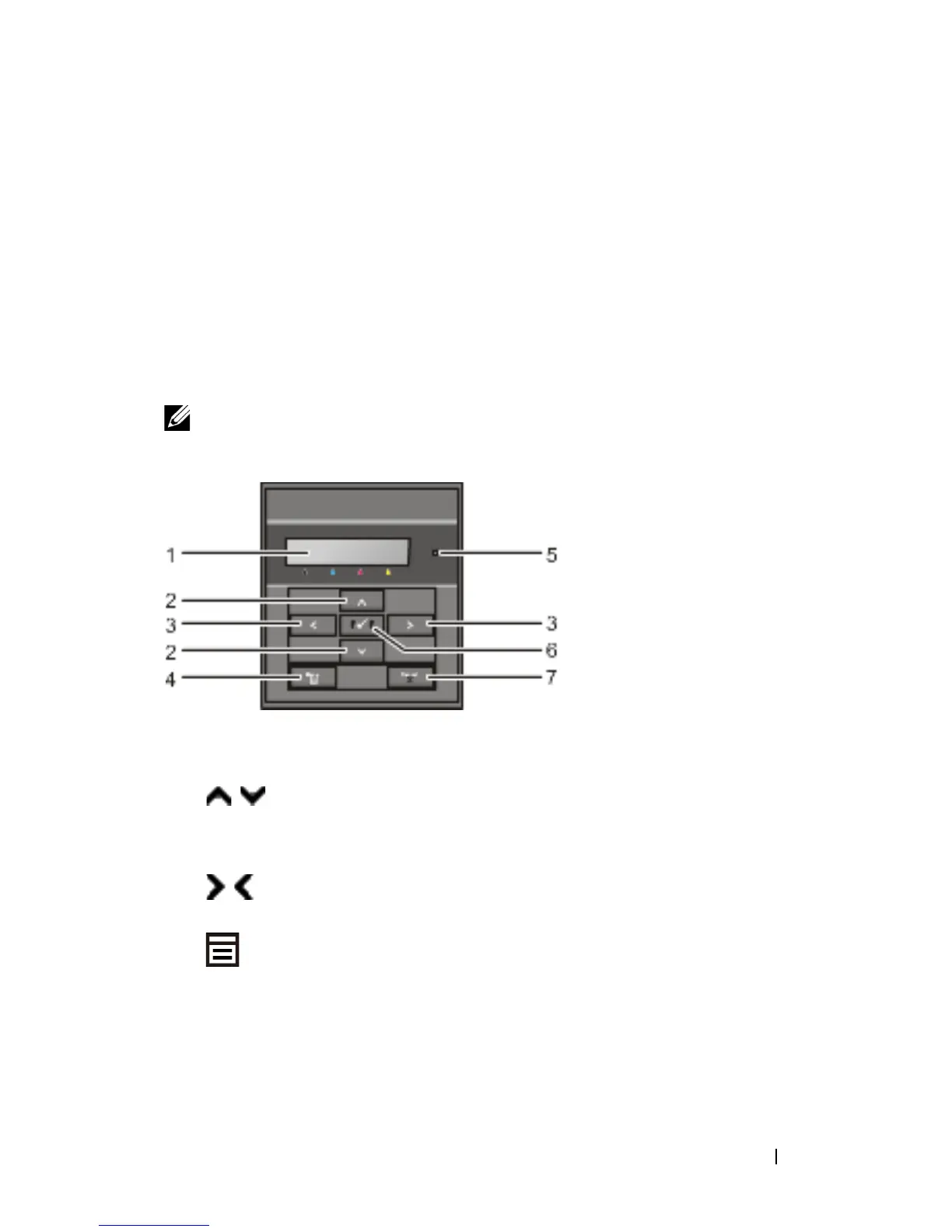
The operator panel has a 2-line by 16-character liquid crystal display (LCD),
seven buttons, and two indicators that flash when the printer is ready to print,
and when an error occurs.
NOTE: The images used and procedures described in this manual are those of
Dell™ 2150cn Color Printer.
1
LCD panel
• Displays various settings, instructions, and error messages.
2
button
• In the Menu mode, scrolls through menus or items. To enter numbers or
passwords for secure print jobs, press these buttons.
3
button
• In the Menu mode, selects submenus or setting values.
4
(Menu)
button
• In the Print mode, switches to the Menu mode.
• In the Menu mode, switches to the Print mode.
5
Ready / Error LED











 To Next Page