228 Loading Print Media
FILE LOCATION: C:\Users\fxstdpc-
admin\Desktop\0630_UG??\Mioga_SFP_UG_FM\Mioga_SFP_UG_FM\section15.fm
DELL CONFIDENTIAL – PRELIMINARY 9/13/10 - FOR PROOF ONLY
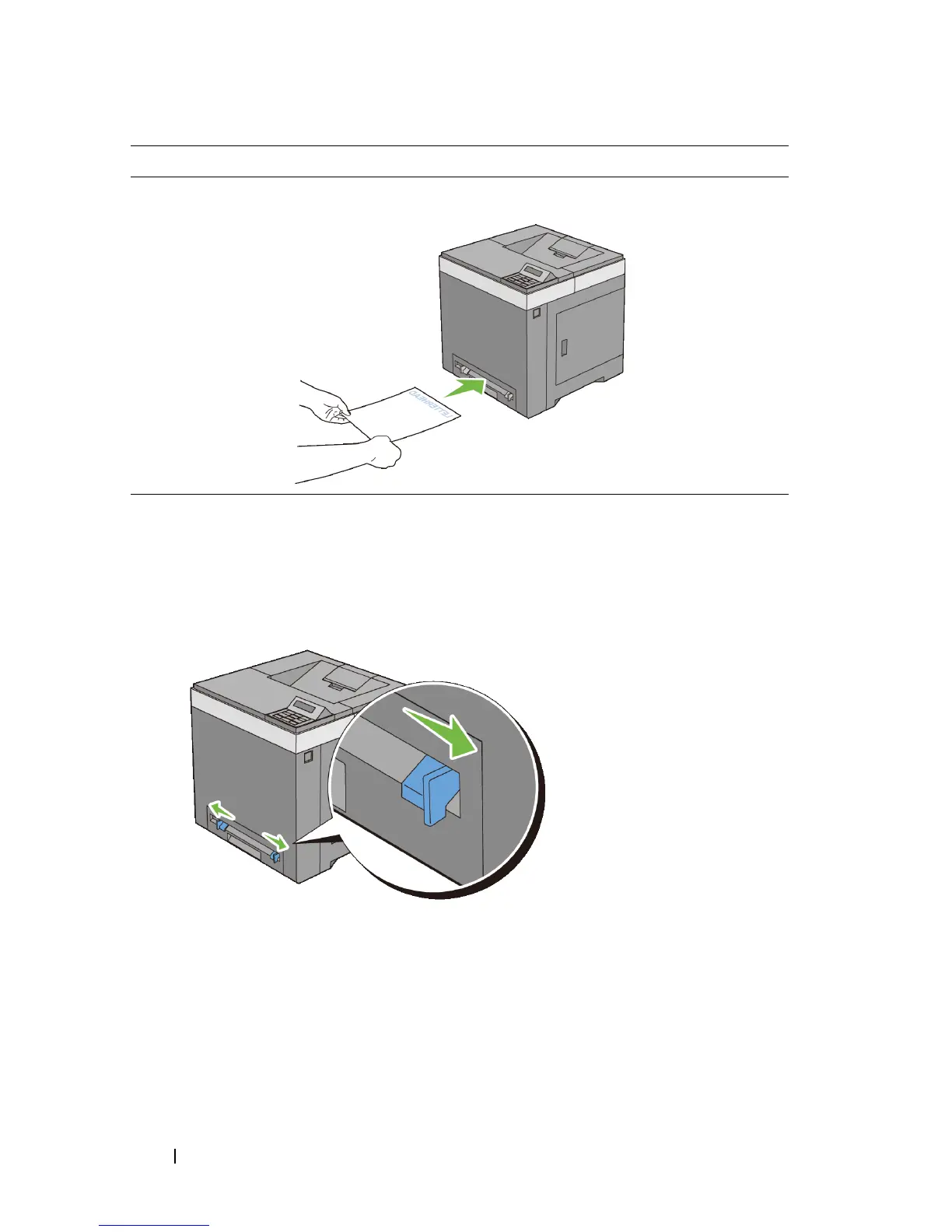
Loading Print Media in the SSF
1
Adjust the width guides to the print media's width.
2
Hold both sides of the print media facing down close to the single sheet
feeder, and push it 8 cm to 9 cm (4 inches) into the printer until it
automatically feeds.
Single sheet feeder
(SSF)
Face down Letterhead enters
the printer first
Print media source Print side Page orientation











 To Next Page