Connecting Your Printer 81
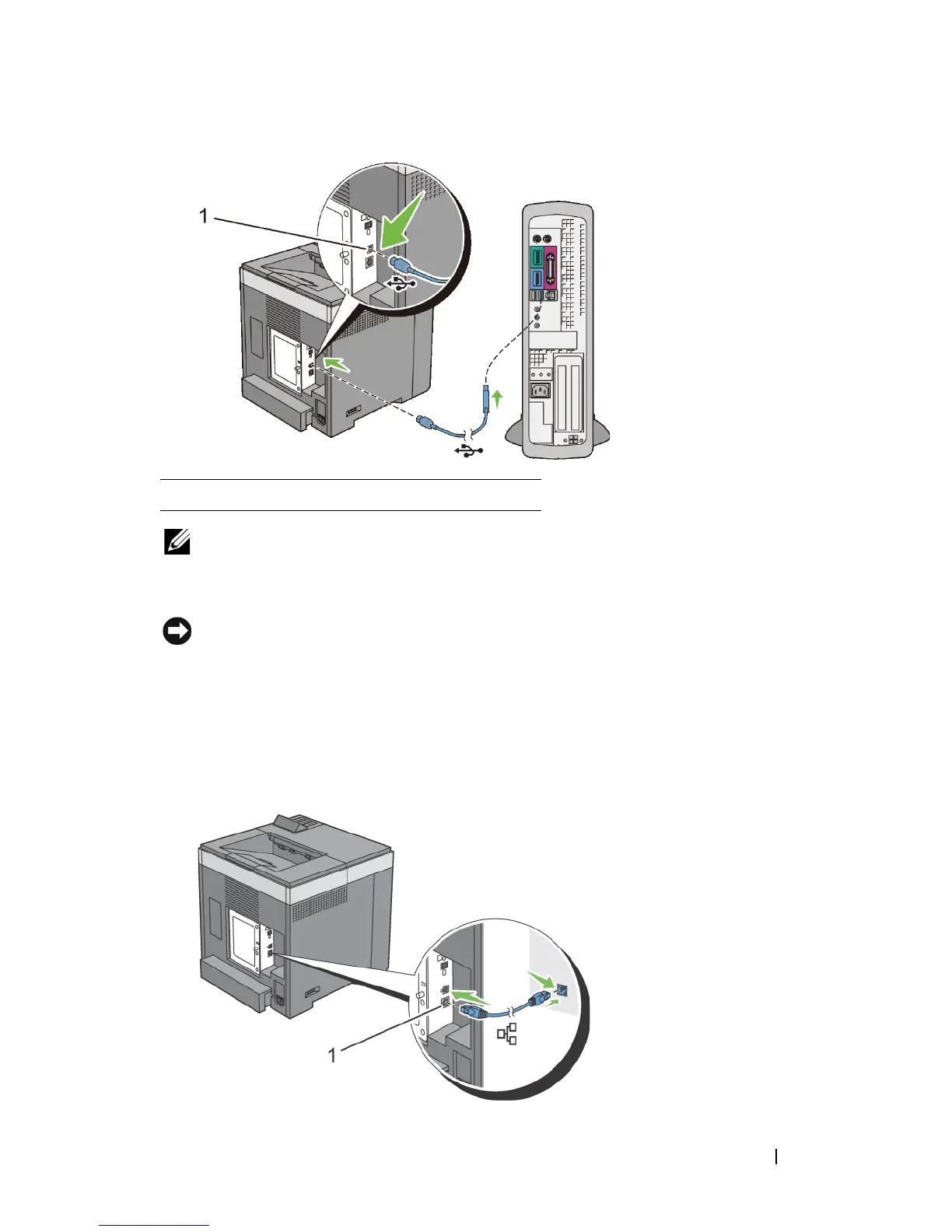
NOTE: Ensure that you match the USB symbol on the cable to the USB symbol
on the printer.
2
Connect the other end of the cable into a USB port of the computer.
NOTICE: Do not connect the printer USB cable to the USB port available on the
keyboard.
Network Connection
To connect the printer to a network:
1
Connect the network cable.
1 USB port











 To Next Page