244 Printing
Using Booklet Print (Dell 2150cn and 2150cdn Models)
To use the booklet print feature, select Booklet Creation in the
Booklet/Poster/Mixed Document dialog box displayed by clicking the
Booklet/Poster/Mixed Document button. Flip on Long Edge binding position
is selected by default. If you want to change the position, select Flip on Short
Edge from the Duplex menu in the printer properties dialog box.
NOTE: For Dell 2150cdn Color Printer, select Paper Source or Auto to use the
booklet printing feature. For Dell 2150cn Color Printer, select Paper Source. You
cannot select Auto or SSF for booklet printing.
NOTE: When XPS driver is used, booklet print is not available.
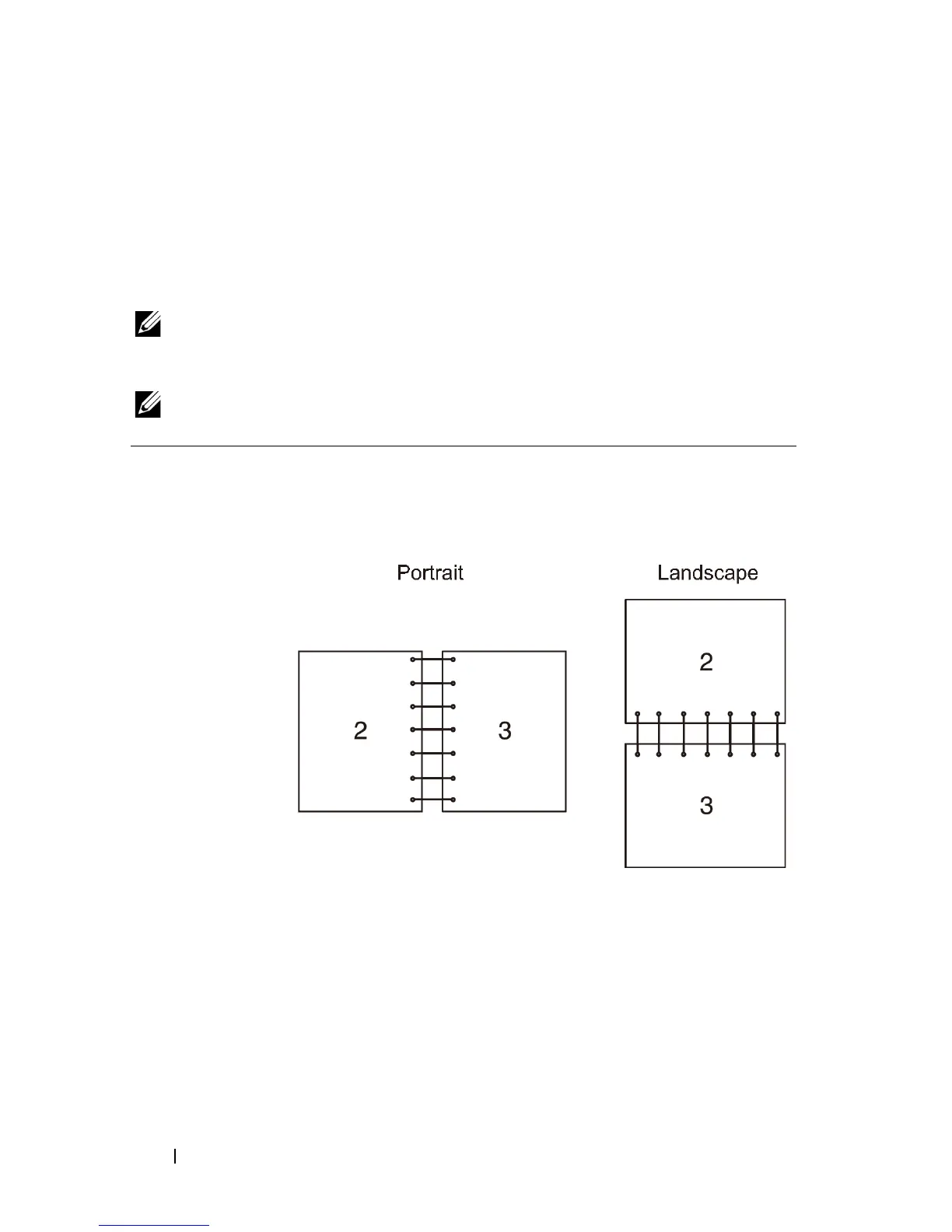
Flip on Long Edge Assumes binding along the long edge of the page (left edge for
portrait orientation and top edge for landscape orientation). The
following illustration shows long-edge binding for portrait and
landscape pages:











 To Next Page