32 About the Printer
FILE LOCATION: C:\Users\fxstdpc-
admin\Desktop\0630_UG??\Mioga_SFP_UG_FM\Mioga_SFP_UG_FM\section04.fm
DELL CONFIDENTIAL – PRELIMINARY 9/13/10 - FOR PROOF ONLY
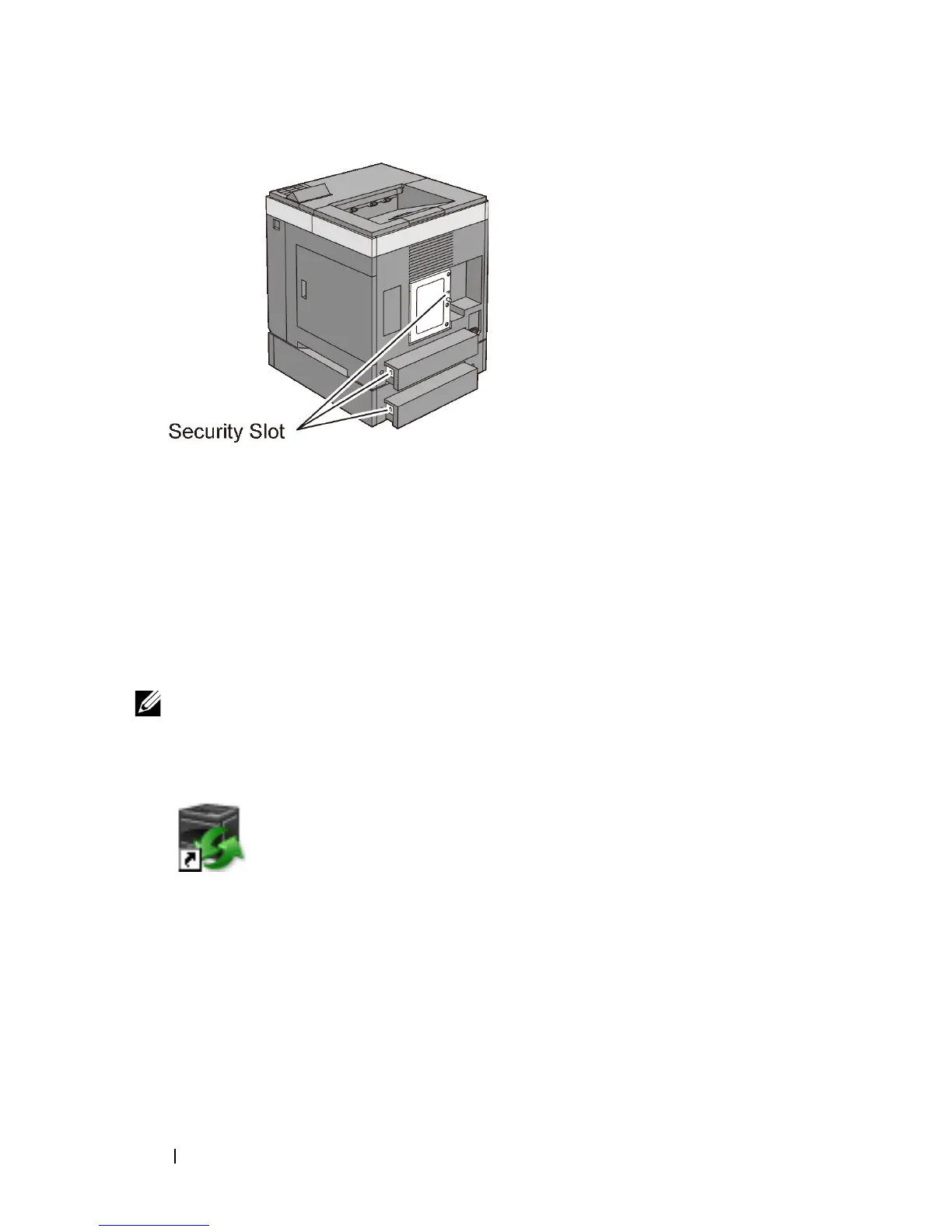
For details, see the operating instructions supplied with the Kensington lock.
Ordering Supplies
You can order consumables from Dell online when using a networked printer.
Enter the IP address of your printer in your web browser, launch the Dell Printer
Configuration Web Tool, and click the web address under Order Supplies at: to
order toner or supplies for your printer.
You can also order replacement toner cartridges or supplies from Dell:
NOTE: For Macintosh, start the Status Monitor Widget, and then select Order
Supplies button to open Order window.
1
Double-click the icon on your desktop.
If you cannot find the icon on your desktop:
a
Click
DLRMM.EXE
under
x:\abc\Dell
Printers\Additional Color Laser
Software\Reorder
, where
x:\abc
is the location where the
printer software is installed.
b
Click
File
on the toolbar, and then
Create Shortcut
on the drop-down
menu.
c
Right-click on the shortcut icon.











 To Next Page