150 Dell Printer Configuration Web Tool
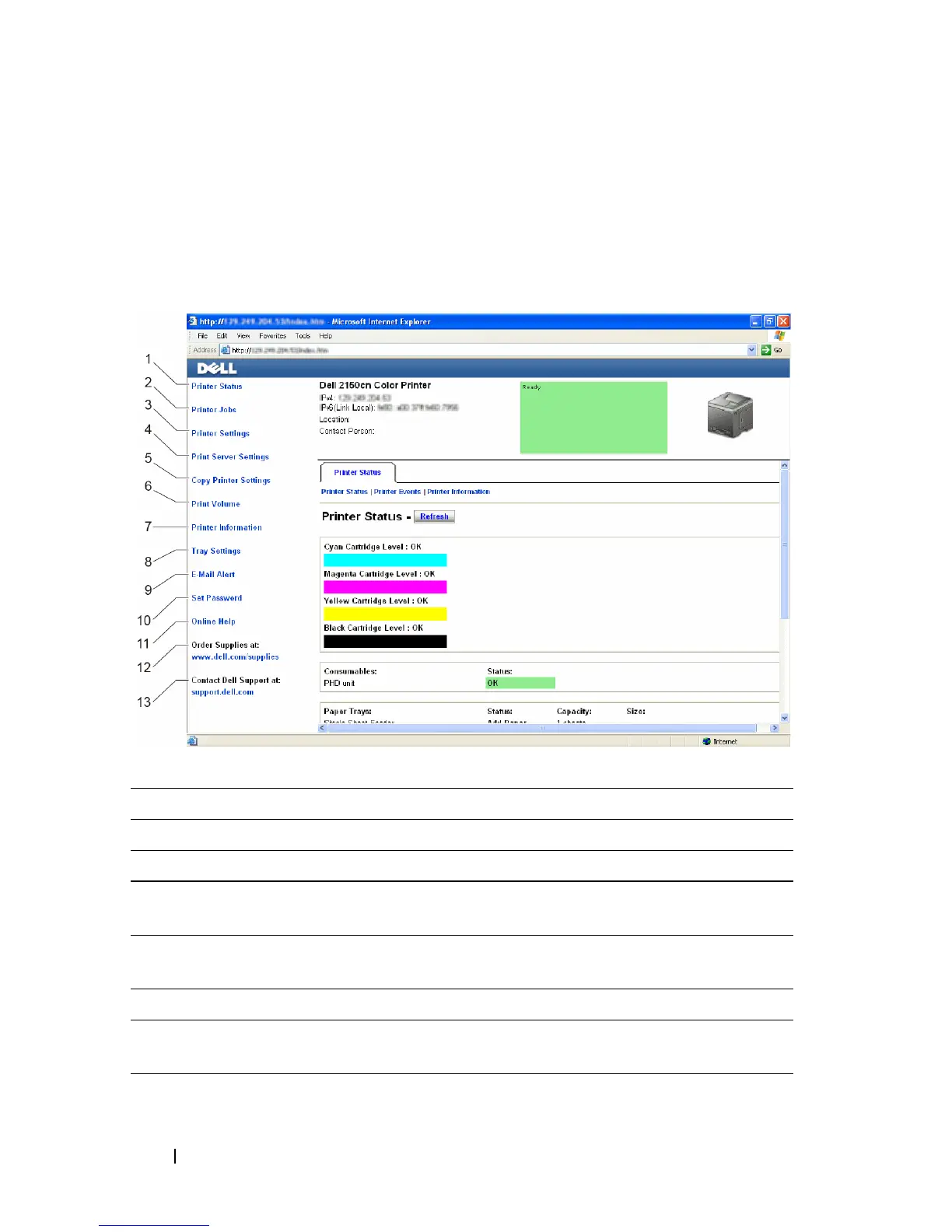
Left Frame
The left frame is located on the left side of all the pages. The menu titles
displayed in the left frame are linked to corresponding menus and pages. You
can go to the corresponding page by clicking their characters.
The following menus are displayed in the left frame.
1Printer Status Links to the Printer Status menu.
2Printer Jobs Links to the Printer Jobs menu.
3 Printer Settings Links to the Printer Settings Report menu.
4 Print Server
Settings
Links to the Print Server Reports menu.
5Copy Printer
Settings
Links to the Copy Printer Settings menu.
6Print Volume Links to the Print Volume menu.
7Printer
Information
Links to the Printer Status menu.
8 Tray Settings Links to the Tray Settings menu.











 To Next Page