Loading Print Media 227
FILE LOCATION: C:\Users\fxstdpc-
admin\Desktop\0630_UG??\Mioga_SFP_UG_FM\Mioga_SFP_UG_FM\section15.fm
DELL CONFIDENTIAL – PRELIMINARY 9/13/10 - FOR PROOF ONLY
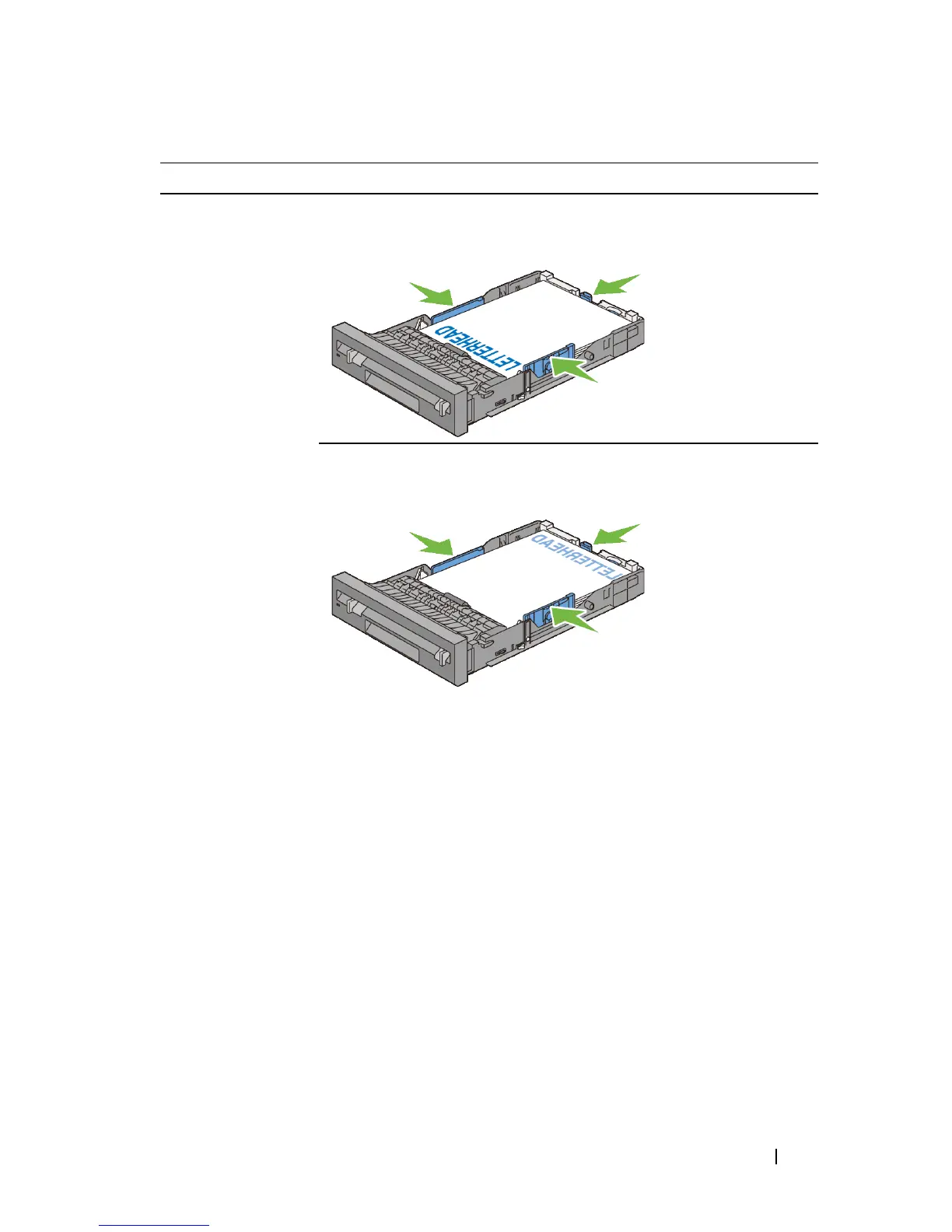
Print media source Print side Page orientation
Standard 250-sheet
tray and optional
250-sheet feeder
Dell 2150cn Color Printer
Face up
Letterhead enters
the printer last
Dell 2150cdn Color Printer
Face down
NOTE: Set LetterH Dup Mode
(Letterhead Duplex Mode) to Enable
and Paper Type to Letterhead,
Preprinted, or Prepunched from the
operator panel or the printer driver even
when you print on a single side of
letterhead, pre-printed, or pre-punched
paper.
Letterhead enters
the printer first











 To Next Page