426 Clearing Jams
FILE LOCATION: C:\Users\fxstdpc-
admin\Desktop\0630_UG??\Mioga_SFP_UG_FM\Mioga_SFP_UG_FM\section27.fm
DELL CONFIDENTIAL – PRELIMINARY 9/13/10 - FOR PROOF ONLY
3
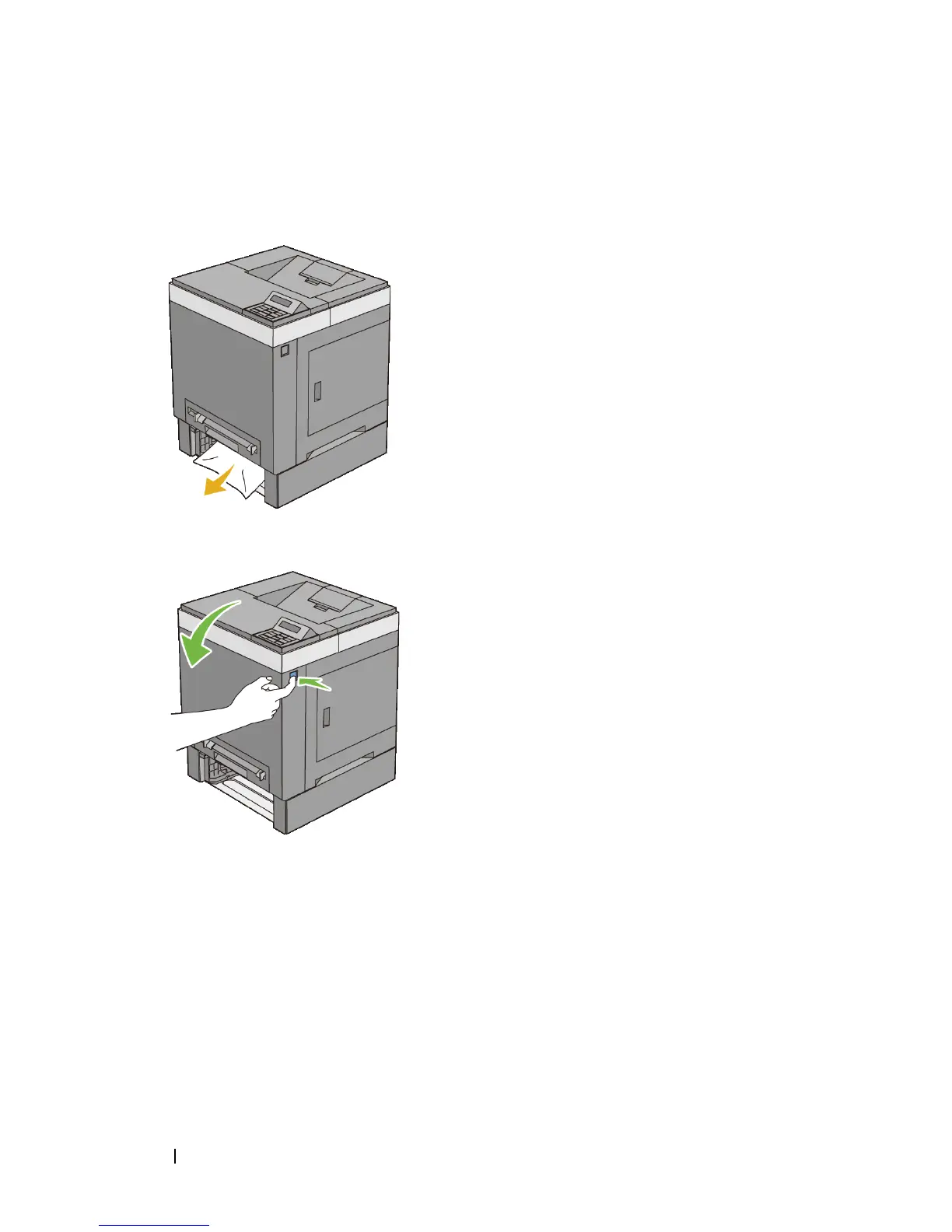
Pull the jammed paper out carefully to avoid tearing it. If you are still unable
to remove the paper, go to the next step to remove the jammed paper from the
inside of the printer.
4
Push the side button to open the front cover.
5
Open the belt unit until it stops and remove the jammed paper. Confirm that
there are no scraps of paper remaining inside the printer.



 To Next Page