Removing Options 409
FILE LOCATION: C:\Users\fxstdpc-
admin\Desktop\0630_UG??\Mioga_SFP_UG_FM\Mioga_SFP_UG_FM\section26.fm
DELL CONFIDENTIAL – PRELIMINARY 9/13/10 - FOR PROOF ONLY
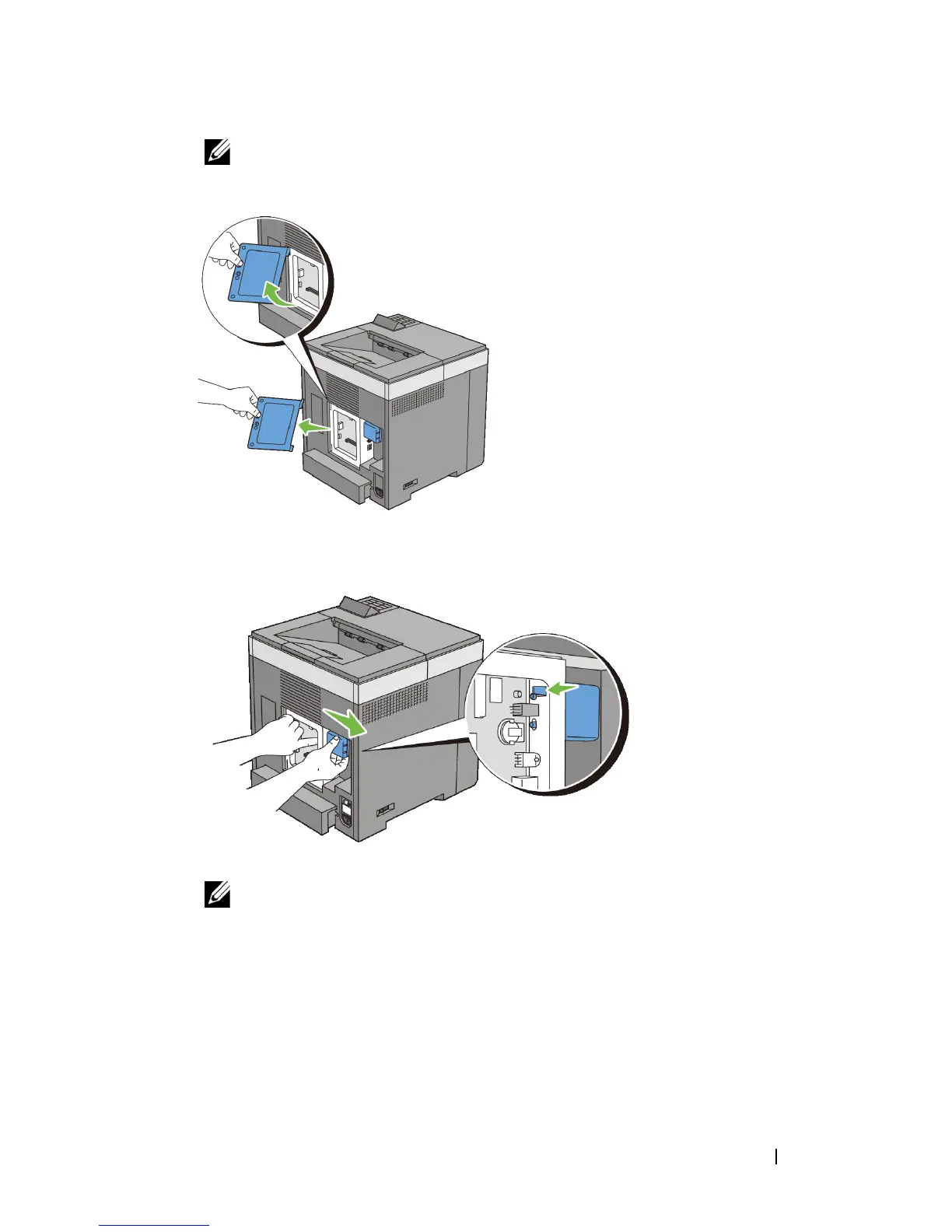
NOTE: Remove the control board cover by pulling it upward until the lower
hinge is out of the slit, and then pull the cover towards you and remove it.
4
Remove the wireless adapter from the printer by releasing the adapter's hook
while pushing the wireless adapter towards the front of the printer.
5
Install the control board cover.
NOTE: Insert the upper hinge of the control board cover into the upper slit
on the printer. Next, insert the lower hinge of the control board cover into the
lower slit of the printer.











 To Next Page