90 Loading Paper
FILE LOCATION: C:\Users\fxstdpc-
admin\Desktop\0630_UG??\Mioga_SFP_UG_FM\Mioga_SFP_UG_FM\section09.fm
DELL CONFIDENTIAL – PRELIMINARY 9/13/10 - FOR PROOF ONLY
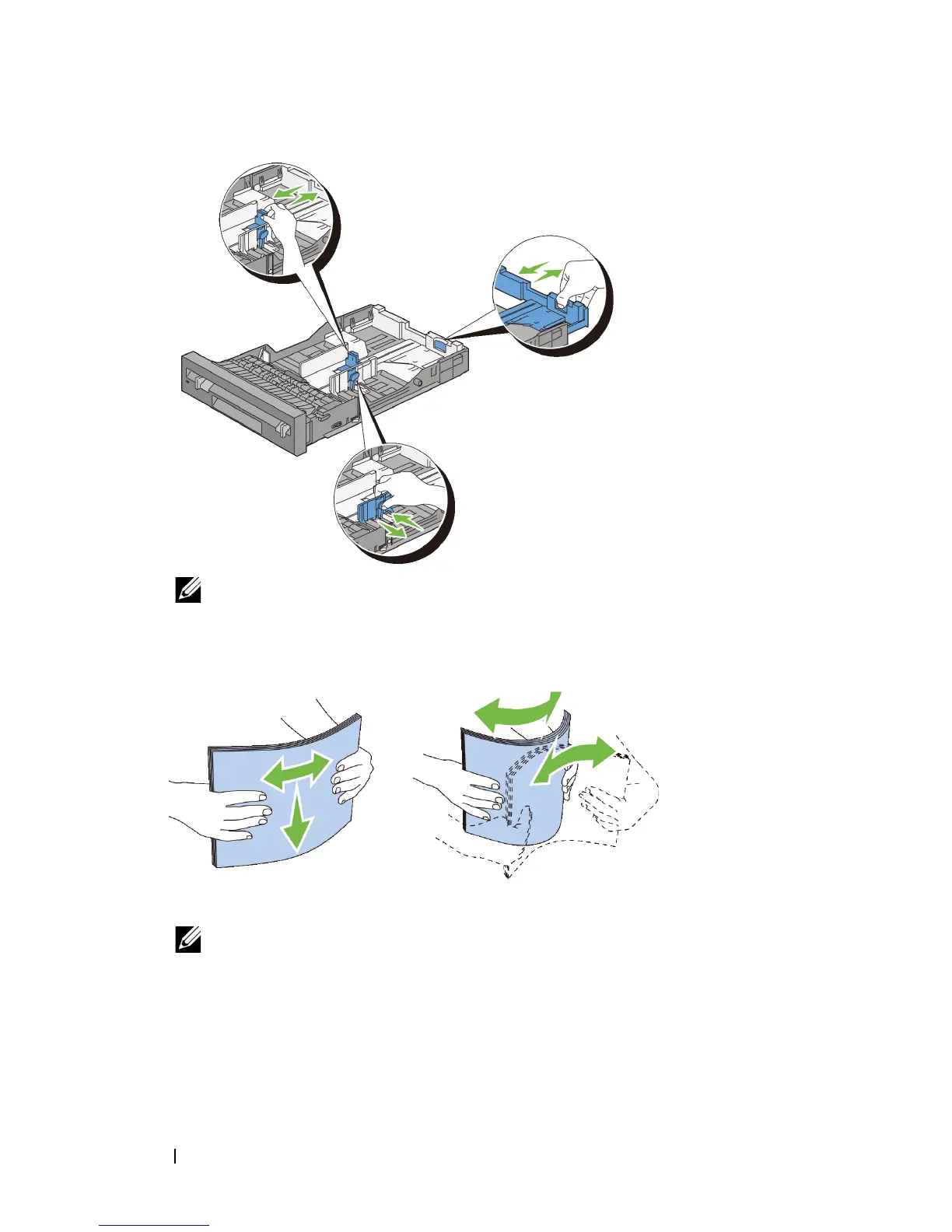
NOTE: Extend the rear side of the tray when you load Legal size paper.
3
Before loading the print media, flex the sheets and fan them. Straighten the
edges of the stack on a level surface.
4
Load the print media into the tray with the recommended print side facing up.
NOTE: Do not exceed the maximum fill line in the tray. Overfilling the tray
may cause paper jams.
5
Align the width guides against the edges of the paper.











 To Next Page