138 WiFi/Bluetooth Assembly
Replacing the WiFi/Bluetooth Card
1
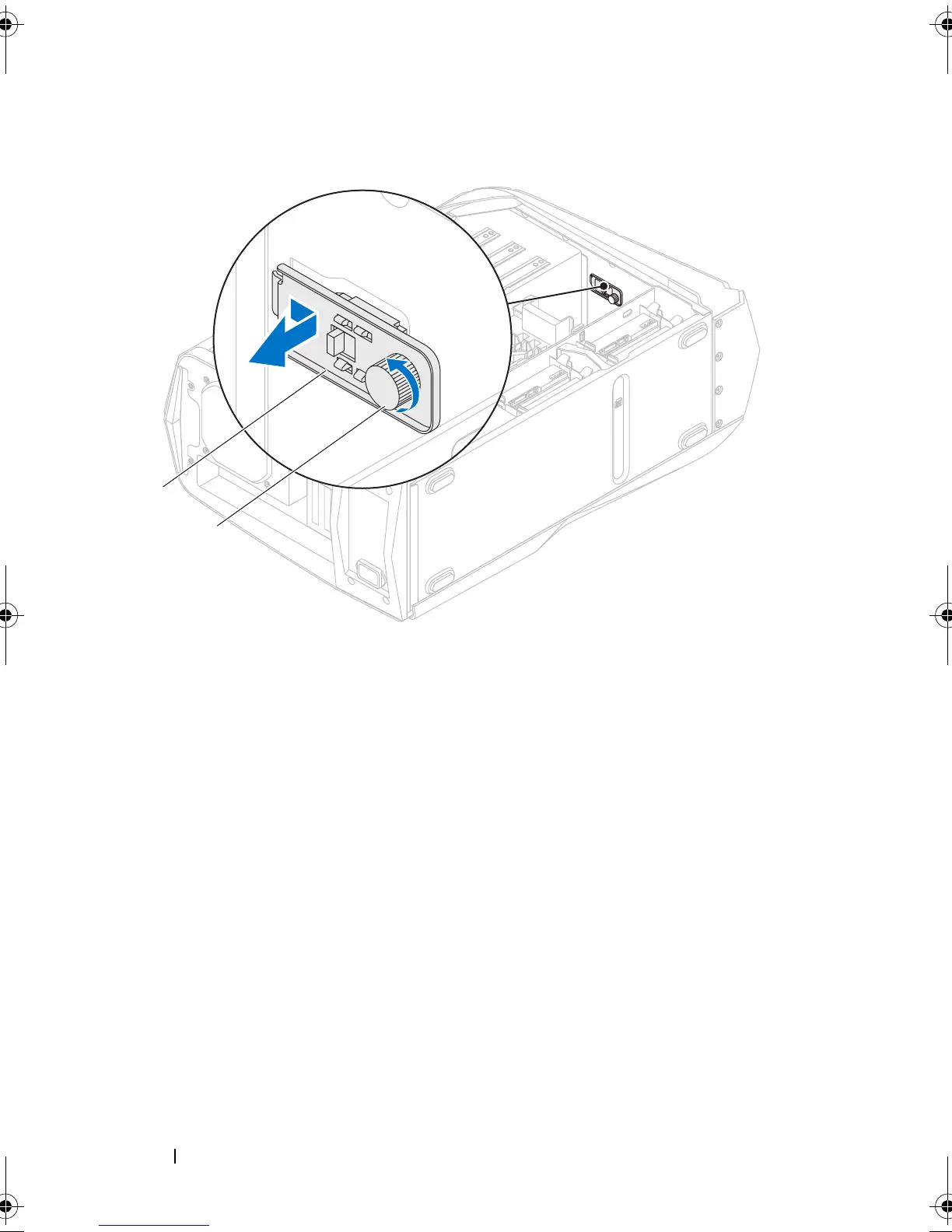
Align the tab on the WiFi/Bluetooth assembly with the slot on the chassis
and slide it into position.
2
Tighten the thumbscrew that secures the WiFi/Bluetooth assembly to the
chassis.
3
Connect the WiFi/Bluetooth assembly cable to the connector on the master
I/O board.
Postrequisites
1
Replace the drive-bay shroud. See "Replacing the Drive-Bay Shroud" on
page 48.
2
Close the PCI shroud. See "Closing the PCI Shroud" on page 46.
1 WiFi/Bluetooth assembly 2 thumbscrew
book.book Page 138 Wednesday, May 16, 2012 2:37 PM











 To Next Page