142 Top I/O Panel
3
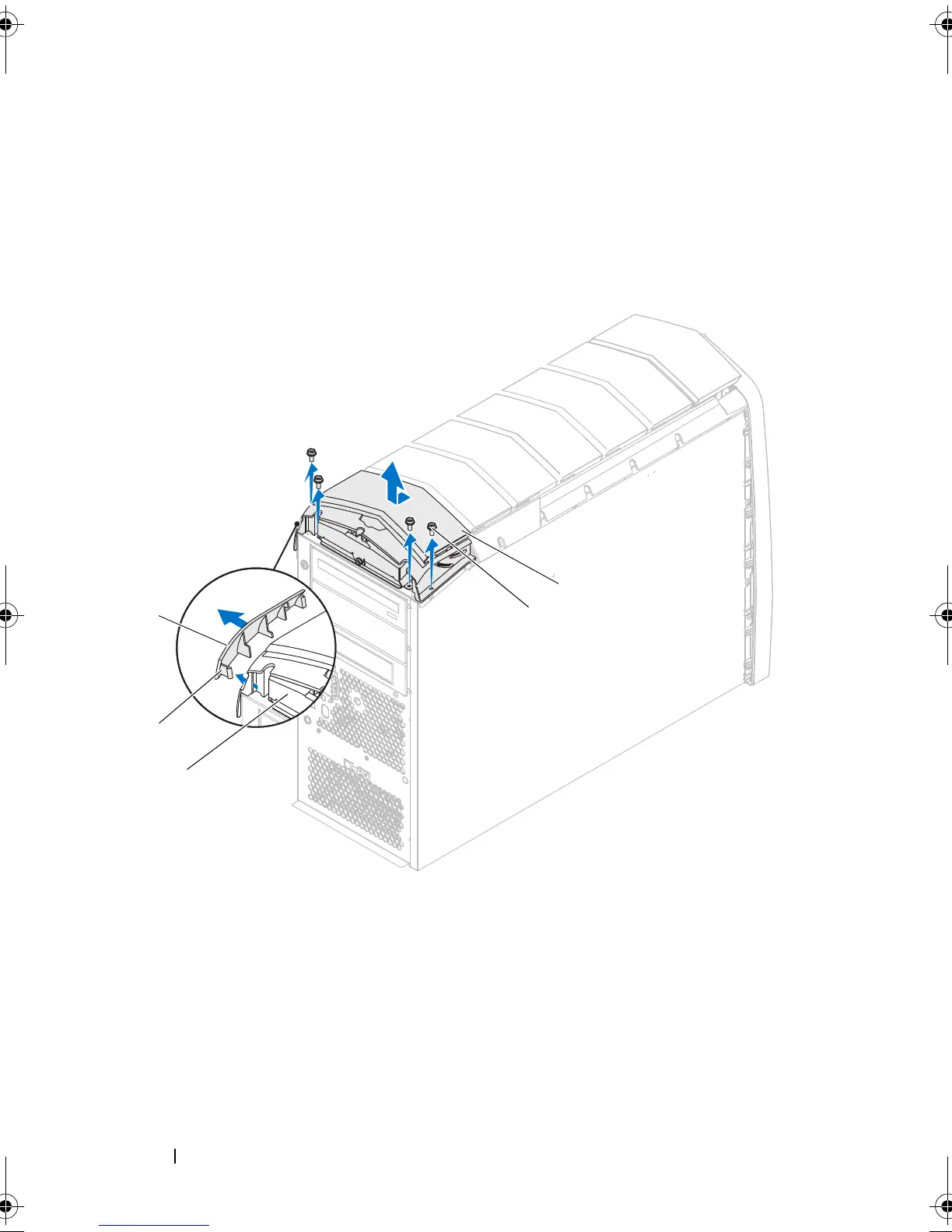
Remove the screws that secure the top I/O panel to the chassis.
4
Disconnect the top I/O panel cables from the connectors on the system
board and master I/O board.
5
Slide and remove the top I/O panel out of the chassis.
Replacing the Top I/O Panel
1
Slide the tabs on the top I/O panel into the slots on the chassis.
1 panel insert 2 tab
3 top I/O panel 4 screws (4)
5 top panel
book.book Page 142 Wednesday, May 16, 2012 2:37 PM











 To Next Page