156 System Setup Utility
Clearing CMOS Passwords
WARNING: Before working inside your computer, read the safety information
that shipped with your computer and follow the steps in "Before You Begin" on
page 13. For additional safety best practices information, see the Regulatory
Compliance Homepage at dell.com/regulatory_compliance.
WARNING: The computer must be disconnected from the electrical outlet to
clear the CMOS setting.
1
Remove the left side-panel. See "Left Side-Panel" on page 25.
2
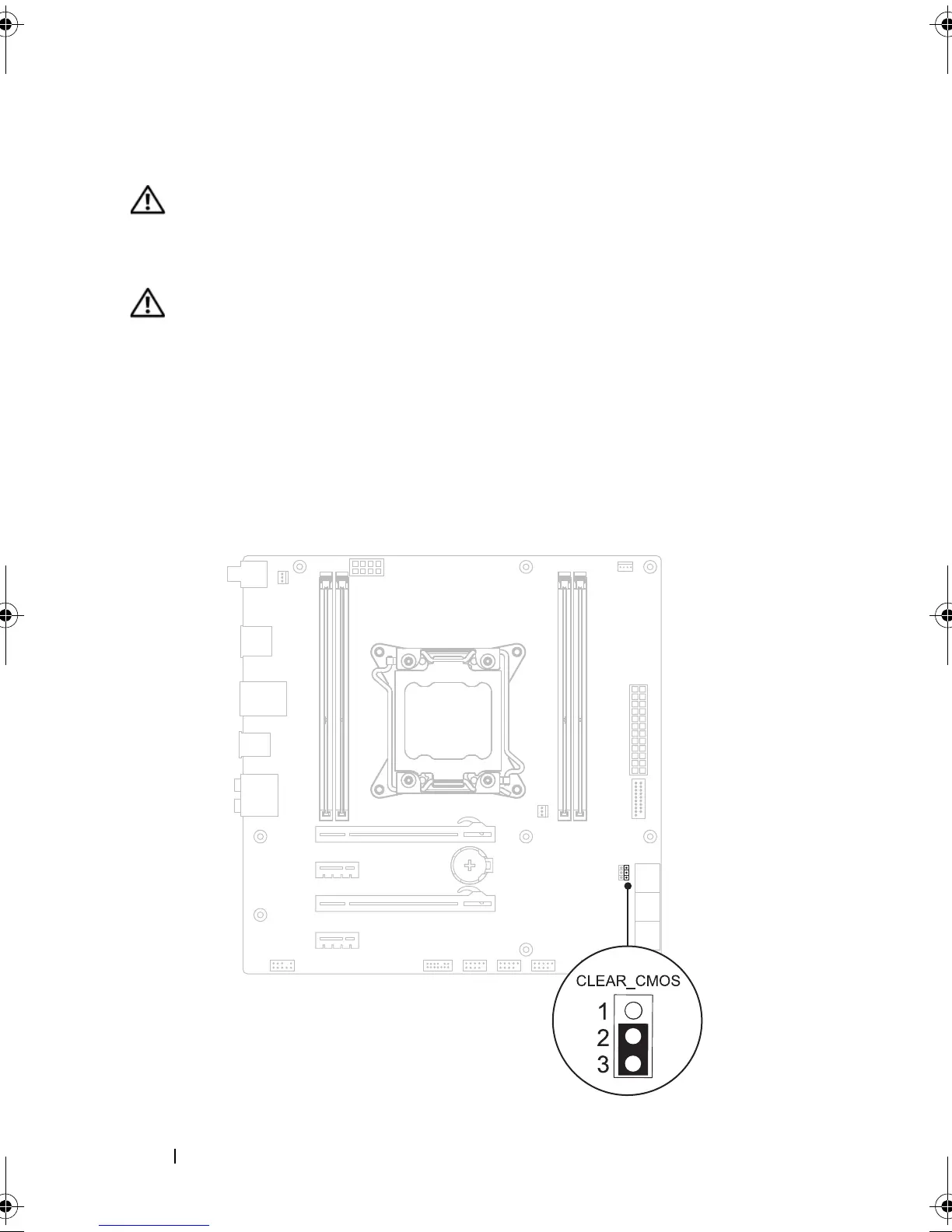
Locate the 3-pin CMOS reset jumper (CMOS_CLEAR) on the system
board. See "System-Board Components" on page 20.
3
Remove the 2-pin jumper plug from pins 2 and 3 and fix it on pins 1 and 2.
CMOS:
book.book Page 156 Wednesday, May 16, 2012 2:37 PM











 To Next Page