38 Optical Drive(s)
Replacing the Optical Drive(s)
1
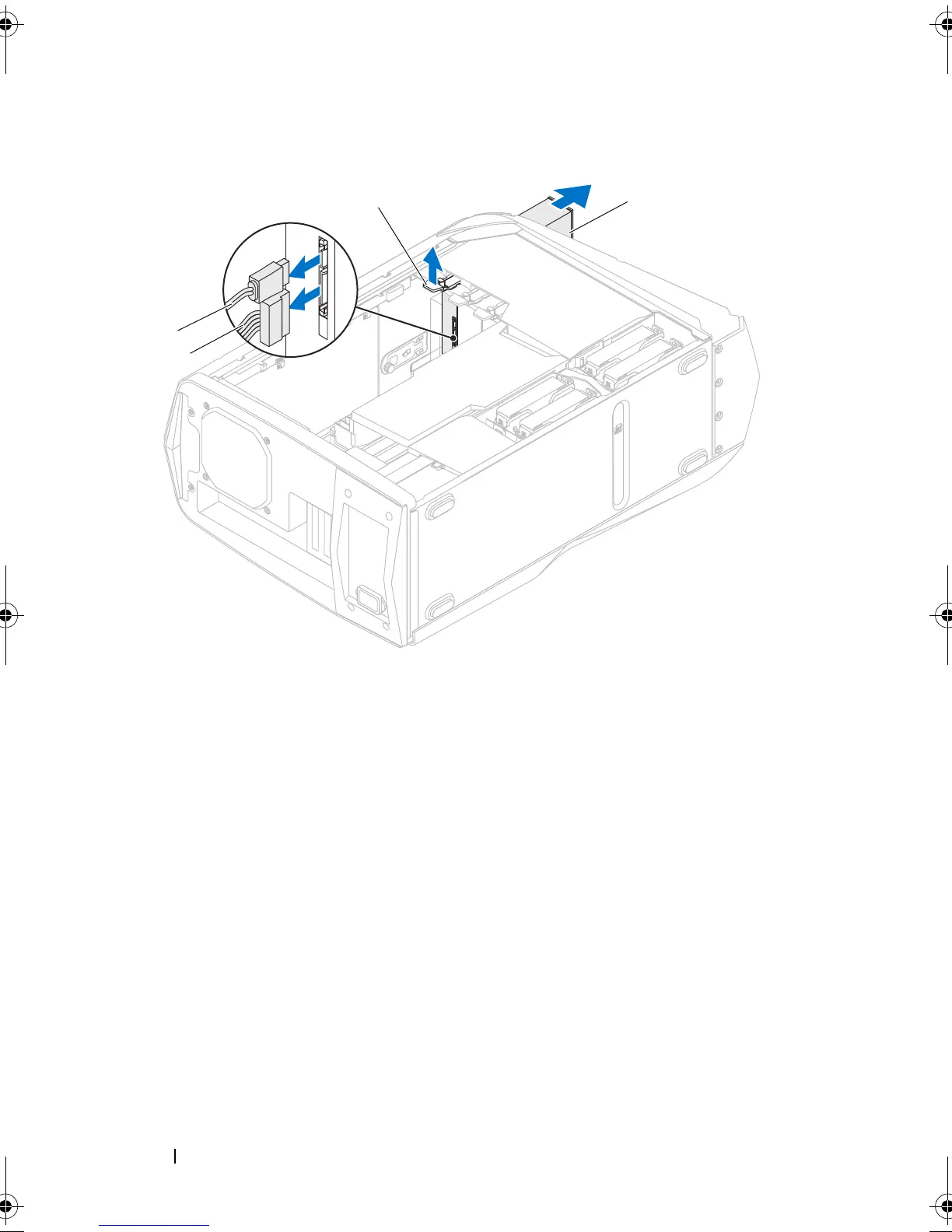
Lift and hold the securing tab, and then slide the optical drive through the
front of the computer until the securing tab snaps into place.
2
Connect the power cable and the data cable to the optical drive.
3
Lift the drive panel towards the top of your computer until it snaps into
place.
Postrequisites
1
Replace the left side-panel. See "Replacing the Left Side-Panel" on
page 27.
1 power cable 2 data cable
3 securing tab 4 optical drive
book.book Page 38 Wednesday, May 16, 2012 2:37 PM











 To Next Page