50 PCI-Express x1 Card
Replacing the PCI-Express x1 Card
1
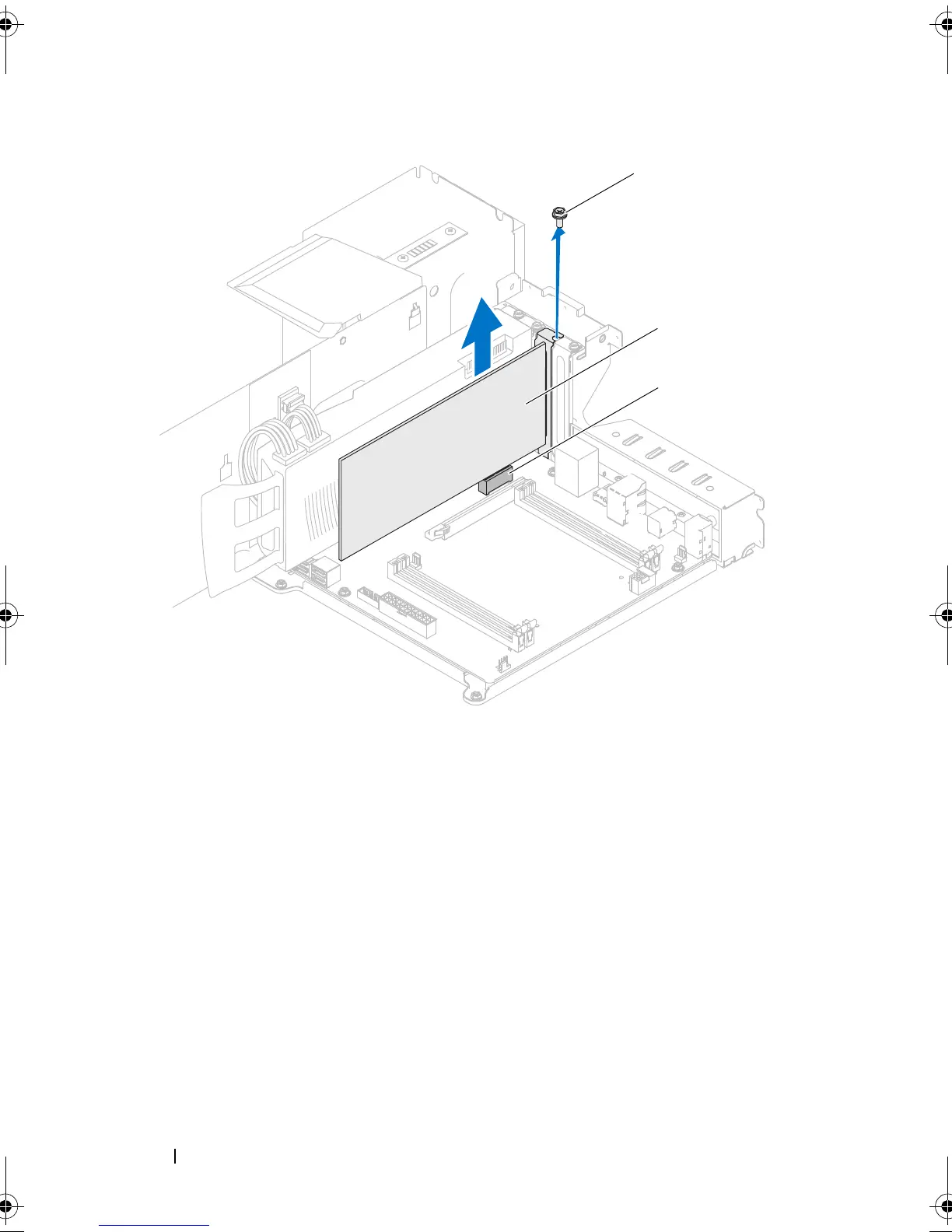
Remove the screw that secures the filler bracket and remove the filler
bracket (if applicable).
1 screw 2 PCI-Express x1 card
3 PCI-Express x1 connector
book.book Page 50 Wednesday, May 16, 2012 2:37 PM











 To Next Page