86 Power Supply
Replacing the Power-Supply Unit
1
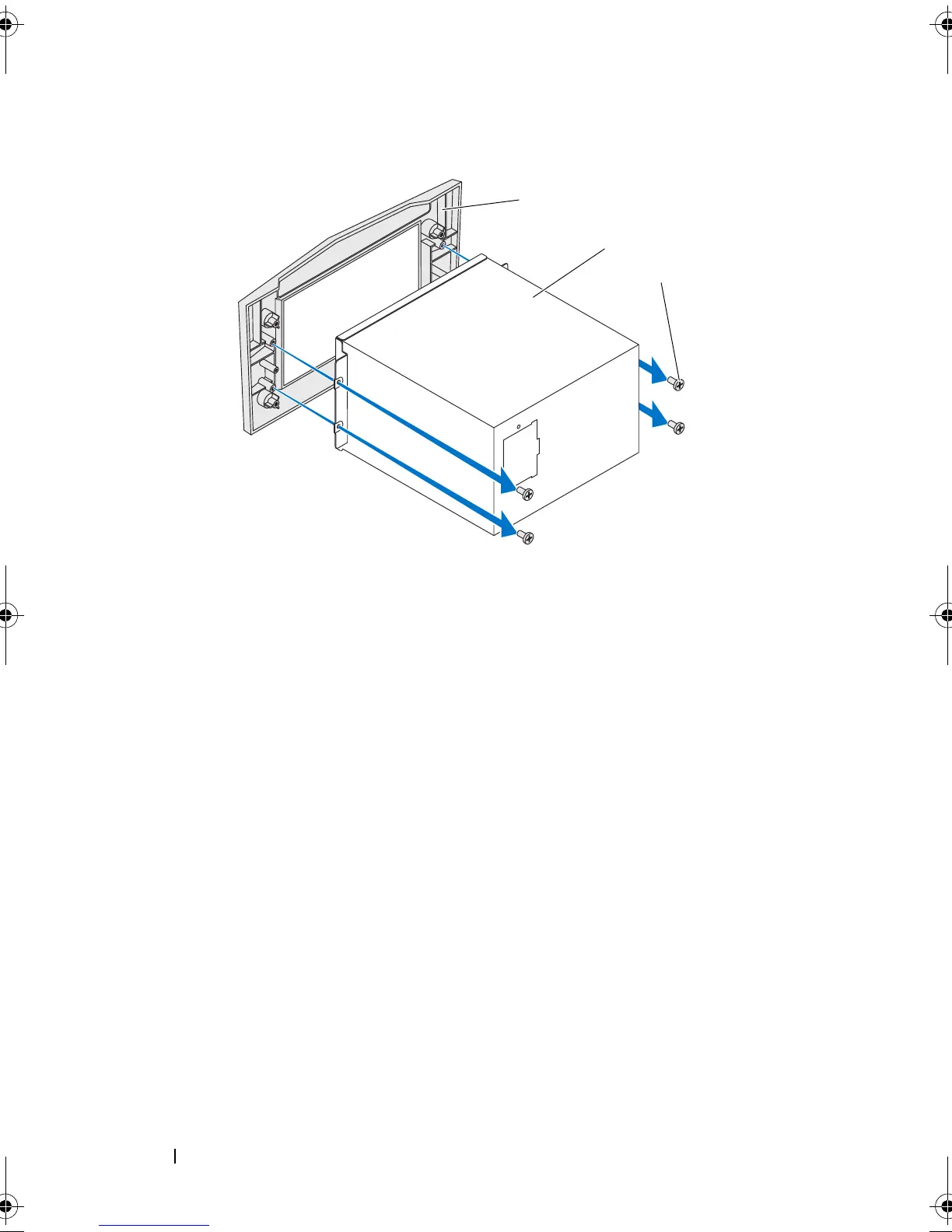
Align the screw holes on the power-supply unit with the screw holes on the
bezel.
2
Replace the screws that secure the power-supply unit to the bezel.
3
Slide the power-supply unit into the chassis through the back of the
computer.
4
Tighten the captive screws that secure the power-supply unit to the back of
the chassis.
5
Connect the DC-wire harness to the power-supply unit.
6
Align the notch on the power-supply cover with the tab on the chassis.
7
Slide the power-supply cover towards the tabs until it locks in place.
1 bezel 2 power-supply unit
3 screws (4)
book.book Page 86 Wednesday, May 16, 2012 2:37 PM











 To Next Page