96 System-Board Assembly
3
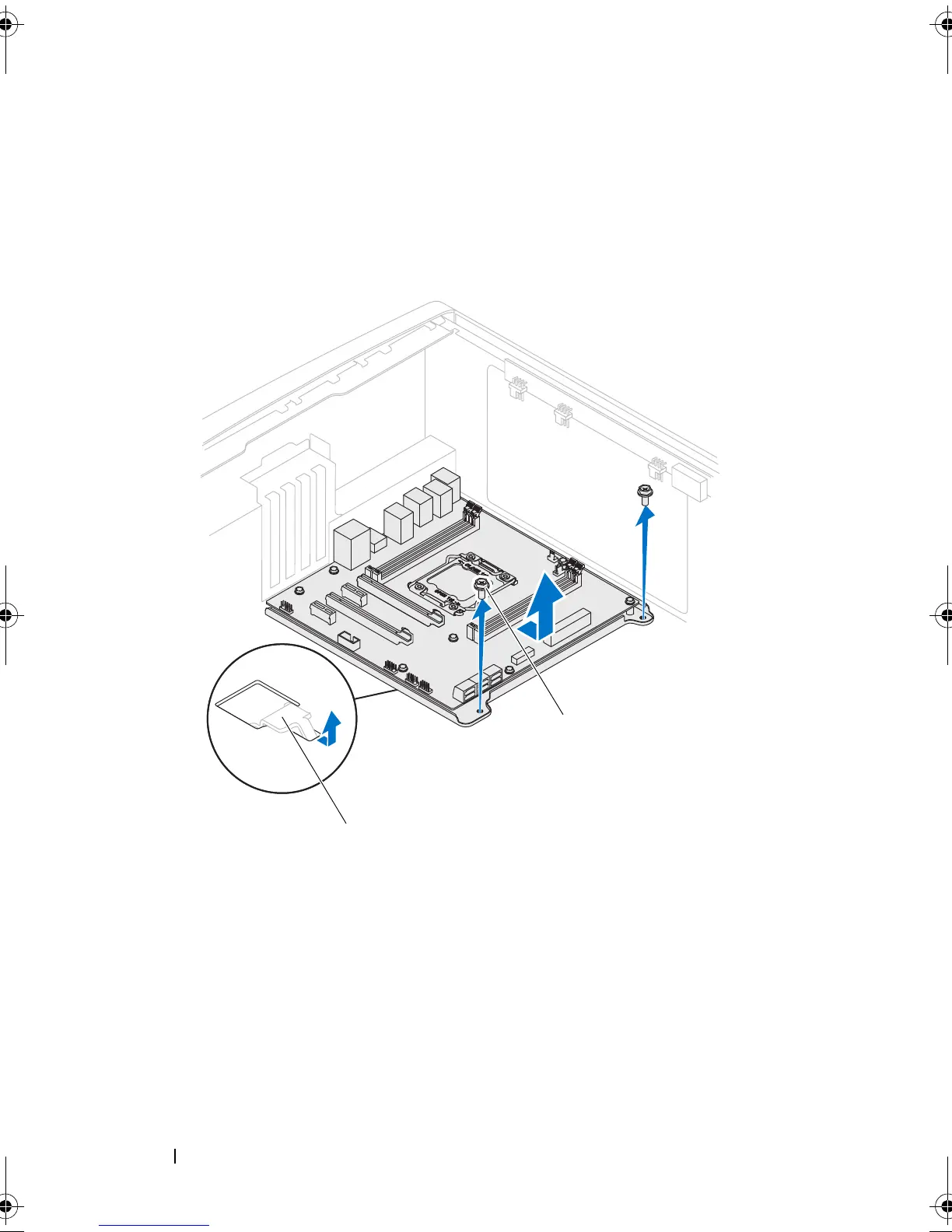
Slide the system-board assembly towards the front of the chassis to
disengage it from the latches that secure it to the chassis.
4
Lift the system-board assembly out of the chassis.
Replacing the System-Board Assembly
1
Align the connectors on the system-board assembly with the slots on the
chassis and place the system-board assembly in position.
2
Slide the system-board assembly towards the back of the chassis and
engage the latches that secure it to the chassis.
3
Replace the screws that secure the system-board assembly to the chassis.
1 latch 2 screws (2)
book.book Page 96 Wednesday, May 16, 2012 2:37 PM











 To Next Page