Steps
1 Remove the screw (M2x3) that secures the M.2 thermal shield to the palm-rest assembly.
2 Lift and remove the M.2 2280 thermal shield o the M.2 2280 solid-state drive.
NOTE: A thermal shield is only present on PCIe M.2 cards.
3 Slide and remove the M.2 2280 solid-state drive from the M.2 card slot on the system board.
Installing the M.2 2280 solid-state drive
Prerequisite
If you are replacing a component, remove the existing component before performing the installation procedure.
About this task
NOTE: This procedure applies if you are installing a M.2 2280 solid-state drive.
NOTE: Depending on the conguration ordered your computer may have up to two M.2 cards installed. Supported
card congurations per M.2 card slot:
• M.2 2230 solid-state drive + 2230 mounting bracket
• M.2 2280 solid-state drive
NOTE: For PCIe, NVMe solid-state drives a thermal shield is required for optimal heat dissipation and is installed in
your computer when these congurations are ordered. If these congurations are installed After Point-of-Sale
(APOS), contact Dell support for the thermal shield.
NOTE: Before replacing the M.2 card take note that there are two M.2 card slots present on your computer, for:
• the left card slot PCIe, NVMe and SATA AHCI cards are supported.
• the right card slot only PCIe, NVMe cards are supported.
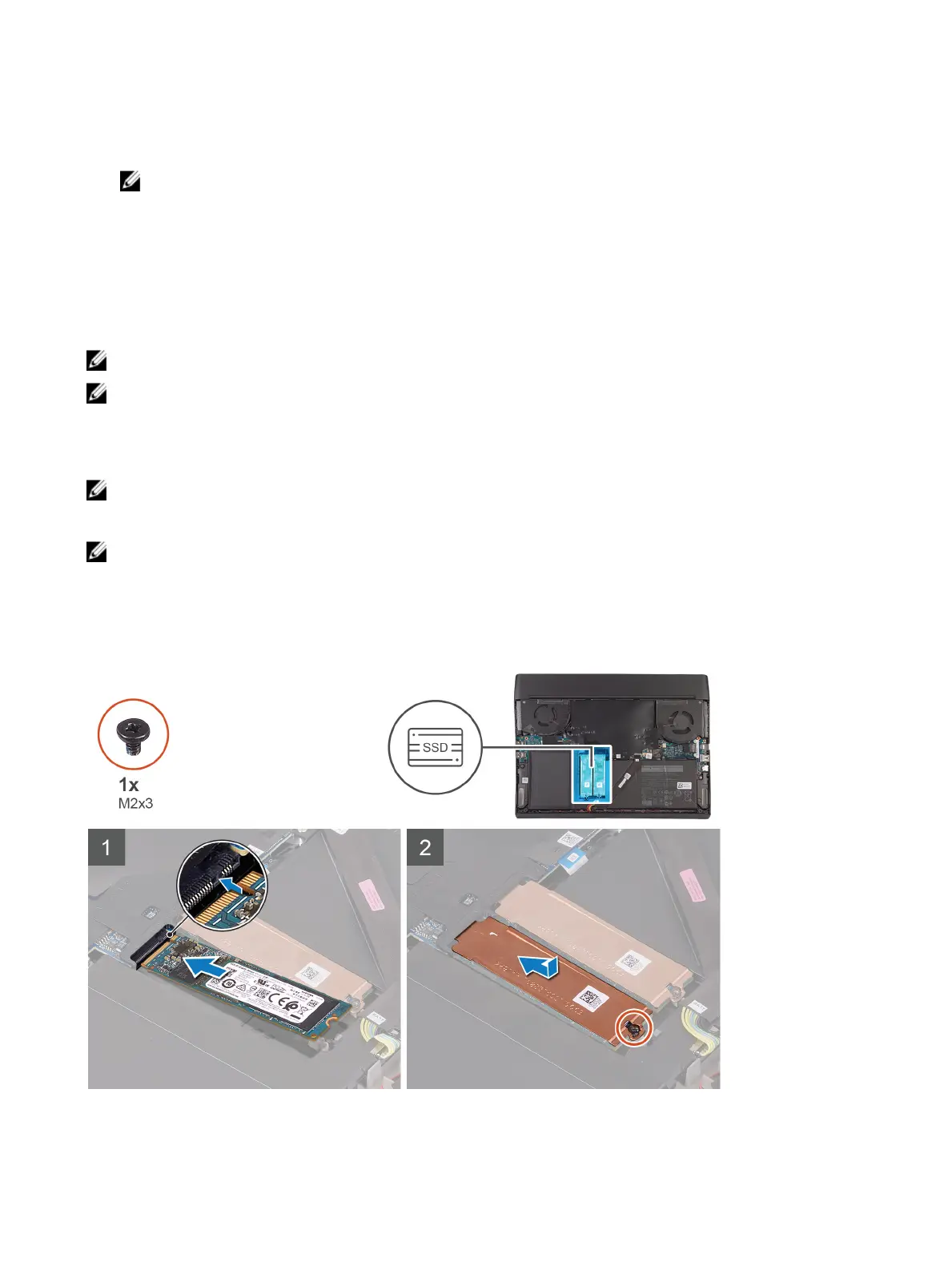
The following image indicates the location of the M.2 2280 solid-state drive and provides a visual representation of the
installation procedure.
Steps
1 Align the notch on the M.2 2280 solid-state drive with the tab on the M.2 card slot on the system board.
17









 To Next Page