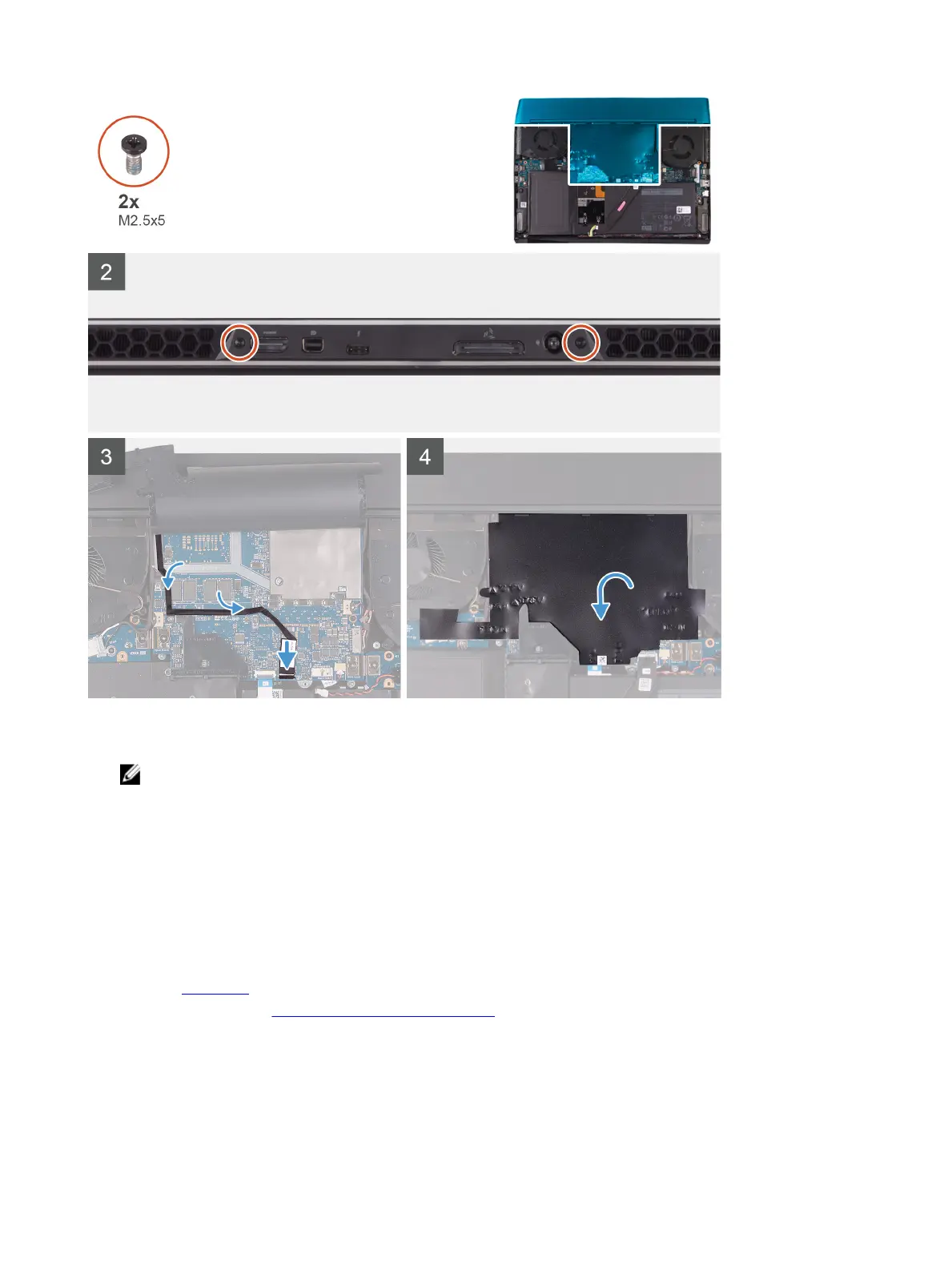
Steps
1 Push the rear I/O-cover into the palm-rest assembly snapping it into place.
NOTE: To avoiding damaging your computer, ensure the Tron light cable is not pinched and that the Mylar is
pasted on the system board before snapping the rear I/O-cover into place.
2 Replace the two screws (M2.5x5) that secure the rear I/O-cover to the palm-rest assembly.
3 Peel and lift the Mylar from the system board.
4 Route the Tron light cable through the slot on the Mylar.
5 Connect the Tron light cable to the system board.
6 Route and adhere the Tron light cable into place on the system board.
7 Adhere the Mylar into place onto the system board.
Next steps
1 Install the base cover.
2 Follow the procedure in After working inside your computer.
Display assembly
20









 To Next Page