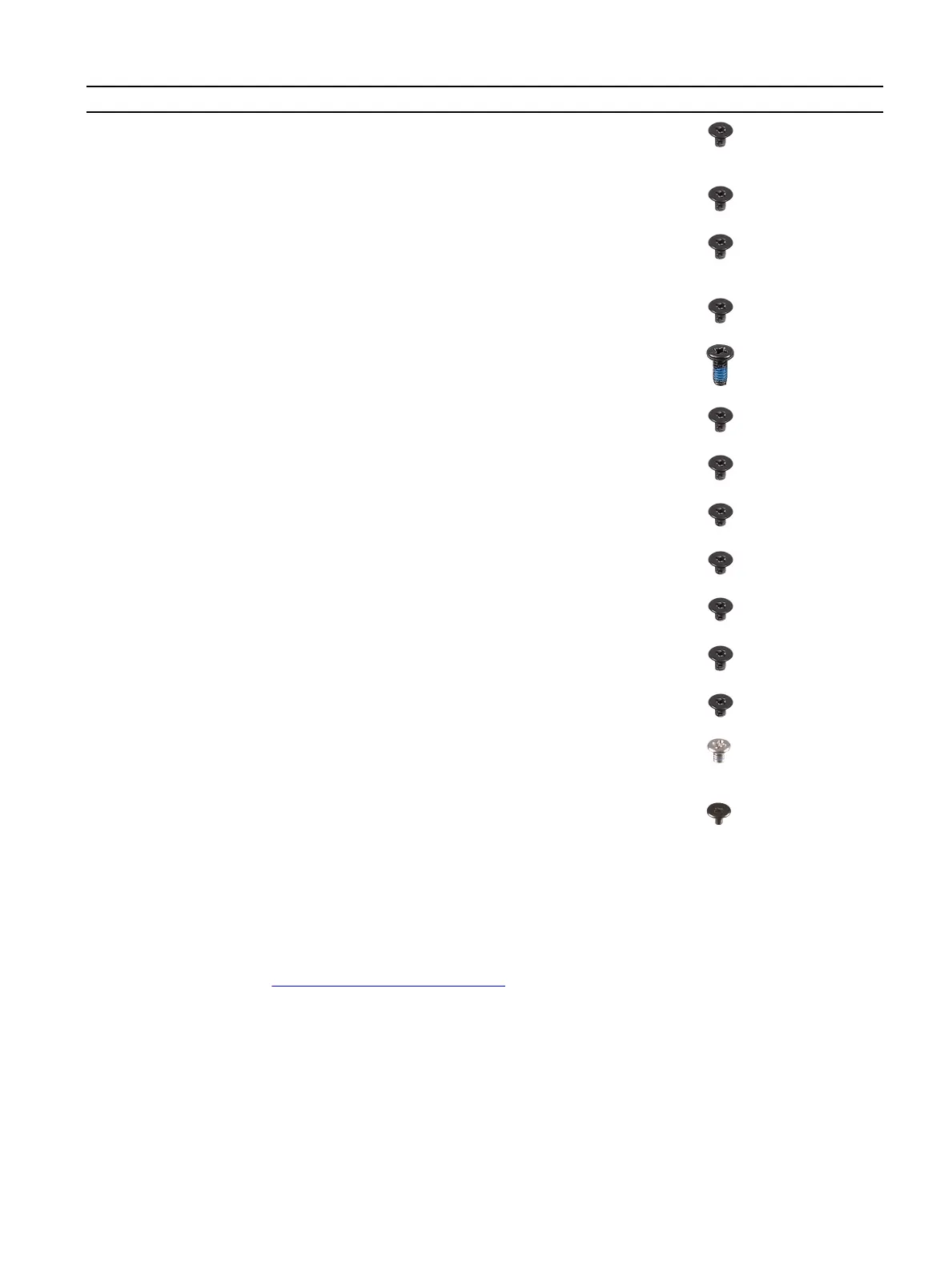
Component Secured to Screw type Quantity Screw image
Left I/O-board
connector
• System board
• Left I/O-board
M2x3 2
Left I/O-board Palm-rest assembly M2x3 1
Right I/O-board
connector
• System board
• Right I/O-board
M2x3 2
Right I/O-board Palm-rest assembly M2x3 2
Fans Palm-rest assembly M2.5x5 5
System board Palm-rest assembly M2x3 4
Fan and heat-sink
assembly
System board M2x3 6
Solid-state drive support
bracket
Palm-rest assembly M2x1.9 2
Touchpad Palm-rest assembly M2x1.9 4
Solid-state drive
support-bracket
Palm-rest assembly M2x1.9 2
Power-adapter port
bracket
Palm-rest assembly M2x3 2
Power-button assembly Palm-rest assembly M2x1.9 3
Keyboard bracket
• Palm-rest assembly
• Keyboard
M1.2x2.1 9
Keyboard Palm-rest assembly M1.2x1.6 33
Base cover
Removing the base cover
Prerequisite
1 Follow the procedure in Before working inside your computer.
About this task
The following image indicates the location of the base cover and provides a visual representation of the removal procedure.
9









 To Next Page