Steps
1 Ensure that the palm-rest assembly is placed face up with the keyboard facing you.
2 Gently place the display assembly on the palm-rest assembly and align the screw holes on the display assembly to the
screw holes on the palm-rest assembly.
3 Replace the six screws (M2.5x5) that secure the display assembly to the palm-rest assembly.
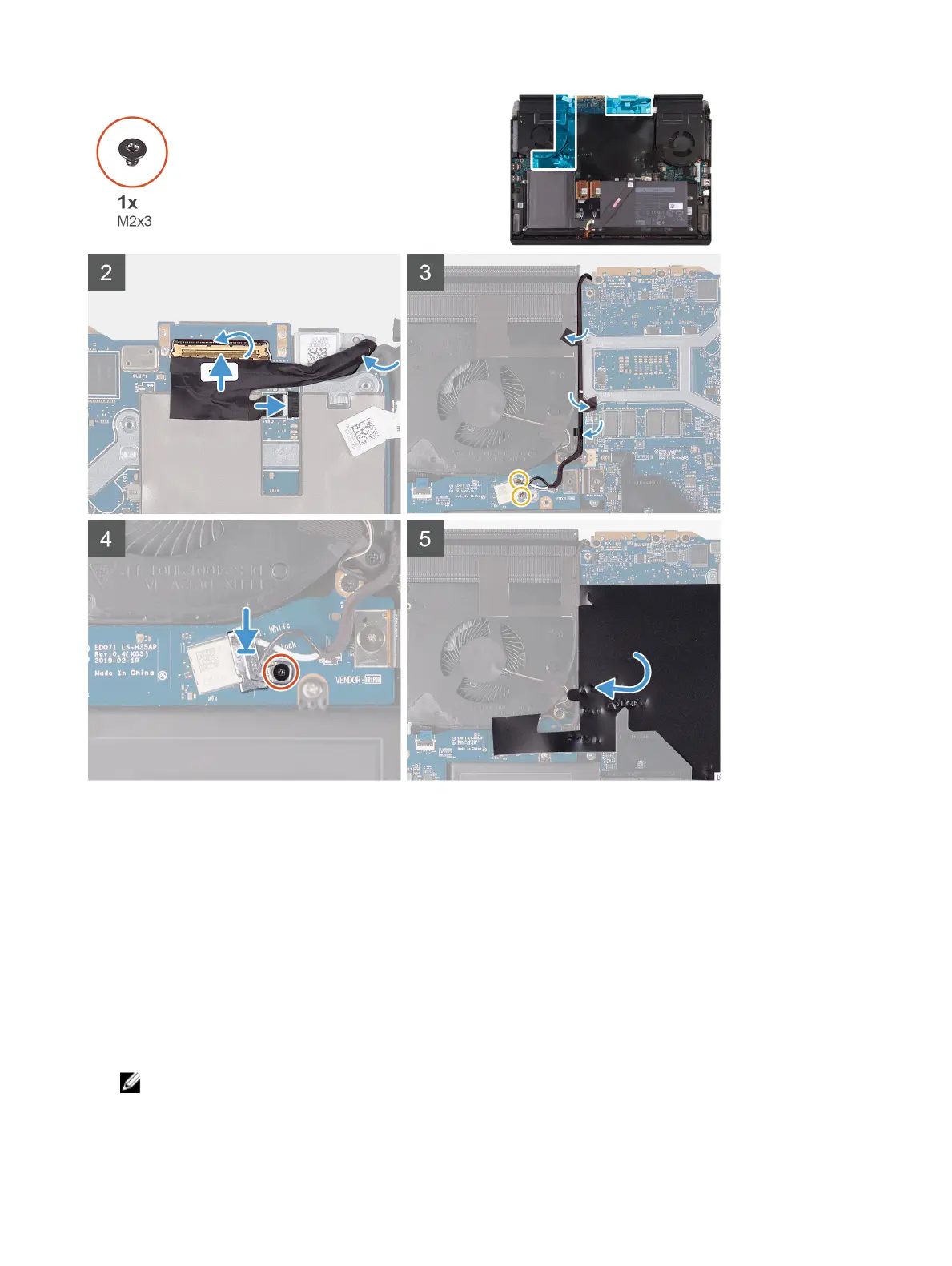
4 Route the following cables to the routing guides on the palm-rest assembly.
– Display cable
– G-sensor cable
– Tobii eye tracker cable
– Antenna cables
5 Place the computer face down.
6 Connect the Tobii eye tracker cable to the connector on the system board.
NOTE: This step is only applicable to computers shipped with a Tobii eye tracker.
7 Connect the G-sensor cable to the connector on the system board.
8 Connect the display cable to the connector on the system board and close the latch.
24









 To Next Page