e
.
2
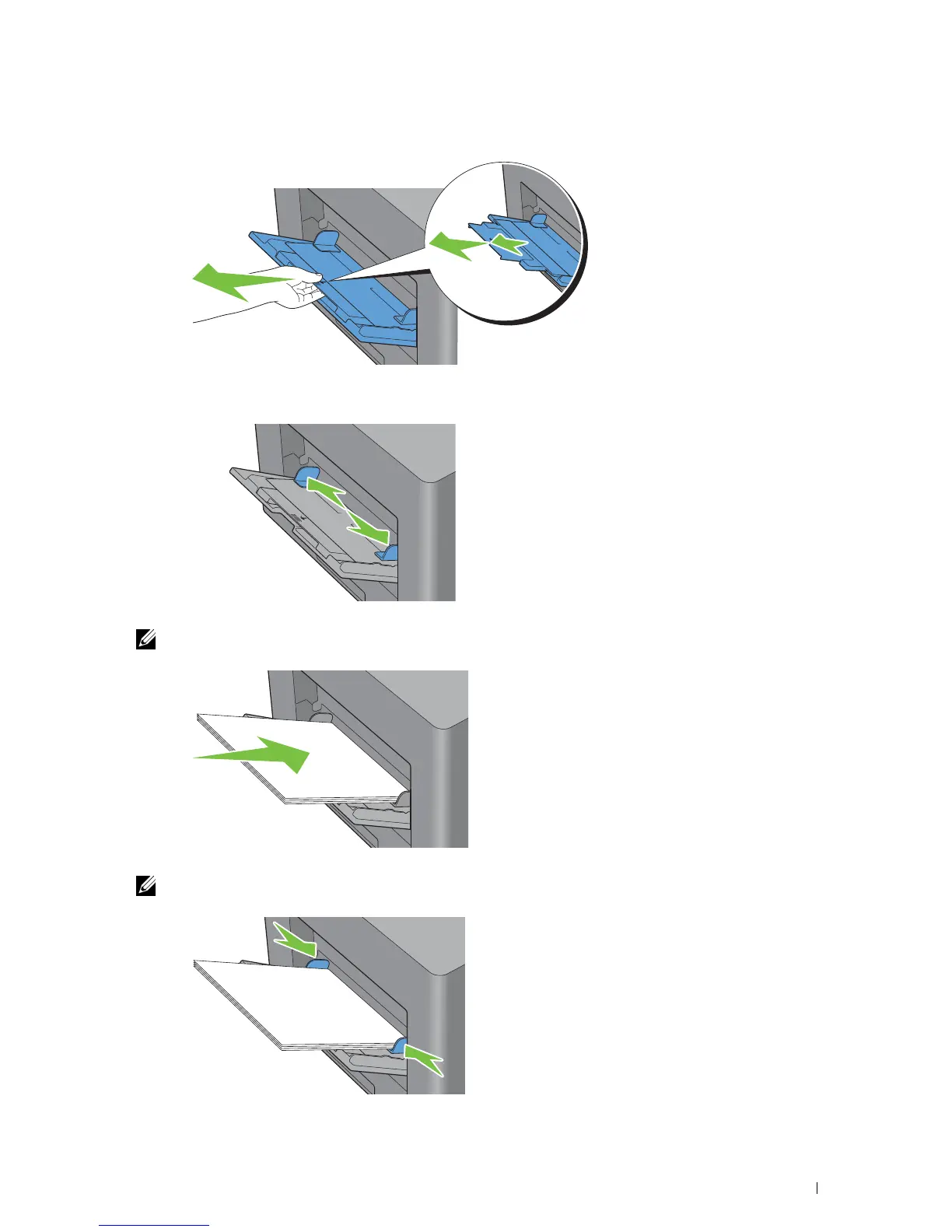
Extend the extension tray as necessary.
3
Slide the width guides to the edge of the tray. Th width guides should be fully extended.
4
Insert all media facing up and top edge first into the MPF.
NOTE: Do not force the print media into the MPF.
5
Slide both width guides until they rest lightly against the edge of the print media stack.
NOTE: Do not force the print media into the MPF
Loading Print Media 209














 To Next Page