1
Replacing the Waste Toner Box
WARNING: Before performing any of the following procedures, read and follow the safety instructions in the
Important
Information
.
Removing the Waste Toner Box
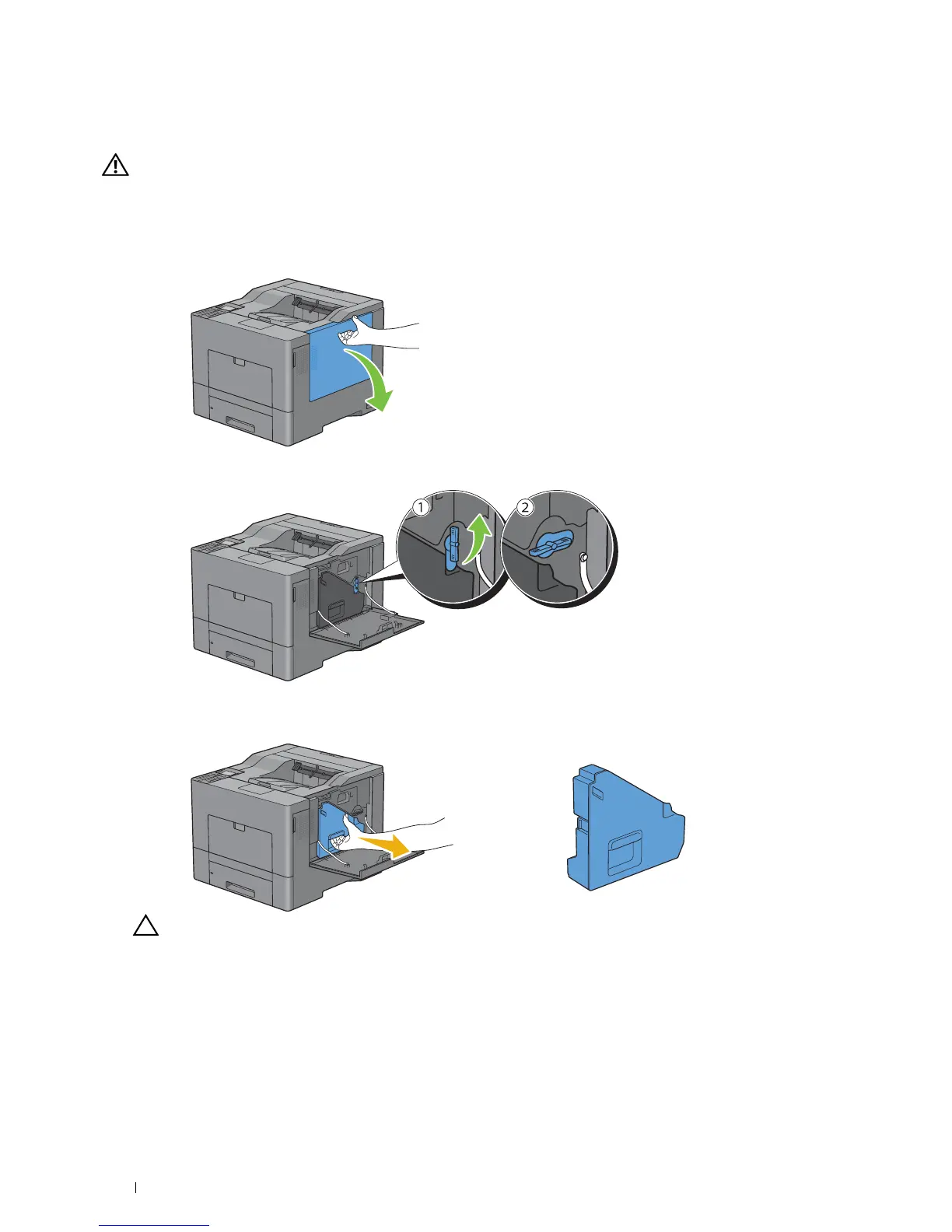
Open the right side cover.
2
Turn the waste toner box lock lever 90-degrees counterclockwise to unlock the waste toner box.
3
Grasp the handle on the waste toner box and pull it out making sure to hold it upright so that the waste toner does
not spill out.
CAUTION: Take care not to drop the waste toner box while you are removing it.
Maintaining Your Printer
288














 To Next Page