7
Connecting Your Printer
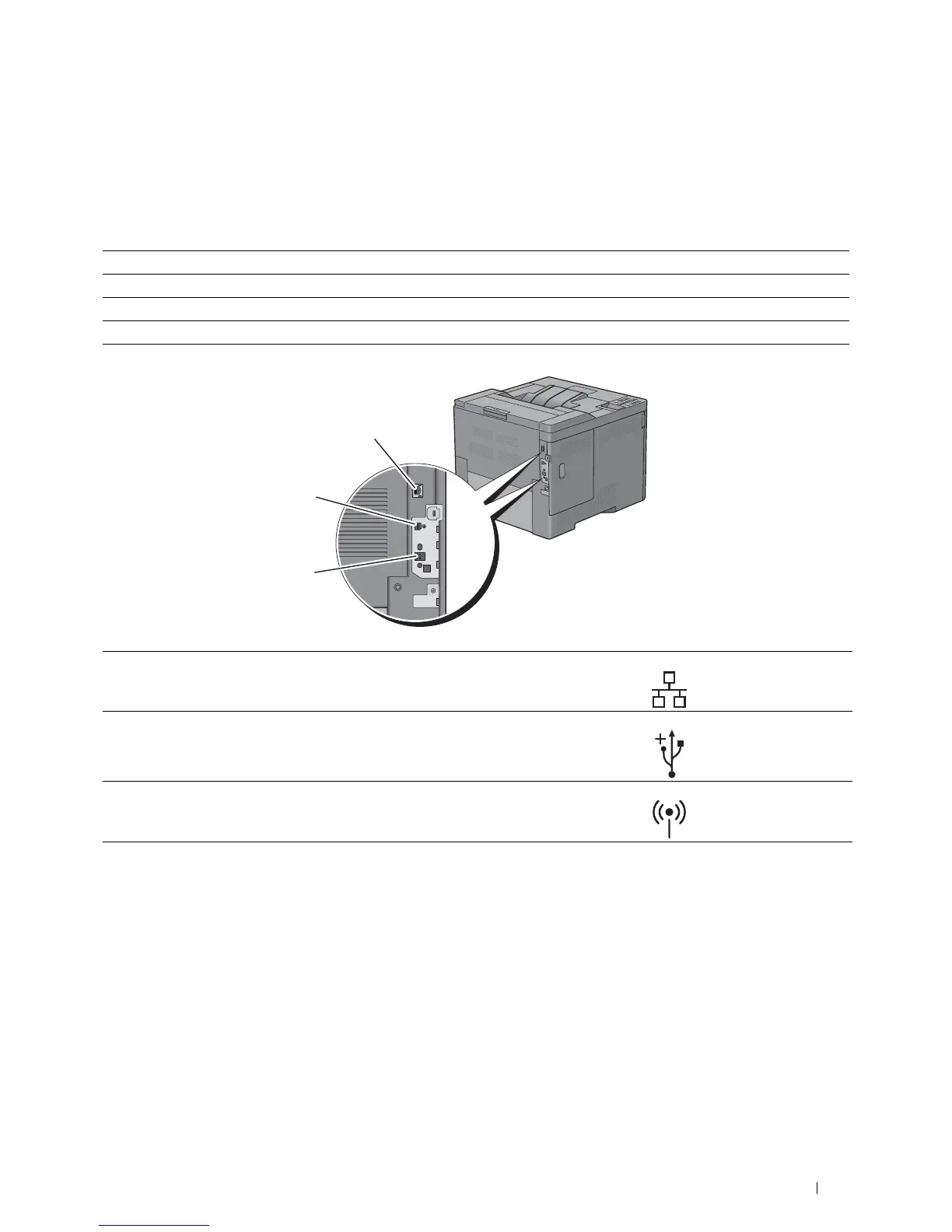
To connect your Dell™ C2660dn Color Laser Printer to a computer or device, the following specification must be
met for each of the connection type:
Connection type Connection specifications
Ethernet 10 Base-T/100 Base-TX/1000 Base-T
Wireless (optional) IEEE 802.11b/802.11g/802.11n
USB USB 2.0
2
3
1
1 Ethernet port
2 USB port
3 Wireless adapter socket
Connecting Your Printer 51














 To Next Page