3
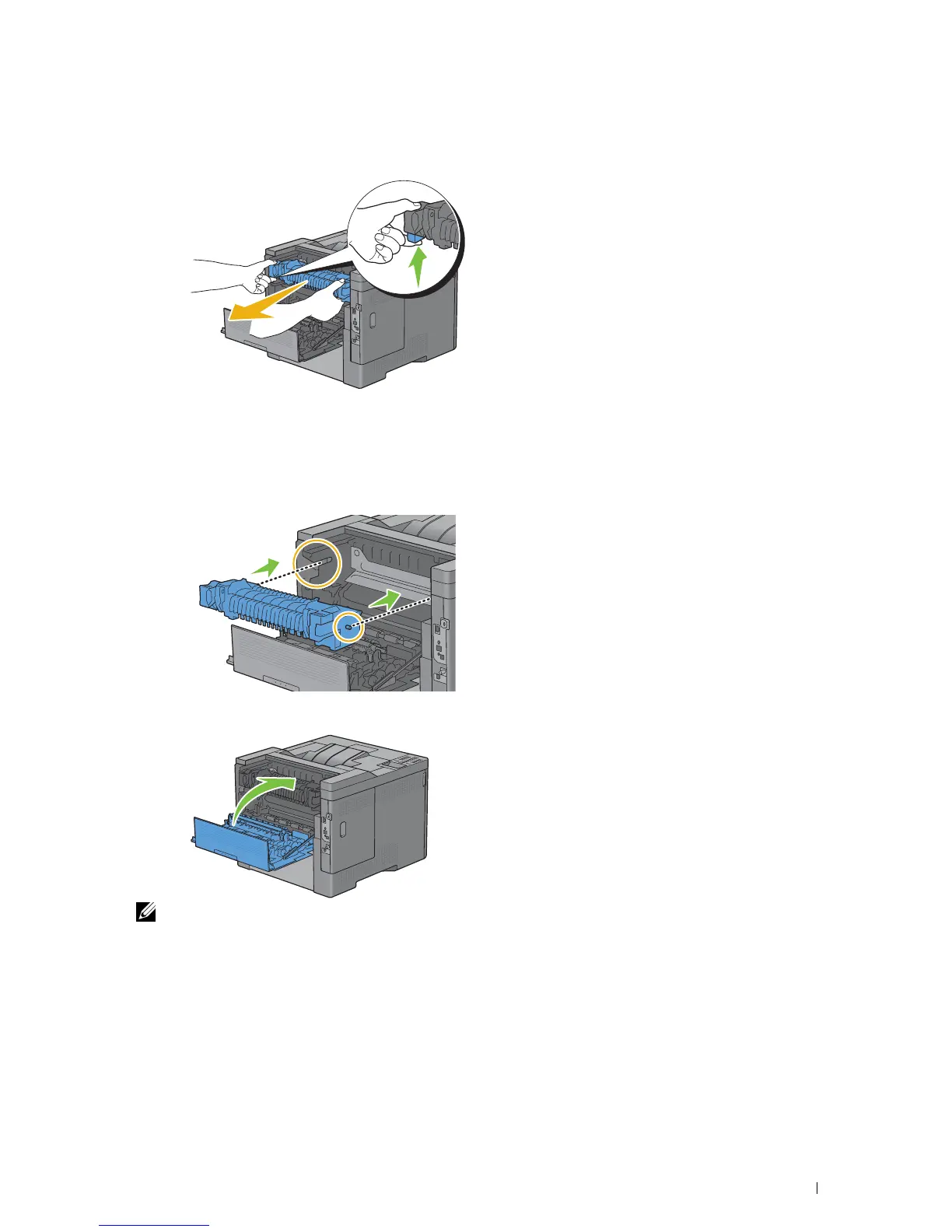
Grasp the grips on both sides of the fusing unit squeezing the lever under the left side grip, and then pull out the
unit.
Installing a Fusing Unit
1
Unpack a new fusing unit.
2
Make sure that the two tabs of the fusing unit align with the grooves on the printer, and then insert it into the
printer until it clicks.
3
Close the rear cover.
NOTE: After replacing the fusing unit, be sure to initialize its life counter by following the instructions in the accompanying
manual.
Maintaining Your Printer 279














 To Next Page