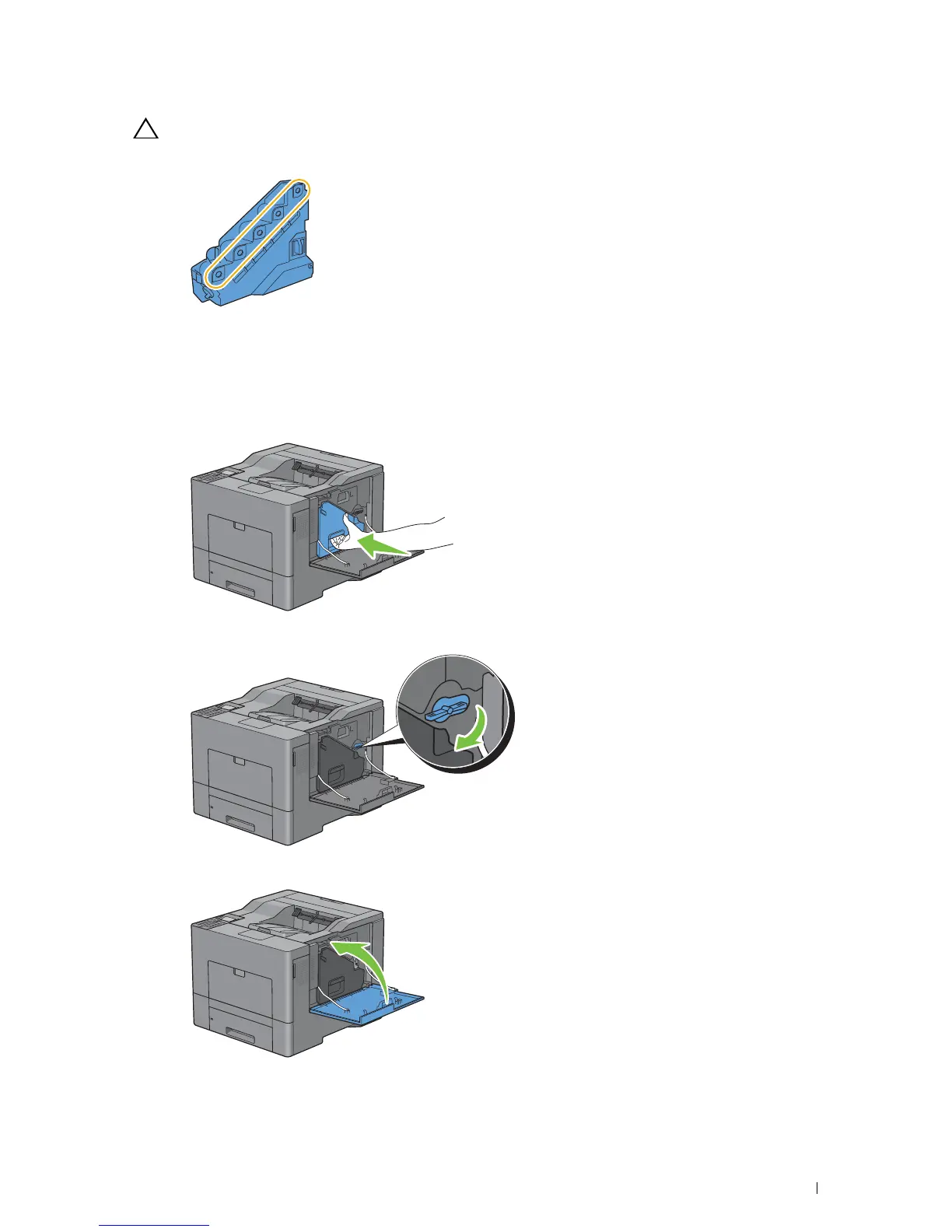
CAUTION: After removing the waste toner box, do not touch the parts shown in the illustration. Toner can dirty or stain
your hands.
4
Insert the used waste toner box into the plastic bag that came with the new waste toner box and seal the bag.
Installing a Waste Toner Box
1
Unpack a new waste toner box.
2
Insert the waste toner box.
3
Turn the waste toner box lock lever 90-degrees clockwise to lock the waste toner box.
4
Close the right side cover.
Maintaining Your Printer 289














 To Next Page