Removing the Optional Wireless Adapter
WARNING: When you remove the optional wireless adapter, be sure to turn off the printer, unplug the power cable, and
disconnect all cables from the back of the printer before starting these tasks.
1
Ensure that the printer is turned off.
2
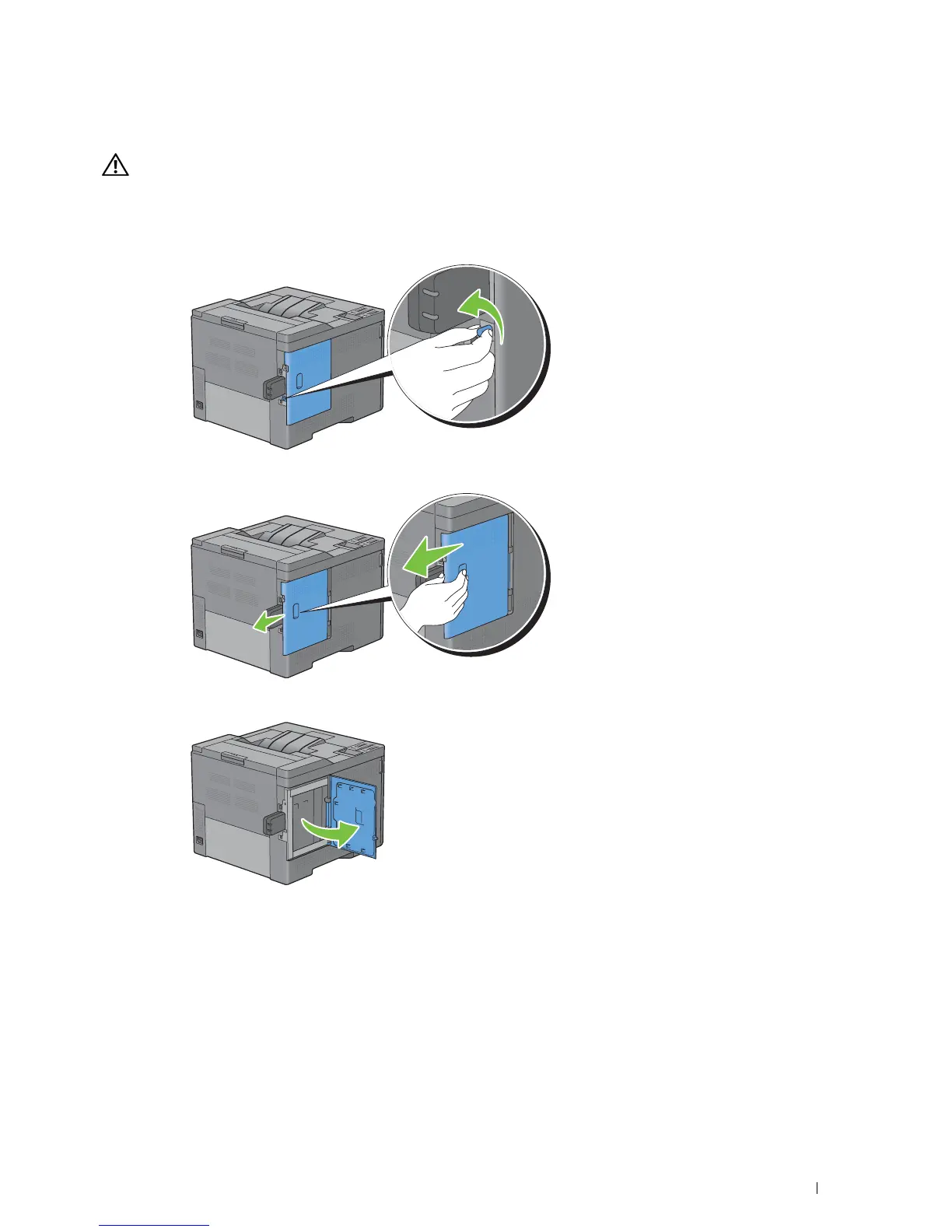
Turn the screw on the left side cover counterclockwise to remove it.
3
Slide the left side cover towards the back of the printer.
4
Open the left side cover completely.
Removing Options 305














 To Next Page